Getting started with N.Rich
Last updated: September 11, 2026
Setting up your account - from the moment you log in for the first time, all the way to analyzing the results of your ABM efforts.
You signed up for N.Rich and got access to your account - what do you do next? This article will take you on a journey of configuring your N.Rich account, website and all the bits and bobs needed to discover the true value of the platform.
1. Set up your profile
Upon logging in for the first time, in the top-right drop-down, you can find the most important information about your N.Rich account:
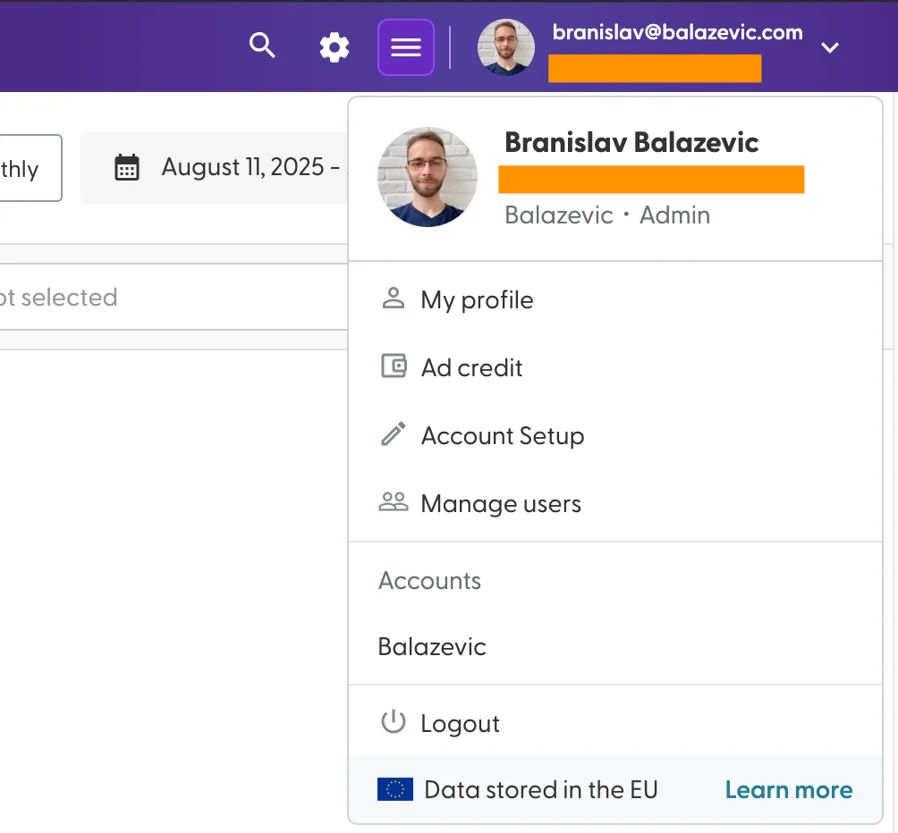
By default, the platform will try to pick up your profile picture (from your Google or Microsoft account). In case that wasn't possible, we will generate one for you using your initials. If you click into "My profile" a sidebar will appear on the right, allowing you to update your name and choose whether or not you would like to receive email alerts:
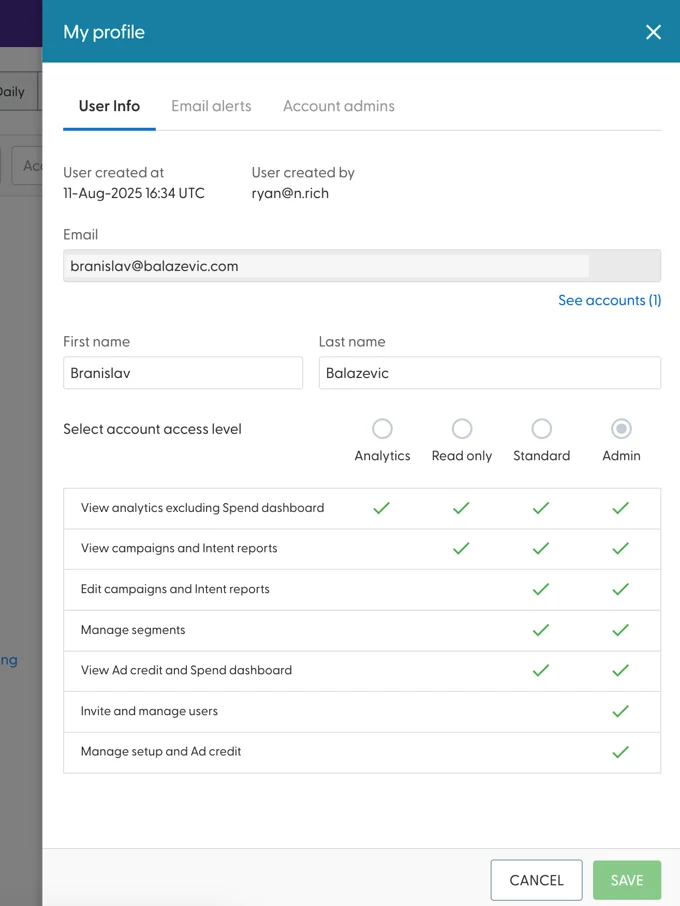
You can also see your permission level - the first user invited to the N.Rich platform tends to always be an 'Admin' level account, with the highest level of permissions available.
You can not change your own permission levels. In case you need your permission levels changed, either invite another Admin to your account, or ask our Support team to do it for you (there is a chat bubble in the bottom left corner of the screen)
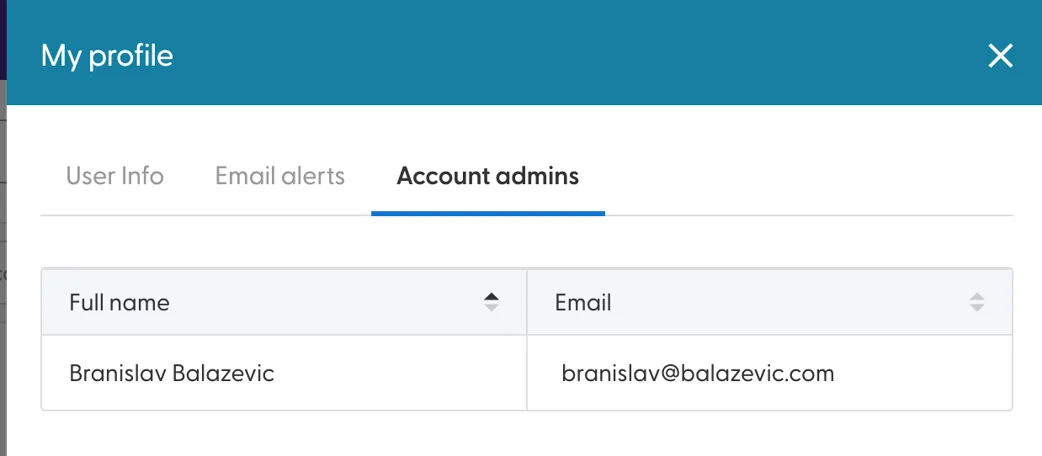
The third tab allows you to see who the account admins are - this tab is available to users of all tiers.
Any changes you make within this panel will only take effect once you click the green SAVE button in the bottom right corner of the panel.
2. Check your Ad credit
This feature is available only to users with Admin level privileges.
The Ad credit option in the top-right sidebar gives you a simple overview over your allocated Ad credit (https://app.nrich.ai/ad-credits)
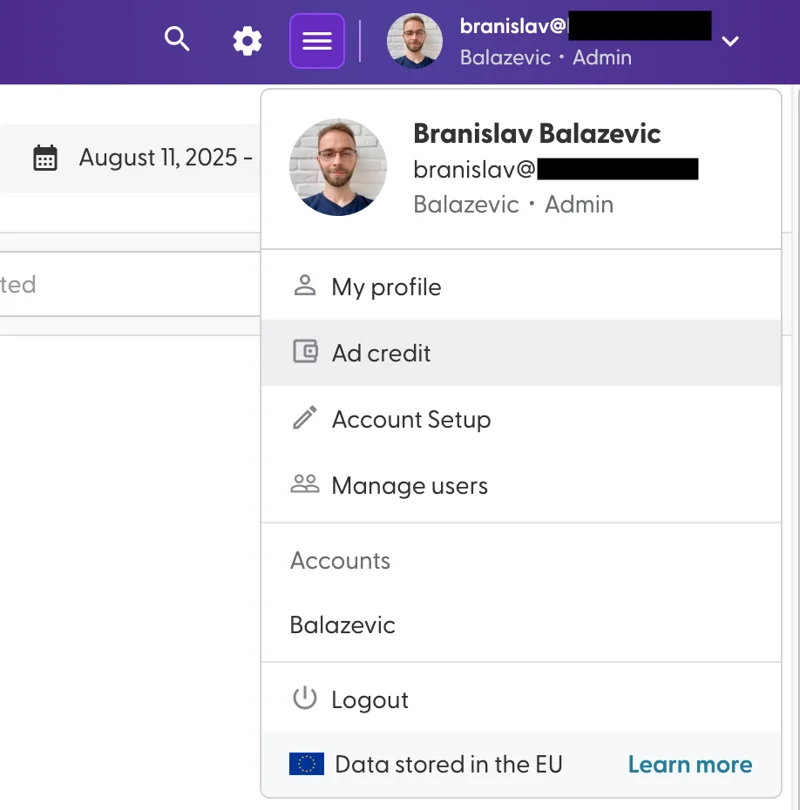
The page itself is quite straight forward:
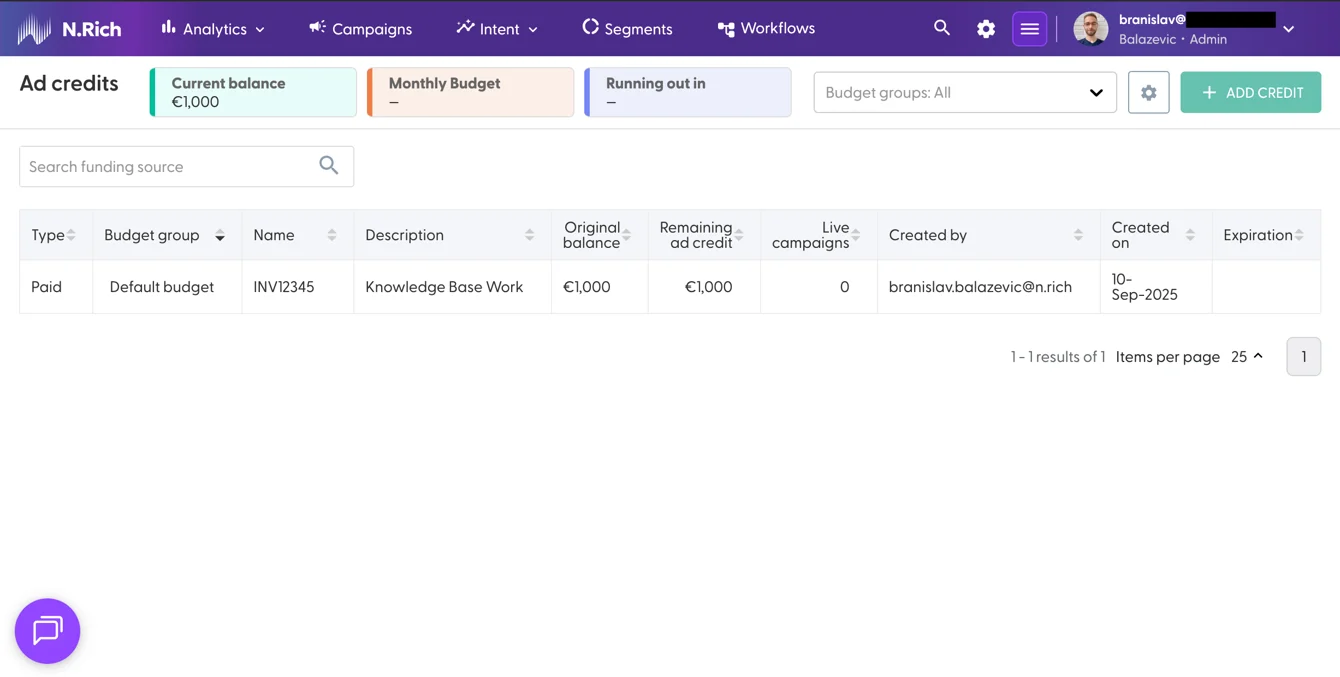
At the top, you can see your Current, available Balance. Next to it, the Monthly Budget and timeframe when we expect the budget to run out will become populated once we launch our first campaign - we shall revisit this view then.
To the right, you will notice a framed cog wheel, next to a disabled "Add credit" button - while it is not possible to add more ad credit yourself, we do plan on enabling users to do so in the future. Until then, in case you need more ad credit, let your Account Manager know (or chat with Support, and we will connect you to them)
The framed cog wheel allows you to set up Budget Groups:
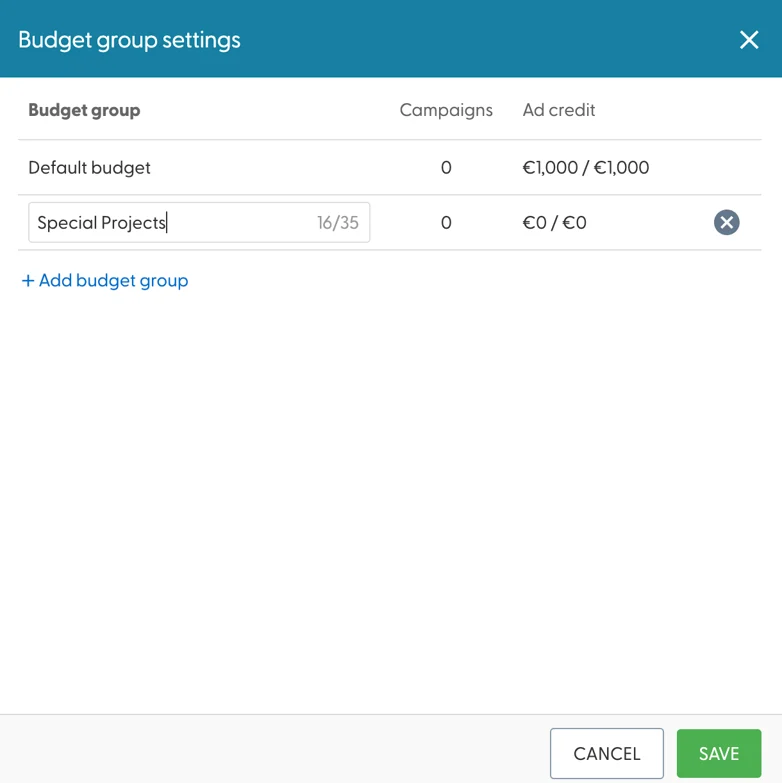
These come in handy, because you can assign specific budget groups to specific ad campaigns to prevent them from overspending. Their names can have up to 35 characters which allows forming decent naming systems.
If you decide to utilise budget groups, you should inform your Account Manager or the Support team how your available credit should be split between them.
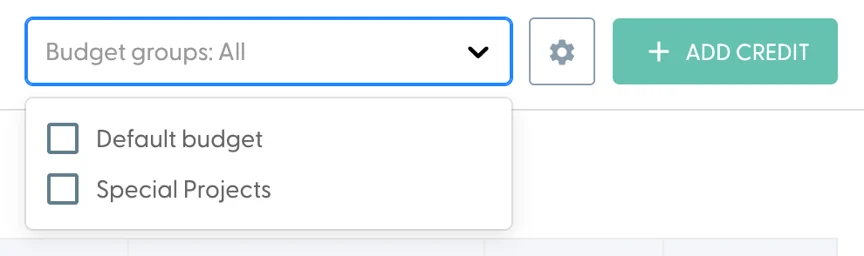
Upon creating a few budget groups, it becomes possible to filter the underlying table to one or multiple budget groups at once:
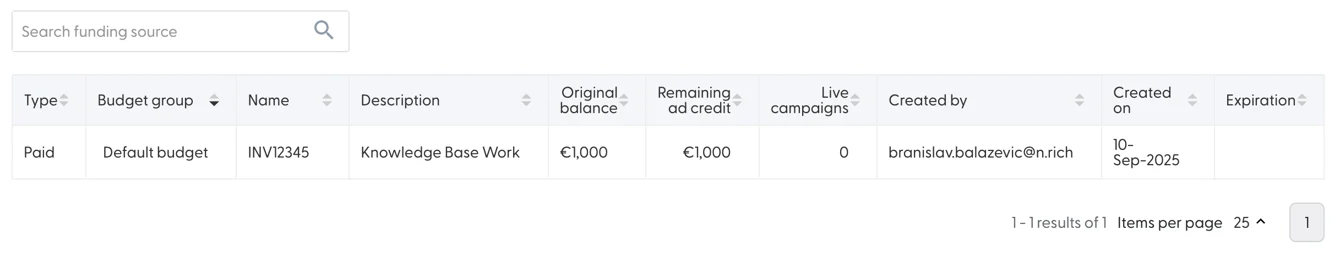
In terms of the table itself, each line of credit acts as a separate budget pot - here you will be able to see how much ad credit remains in each individual pot and how many campaigns are currently live and drawing from a specific pot.
The search bar above the table can filter the available budgets by name or description.
3. Set up your Ad account
This feature is available only to users with Admin level privileges.
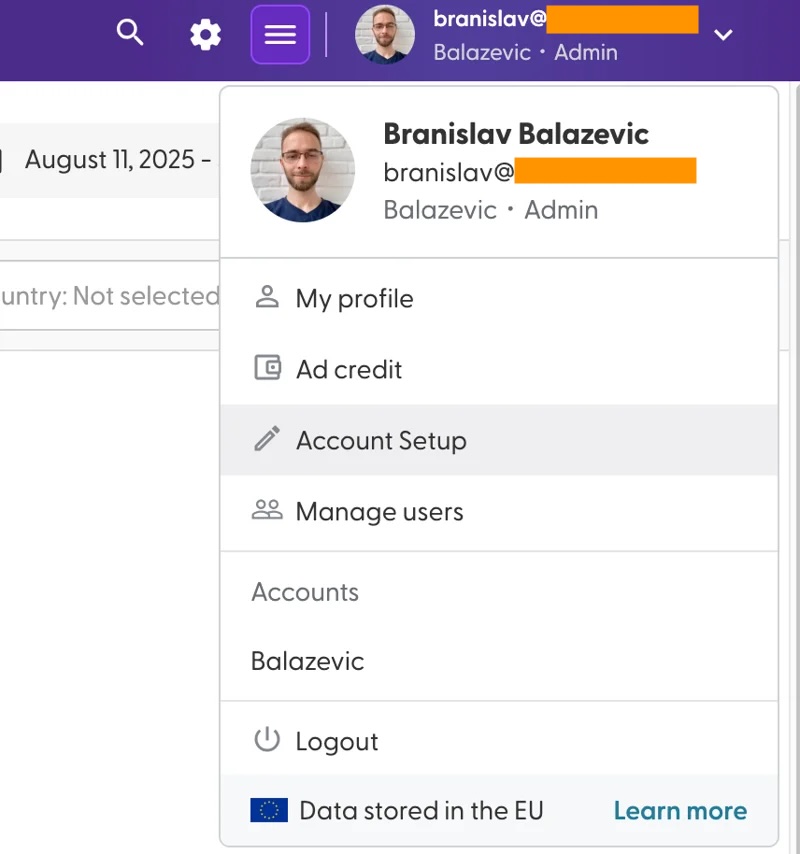
An important step in configuring your account is competing the Account Setup step - to access it, select Account Setup from the drop-down in the top-right.
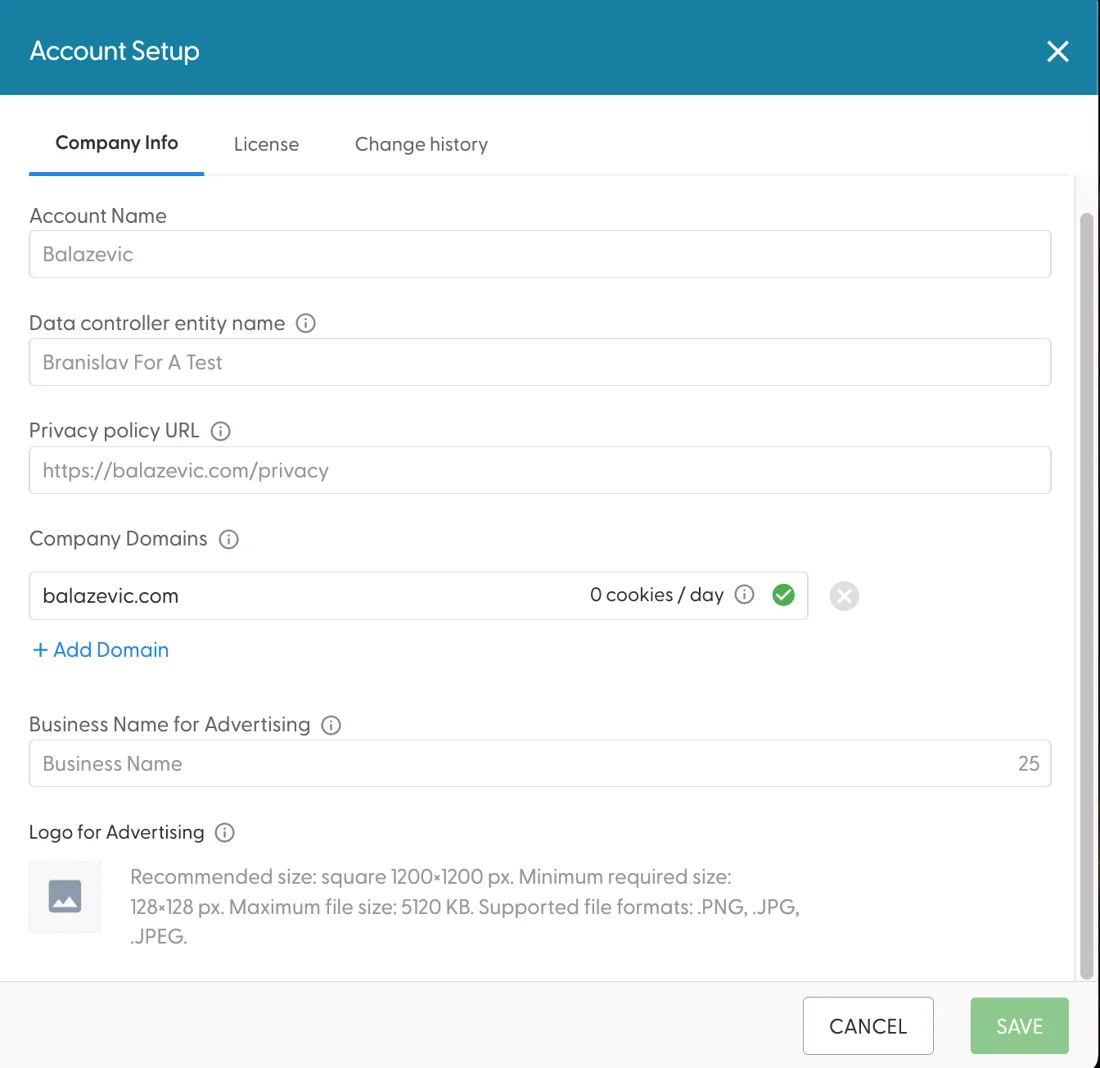
The first three fields will be populated for you and modifications to these can only be made via the Support team (via the bottom-right chat panel)
Under Company domains, you should list any and all domains that are internal to your company. Any domains listed here will be excluded from targeting (as in, we will make sure we do not serve any ads to your employees) and any traffic we detect from employees of companies under these domains will be separated in Analytics under "Internal" traffic.
The Business name for Advertising will serve as a default when creating ads - it is possible to change this at an ad-level if needed.
The Logo for Advertising is similar to the business name - it will serve as a default business logo when creating ads, and you will be able to change it at the ad-level. It does have one additional, albeit cosmetic use - it will appear in the top right panel next to your profile picture. In terms of size, we recommend 1200x1200 pixels and a file size less than 5MB - it has to be larger than 128x128 pixels. Supported formats are .PNG, .JPG and .JPEG
The Licence and Change History tabs offer brief insights into your annual licence costs and intent topic limitations, and any major changes made to your account, respectfully.
4. Invite your team members
This feature is available only to users with Admin level privileges.
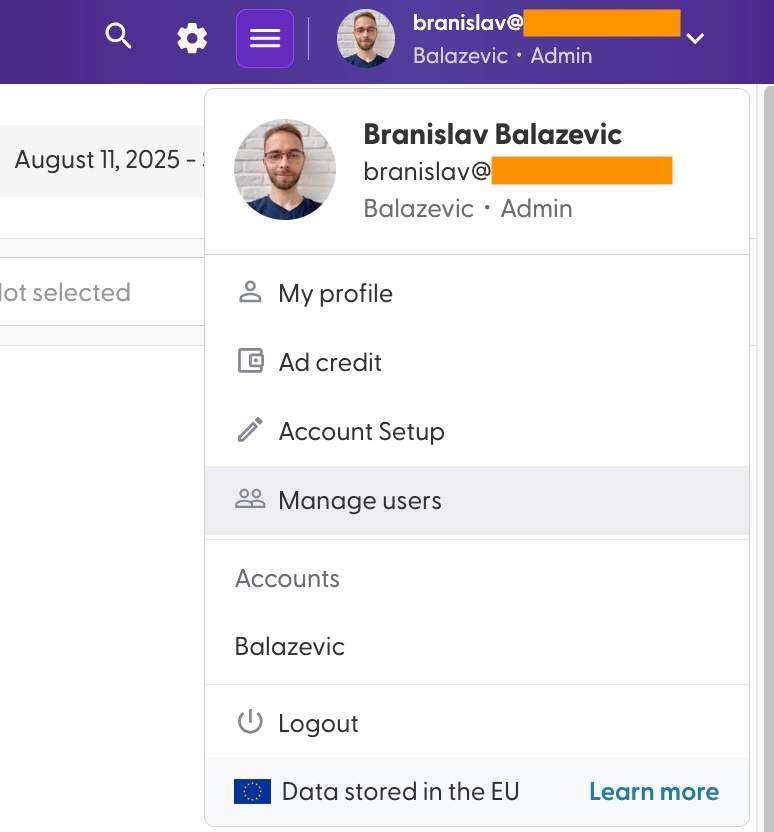
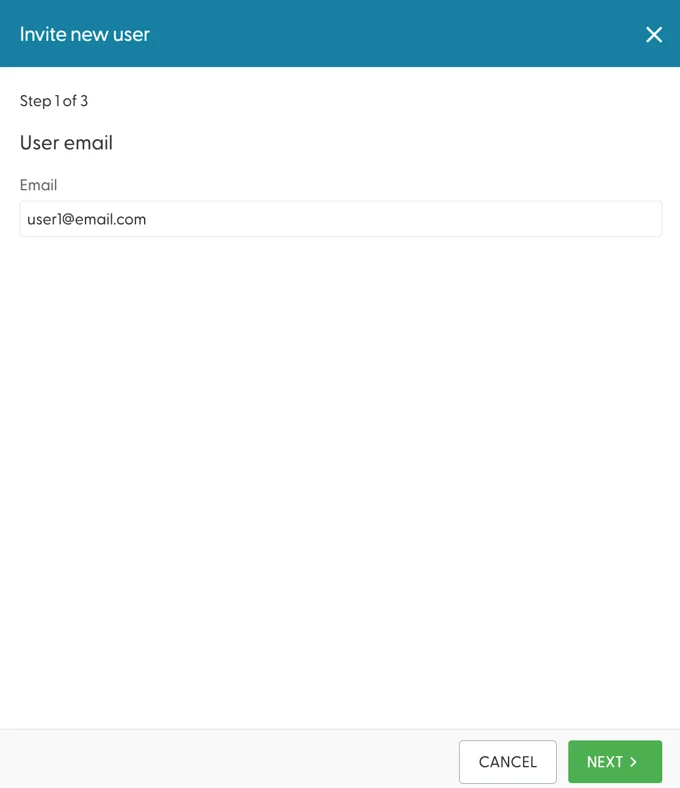
N.Rich has no limitations to the number of teammates you can invite to the platform (the more the merrier, in our opinion!) In order to begin inviting your team, select Manage users from the dropdown in the top-right (or head here: https://app.nrich.ai/users)
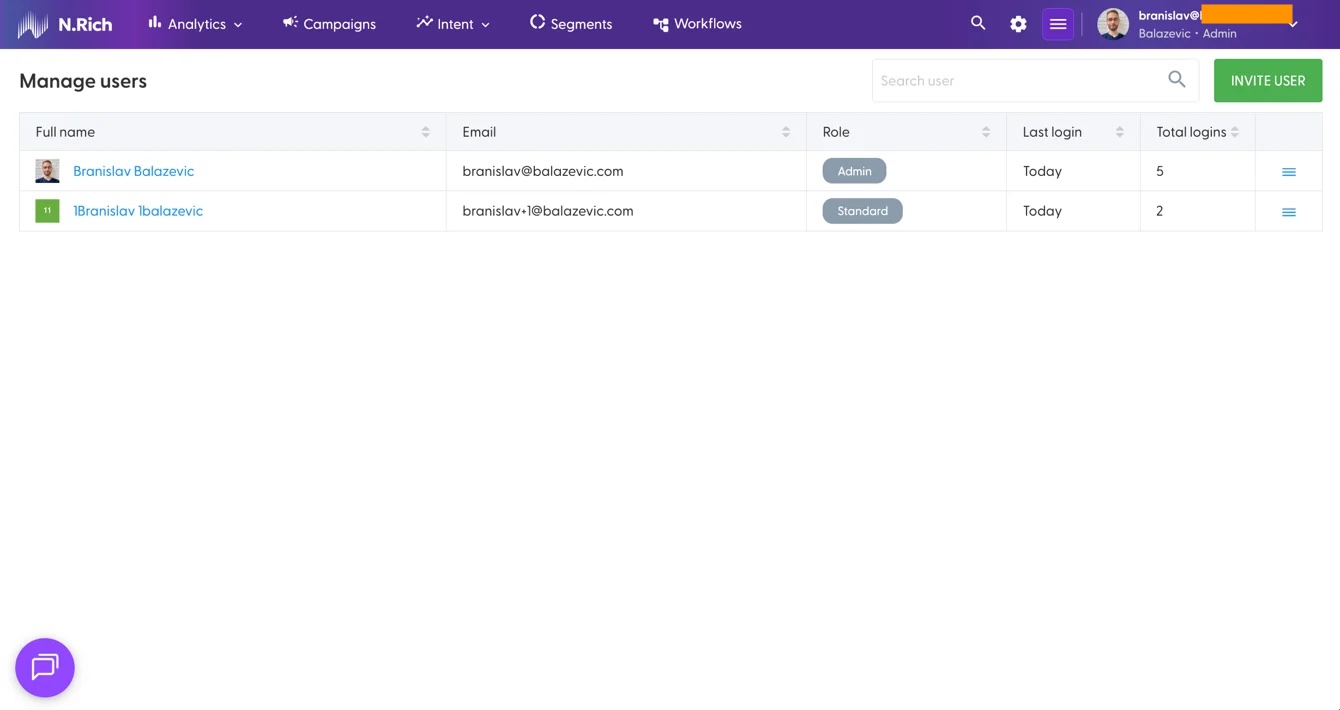
Selecting Invite User in the top right will pull up a panel on the right asking for the email of the person, their first and last name, and permissions level. Upon defining this, your invite will be sent to them.
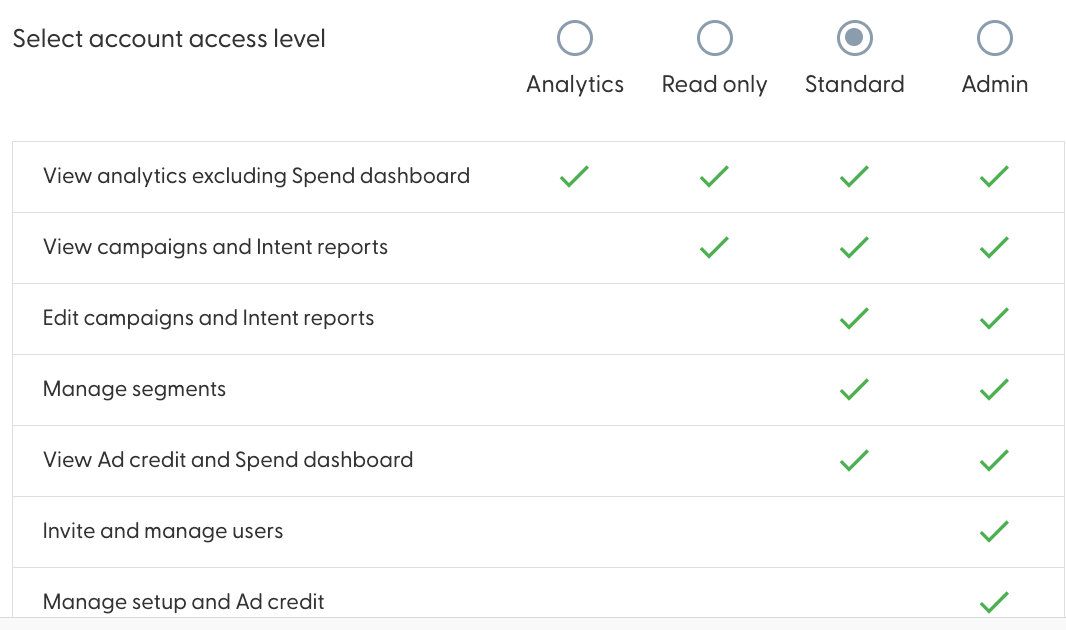
N.Rich supports four distinct layers of permissions, depending how much access a specific team member needs to do their work efficiently.
The Analytics level of access limits the user onto a subset of analytics, existing details on how much are your campaigns spending - this is ideal for a data analyst.
Read only can see the same as Analytics, with the addition of campaigns and intent reports (more on these later on!)
Standard extends Read only by allowing users to leverage the majority of the N.Rich platform, creating and editing campaigns and intent reports, managing segments and a view only access of the Ad credit and Spend dashboards.
Admin on the other hand is the highest level of permissions available on the platform, holding the proverbial keys to the kingdom.
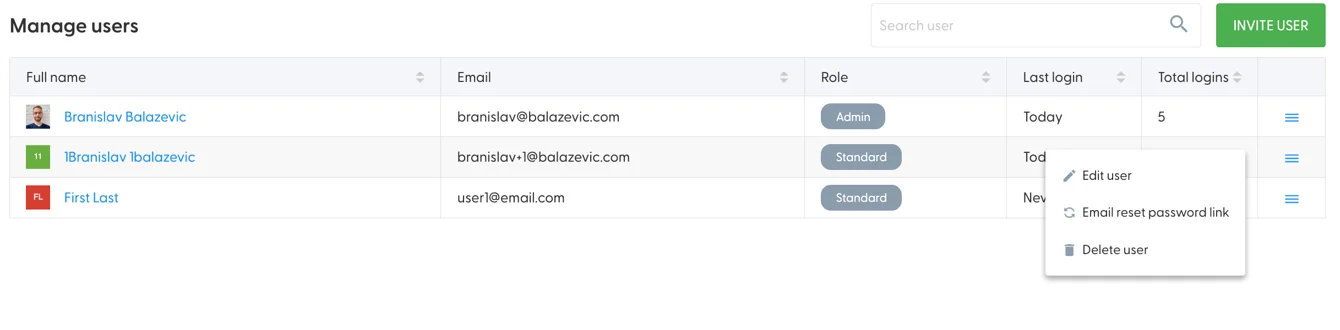
In terms of actions Admin users can preform on the users list, these are:
Editing users (self and others)
Emailing password reset links (self or others)
Resending welcome emails (for users who haven't logged in yet)
Deleting users (others)
Accessing these options is possible via the hamburger icons in the right-side of the table:
When editing users, it is only possible to change their first and last name, in addition to their permission levels. User emails can not be changed. If someone email has changed, we recommend you invite them as a new user.
5. Install the N.Rich tag into your website
Time to enter the world of N.Rich settings, starting from the Website Tag - In the top-right corner, click on the white cog wheel to enter settings (or click here: https://app.nrich.ai/setup)
Installing the tag can be tricky, which is why, we have an extensive guide available here in both technical and non-technical flavours, depending on your situation.
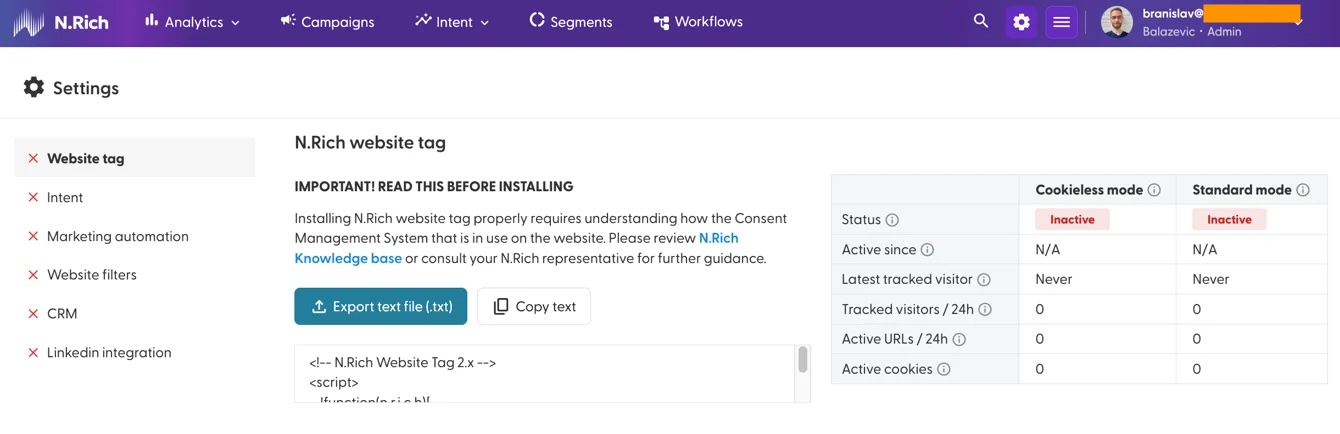
Without a tag installed, N.Rich will not be able to serve meaningful analytics. With a tag properly installed, N.Rich is capable of determining the precise impact of our targeting efforts on your target audiences.
6. Connect your CRM
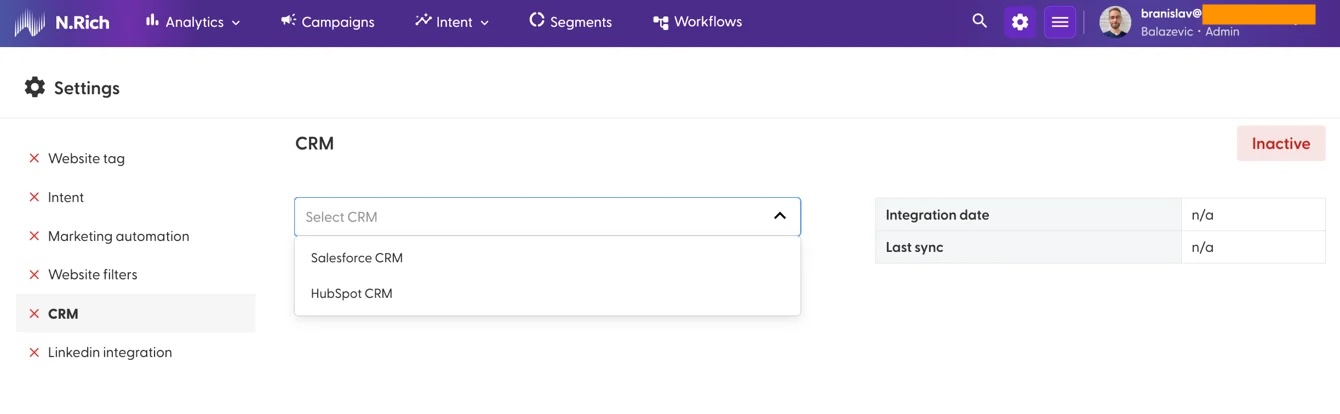
While it is not mandatory to connect your CRM, we highly recommend that you do - that way, the data N.Rich gathers on your accounts can flow directly into your CRM and ensure that your GTM strategy is data driven.
We currently support connecting to either Salesforce or Hubspot (but not both) In either case, you will need to have sufficient access to your CRM in order to establish the connection.
In both cases, for security reasons, we recommend creating a dedicated user with access to:
Salesforce: Read and write access to SFDC API including Accounts, Contacts, Opportunities objects as well as any objects used for identifying product-association of opportunities.
Salesforce Integration Guide.
Hubspot: Read and write access to HubSpot API including Companies, Contacts, Deals objects as well as any objects used for identifying product-association of opportunities.
Hubspot Integration Guide.
Back to top
7. Connect LinkedIn
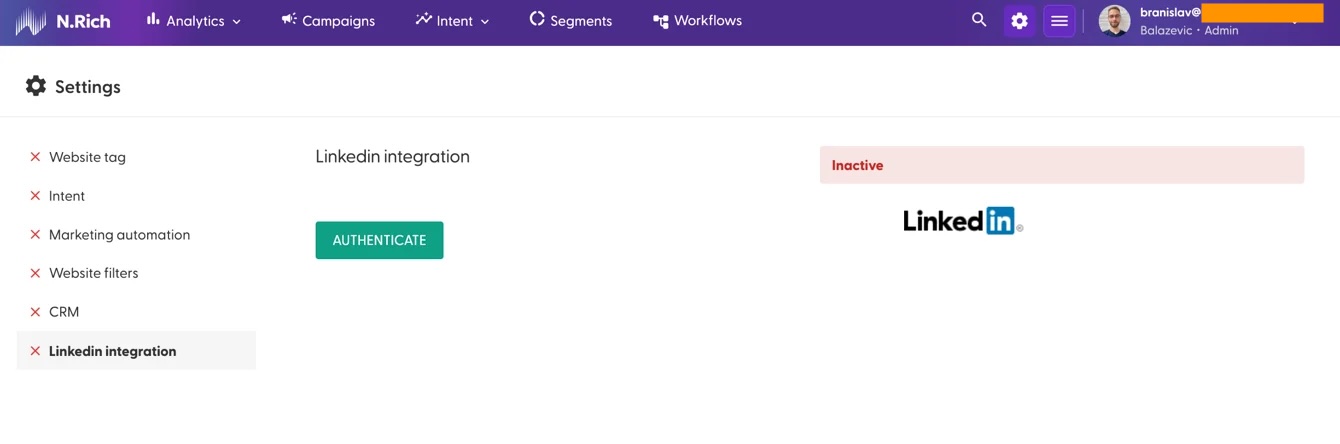
Connecting LinkedIn makes sense if your team uses LinkedIn for reaching out to prospects as well as if you are leveraging LinkedIn ads. The integration allows syncing audiences between N.Rich and LinkedIn (so instead of having to manage your audiences in LinkedIn - you can do so in N.Rich and any changes are synced over)
Connecting to LinkedIn is quite straight-forward, but we still have a detailed article here.
8. Creating your first segment
Segments are the primary vessel for organising accounts. You can have as many segments as you wish, and a single account can belong to any number of segments.
In terms of segment types, N.Rich currently supports three:
1. Account Segments
The simplest kind, allowing you to import a list of accounts you already have. There are also more advanced use cases here with Workflows, but we shall explore those later on.
2. Firmographic Segments - If you'd like N.Rich to give you a list of accounts to target based on their industry, employee count, funding, revenue or specific keywords, the Firmographic segment is the way to go.
3. Lookalike Segments - If you have a list of domains or already have some segments created, a Lookalike segment will generate a list of similar accounts.
For the sake of this guide, we will be creating a single segment to get us started, and I'll do so using the Firmographic segment:
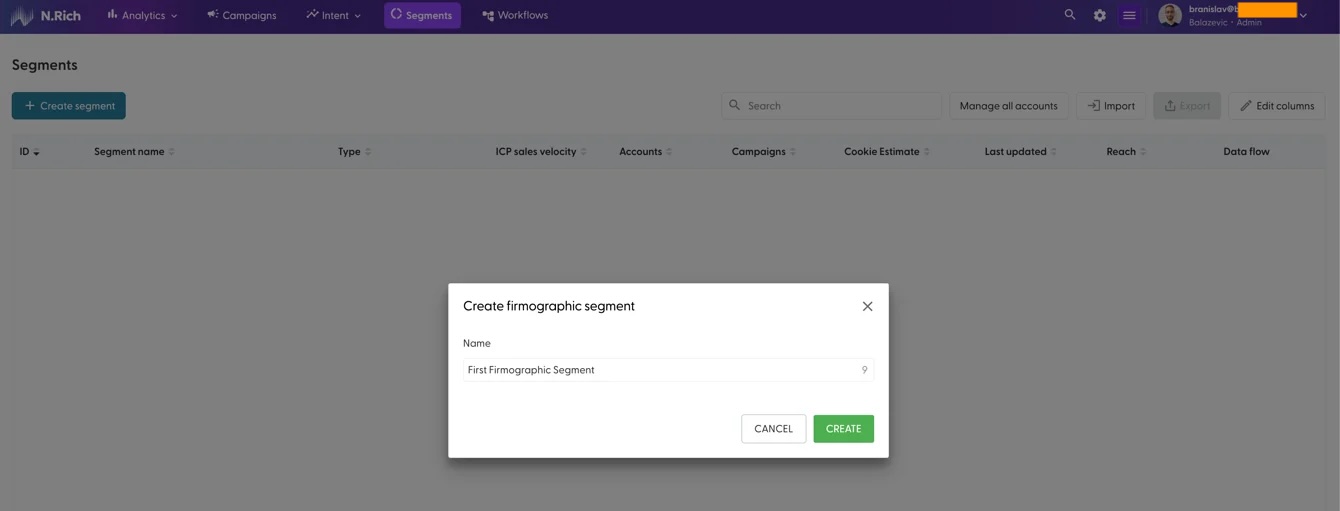
From the Segments page, I will click on the "+ Create Segment" button and give my segment a name:
In the resulting page, I shall define the parameters for my first segment:
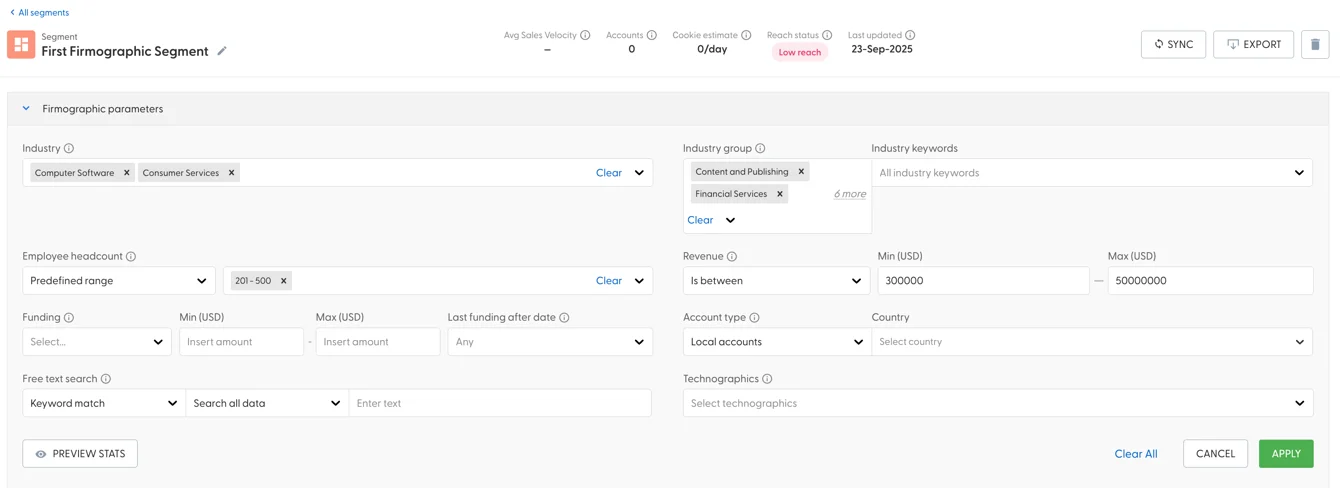
Since Firmographic segments take a while to create, before hitting "Apply" I want to see if there are any companies actually matching my criteria - I can do this by clicking on "Preview Stats":
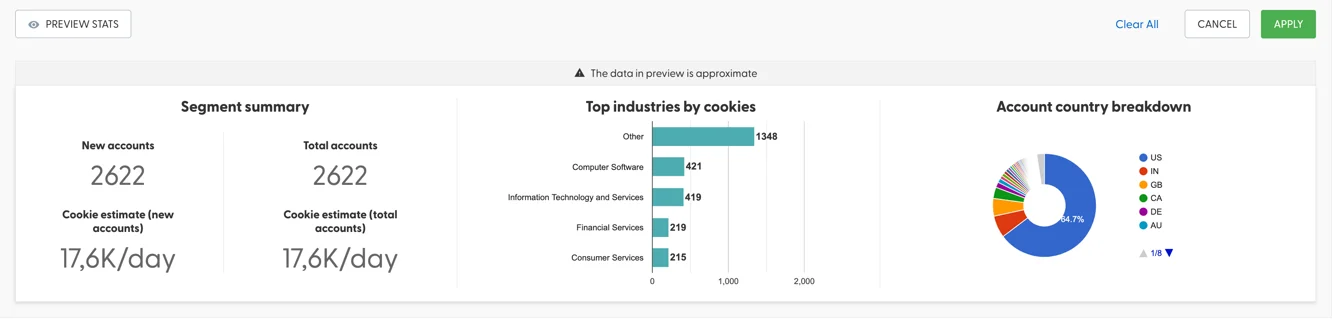
That is quite a number of accounts to work with, so I shall be clicking on "Apply". As soon as my segment has been created, N.Rich will send me an email, so, its time to take a break. Ina few minutes, an email greets me, telling me that my segment has been uploaded.
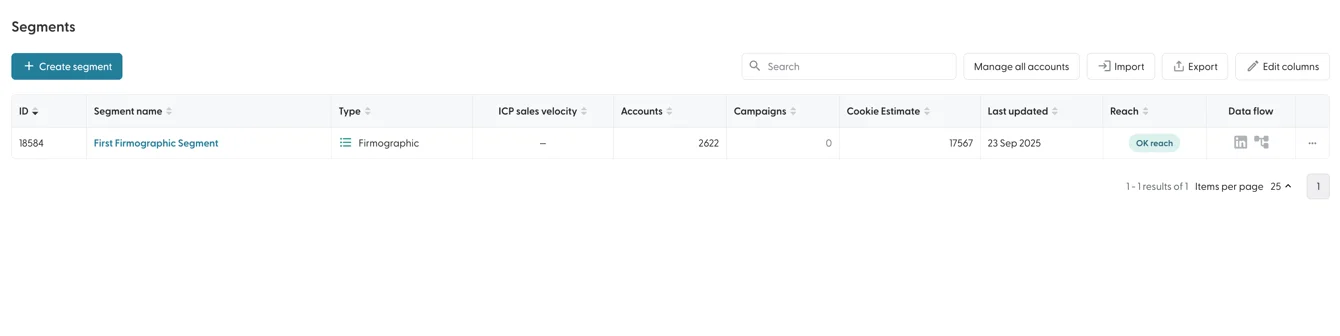
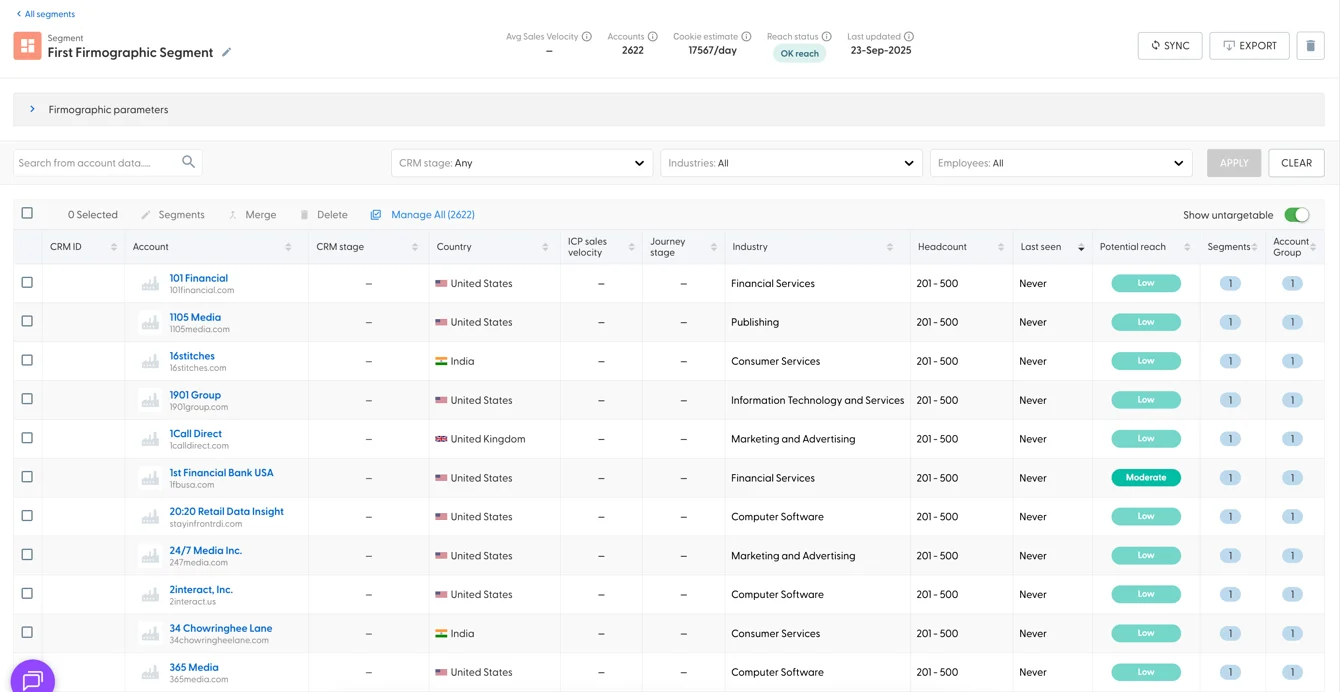
If I return to my segment, I can see it has indeed been populated. Clicking onto the segment name, allows me to reach the list of accounts within it:
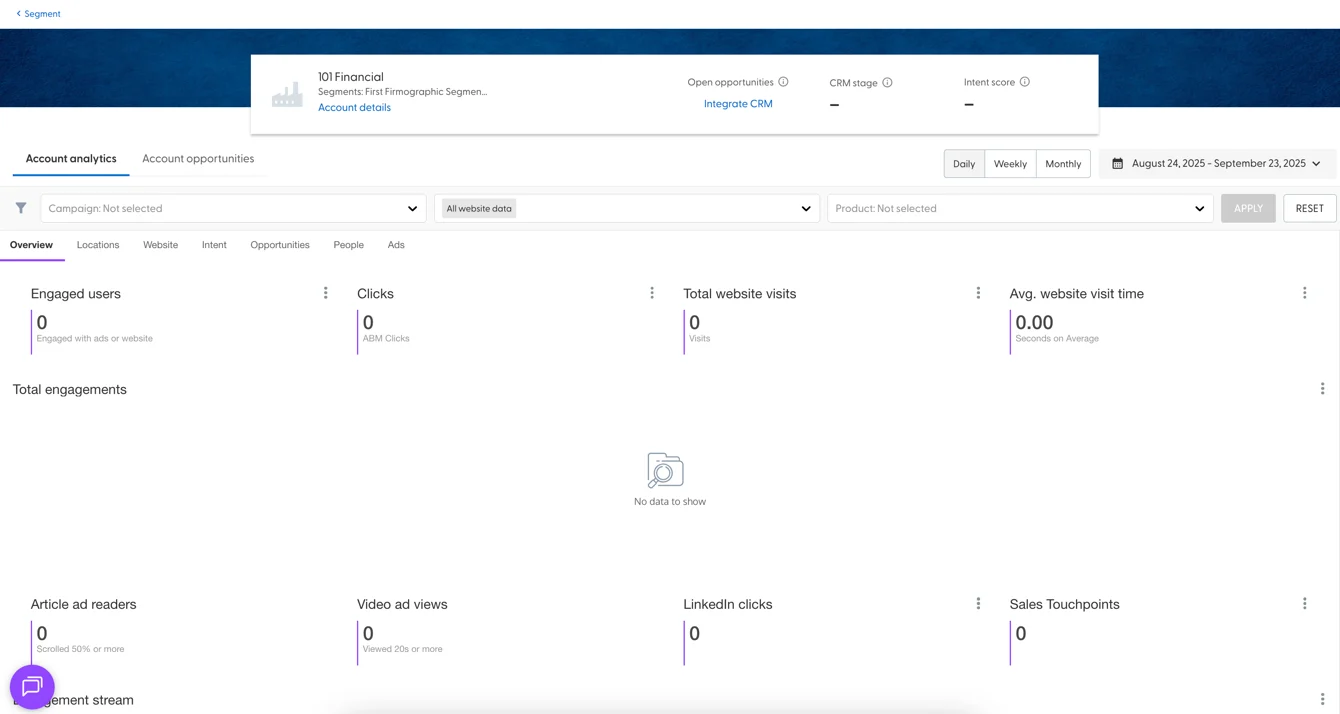
And by further clicking on any account, I can reach the account analytics:
Alright - we have our first segment! You can learn a lot more about segments here.
9. Creating your first campaign
Campaigns are collections of ads that N.Rich will serve to the accounts in the segments you intend on targeting. Depending on your plan, you will be able to launch 1, 10 or have no limits to the number of campaigns you can run.
To create your first campaign, choose Campaigns from the menu and select the '+ Create Campaign' green button from the top left corner of the page.
That will reveal two options:
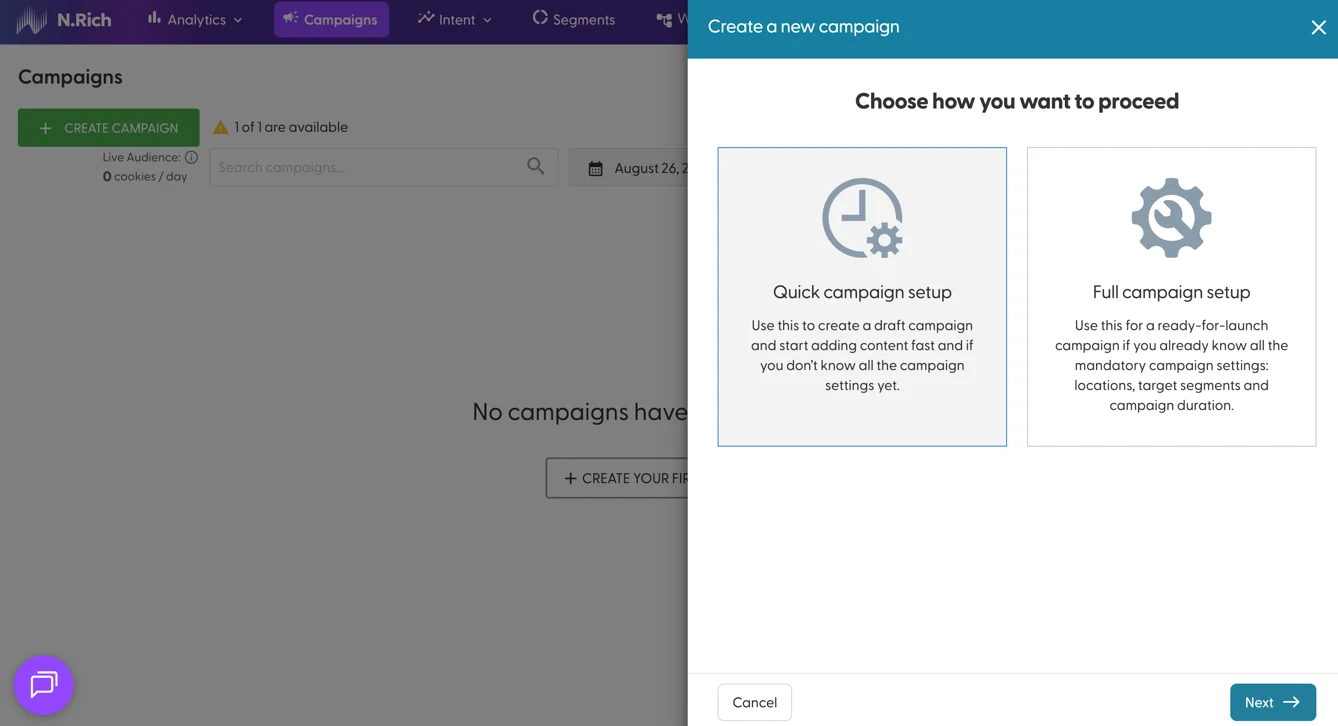
I would recommend choosing the Full campaign setup the first time you are going through this, in order to familiarise yourself with the base requirements. The Quick campaign setup will skip all of these and let you add these details later.
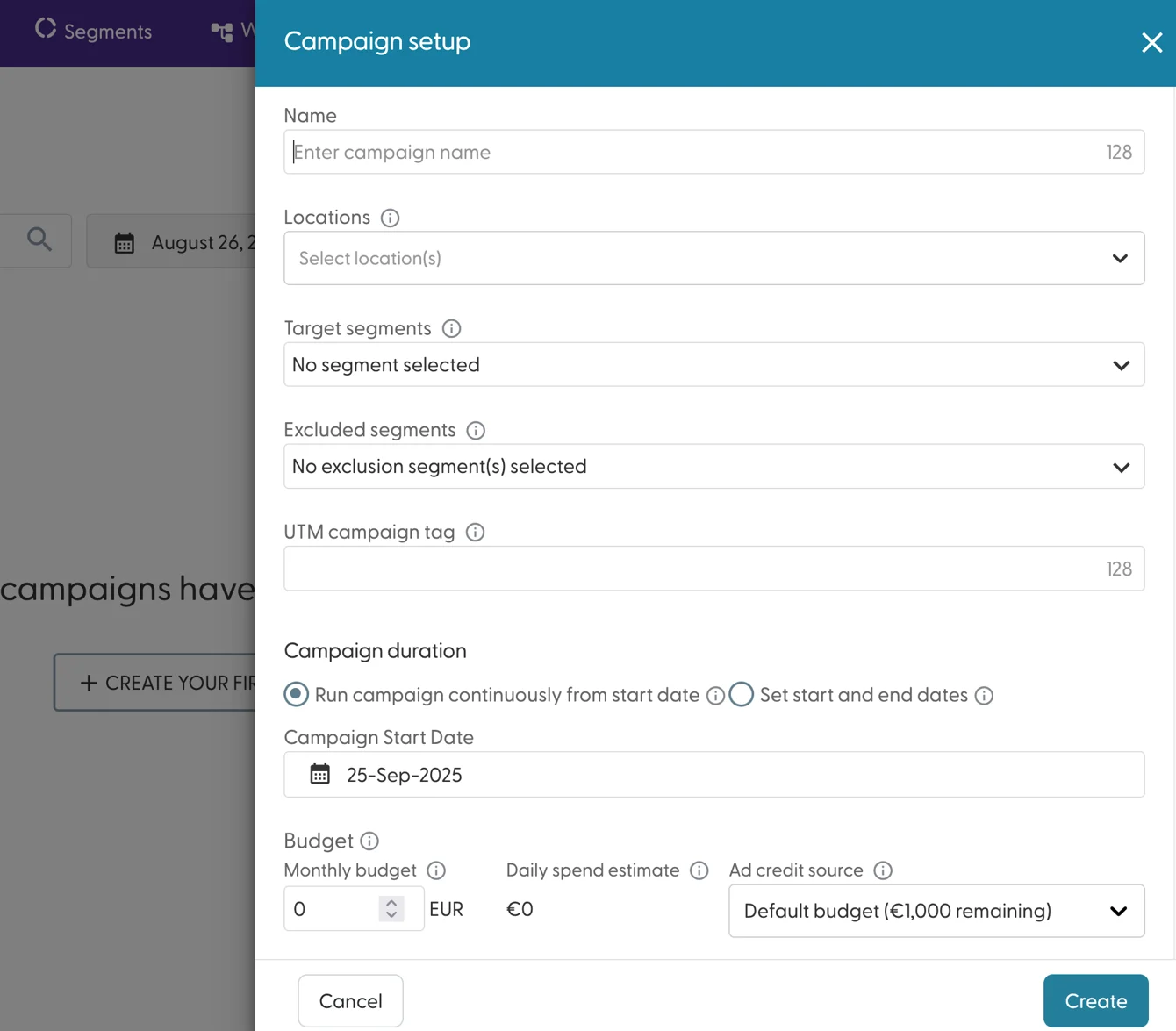
For your campaign name, choose something both memorable and informative - the campaign name will be featured across your N.Rich instance in places like Analytics and Intent reports - having campaigns with similar names is a common pitfall.
The Locations determine the countries where this campaign will be served in - you may keep this blank if your segment(s) are multinationals OR if you want to target your segments regardless of the countries they find themselves in.
Target and Exclusion segments define which segments this campaign should target or avoid, respectively. If an account is included in both segments, the campaign will avoid them.
The UTM tag for the campaign will apply to every ad that is later created within this campaign. You can override this at an ad-level later on.
The Campaign duration and Start date define when your campaign should start and, optionally, stop. A campaign will stop when its budget runs out.
The monthly budget defines how much is a campaign allowed to spend within one calendar month - if this limit is reached within a month, the ads within this campaign will stop delivering. That said, the system is fine-tuned to ensure an even daily spend to ensure your monthly budget is adhered to. We generally recommend that monthly budgets for campaigns always exceed $1000.
Once you create your first campaign, you can select it from the list of Campaigns:
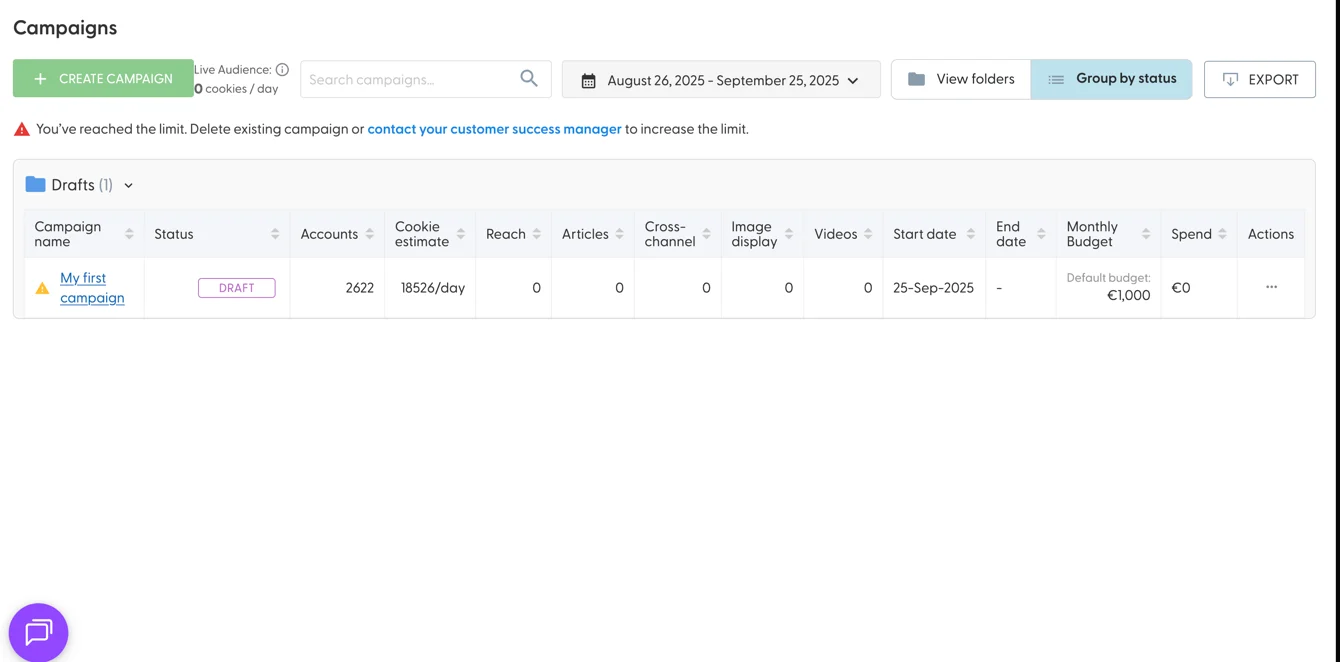
Upon doing so, you will be able to begin creating your ads:
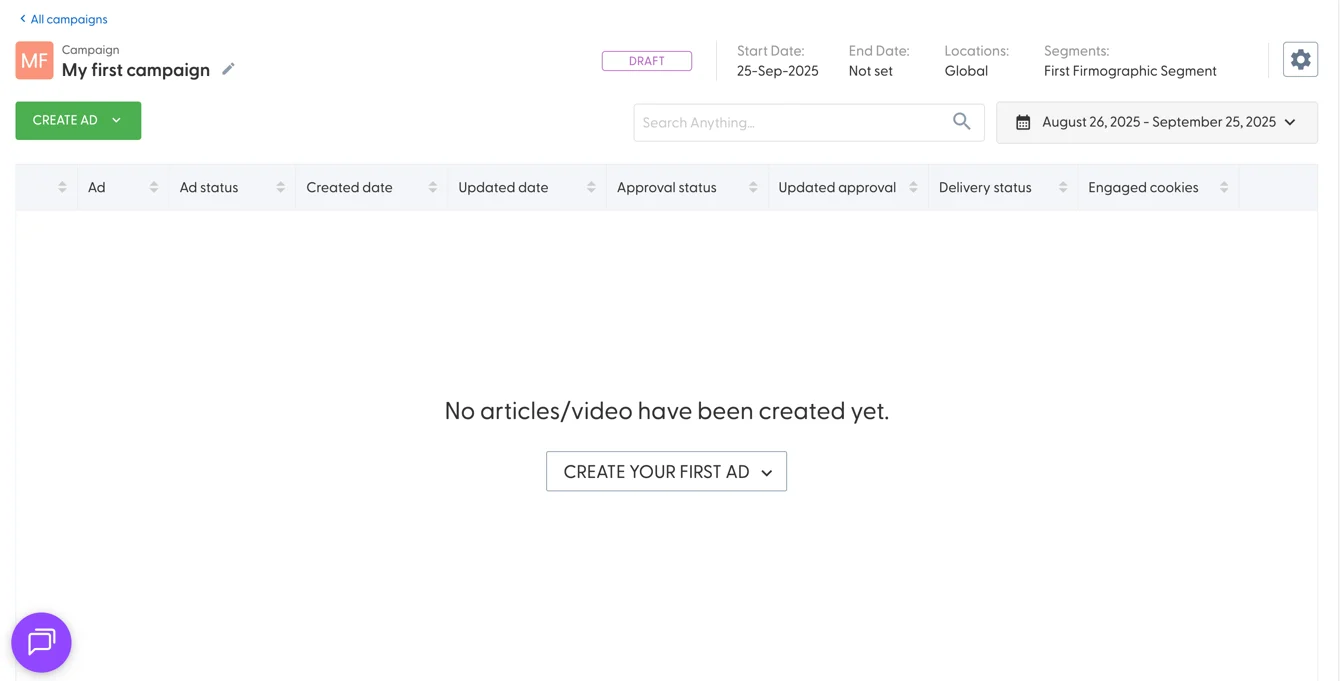
N.Rich supports 4 types of ads:
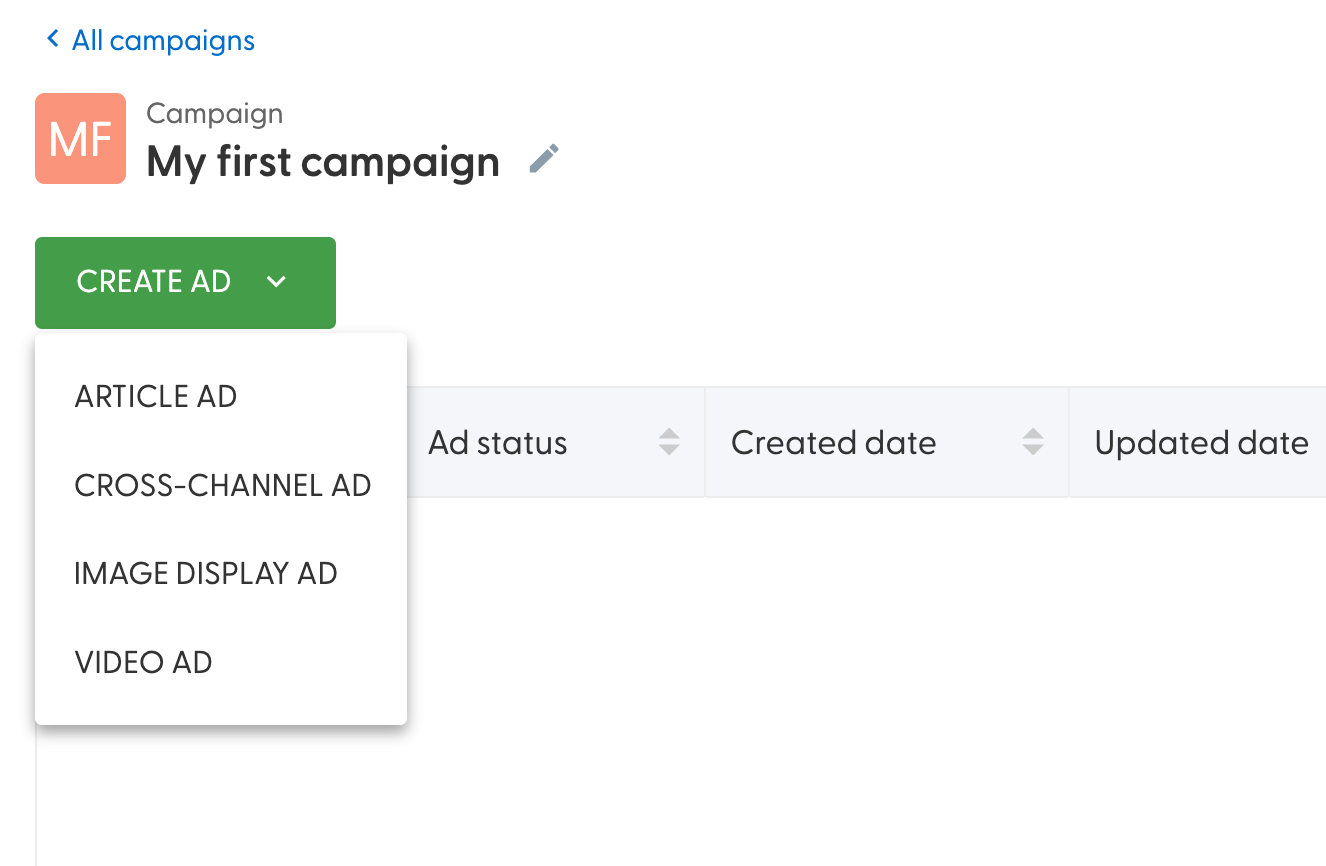
Article and Video ads are ran through N.Rich's proprietary DSP system, while the Cross-channel and Image Display Ad are ran through Google Ads. Don't worry if you are running Google Ads natively - the chances of them competing with the ads ran by N.Rich are astronomically small.
Depending on the ad type you wish to create, you will need appropriate assets to do so. For a campaign with a monthly budget of $1000, we do not recommend exceeding 4 ads.
This guide has merely glance over Campaigns in N.Rich - to go a lot more in-depth on campaigns, see this guide. You can learn a lot more about ad capabilities here. N.Rich also has an AI assistant built to simplify ad creation, you can learn more about it here.
10. Creating your first Intent report
If you have not installed the N.Rich tag or created campaigns, you will only be able to create Intent reports based on 3rd party data.
Now that we have our segment of accounts, time to see what they are researching and, more importantly, whether they are researching about the products or services that we are selling (or even our competitors!)
To do that, we should set up one or more intent reports. From the navigation, select "Intent" and from the dropdown that appears, choose the only available option "Intent reports"
The number of intent reports N.Rich customers can make vary, but the number is limited, so being mindful about how we organise these is recommended.
The Intent report page will tell us how many Intent reports we can work with and in case you end up needing more, let your CSM know :)
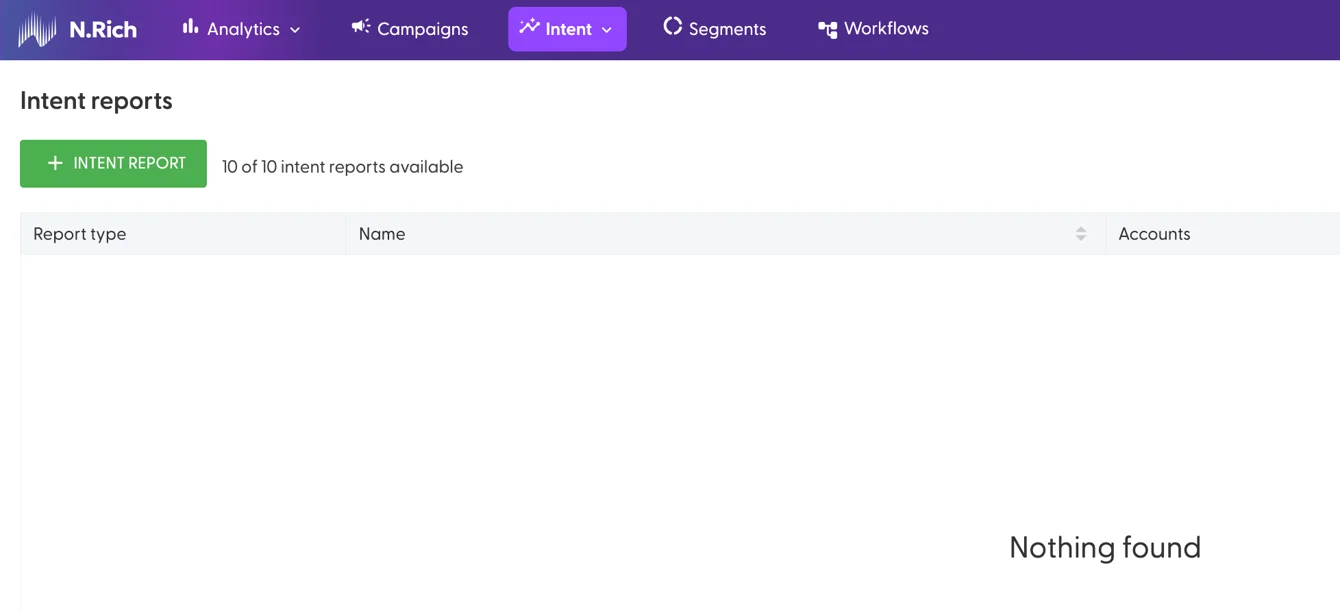
To start creating our first intent report, click on the green '+ Intent Report'
Firstly, we get to choose from one of two types of Intent reports (the others are deprecated):
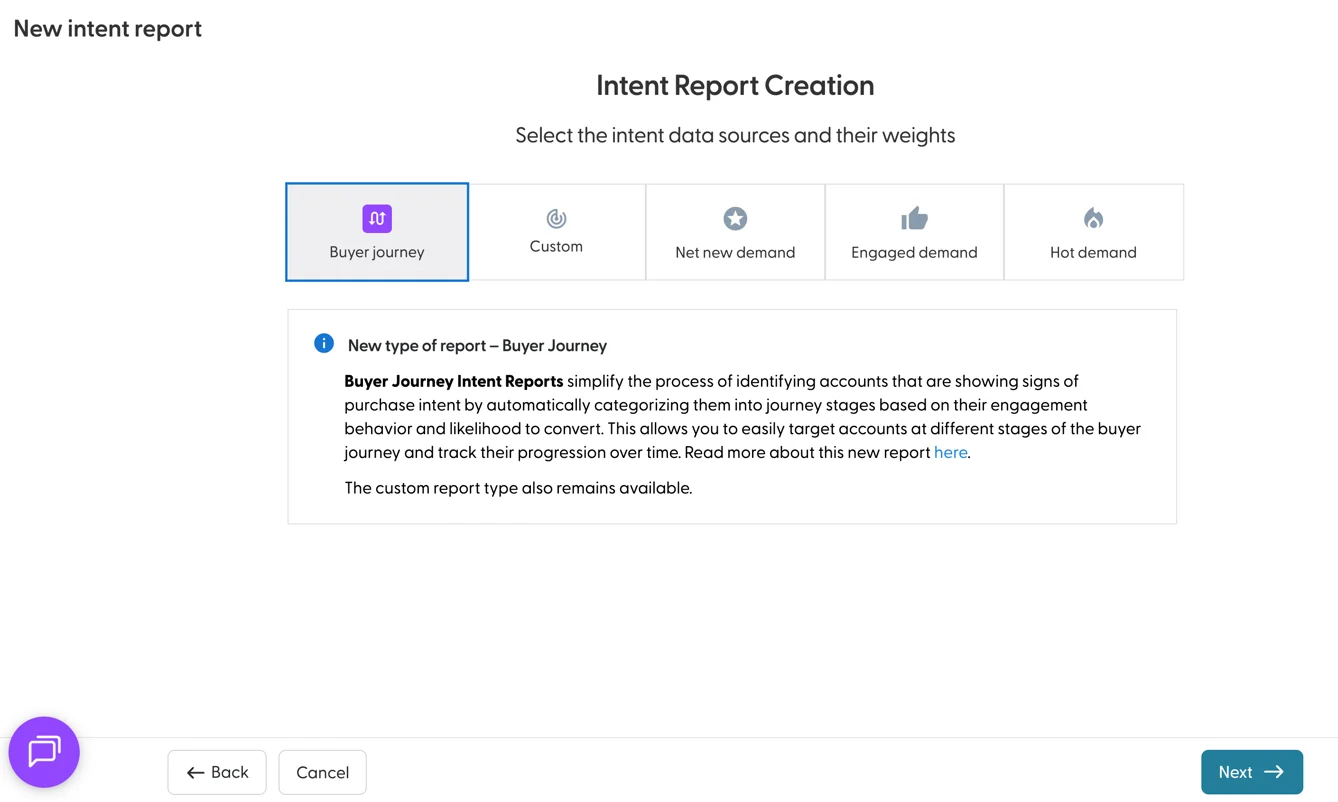
Buyer Journey follows our proprietary mix of 1st and 3rd party intent data that we have crystallised over the years. The custom one allows you to define the ratio between weighing 1st and 3rd party intent data - depending on your specific use case. We'll select the Buyer Journey one for the sake of this guide.
Upon selecting the first option, we are shown the list of available segments:
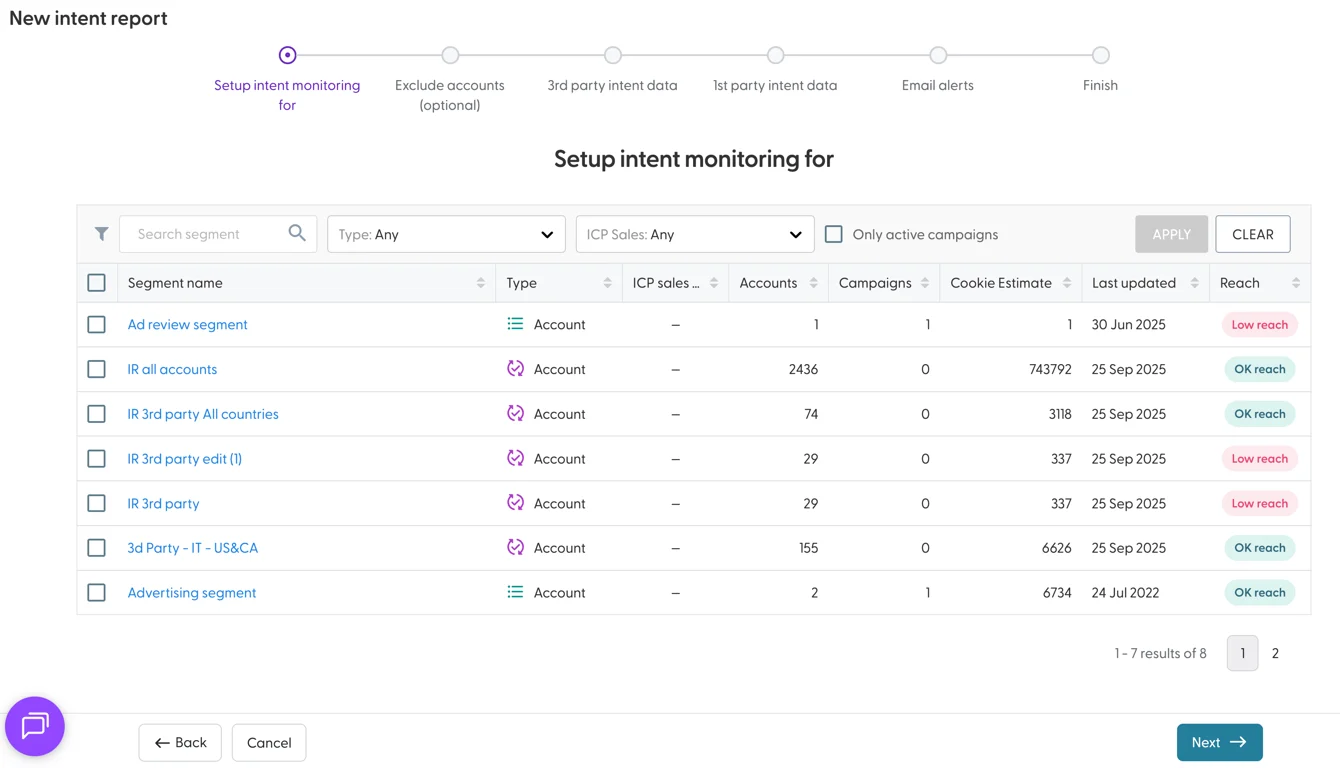
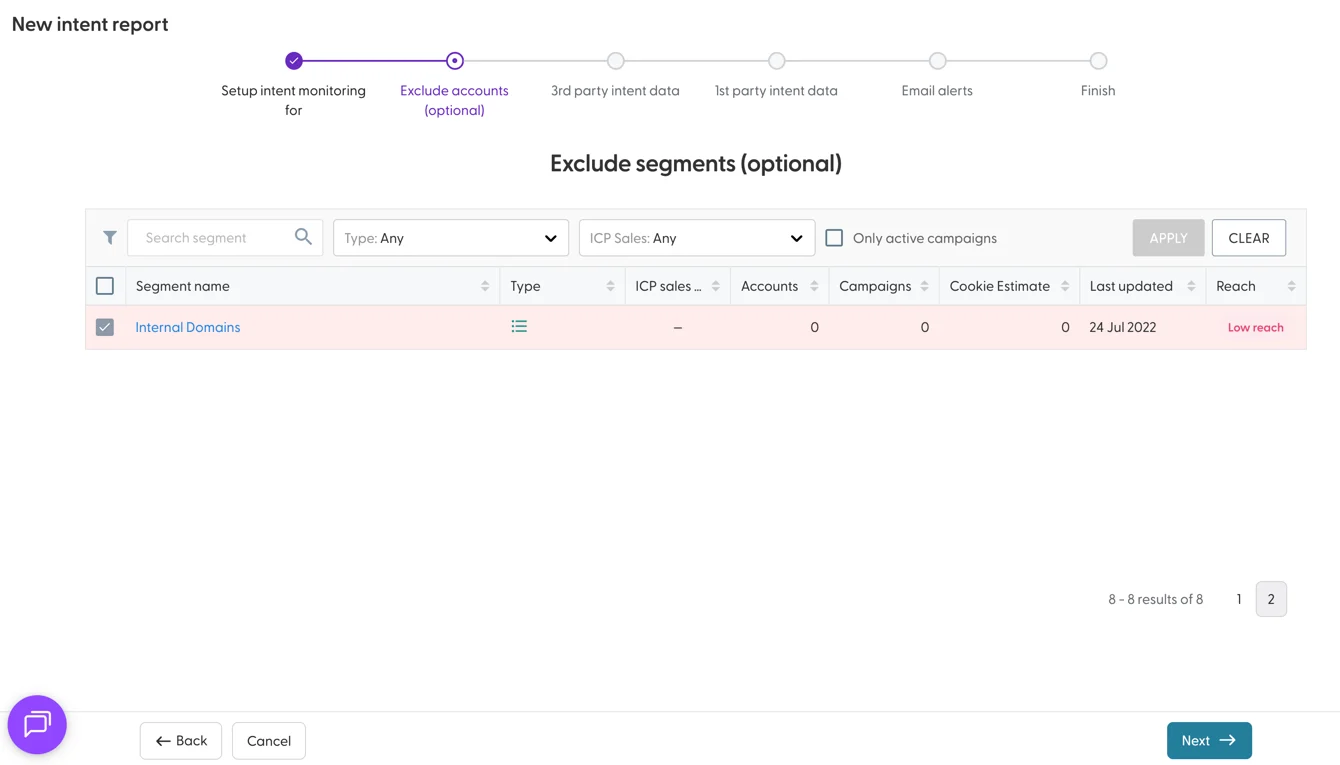
Upon selecting the segment we wish to include, we have the option to exclude other segments:
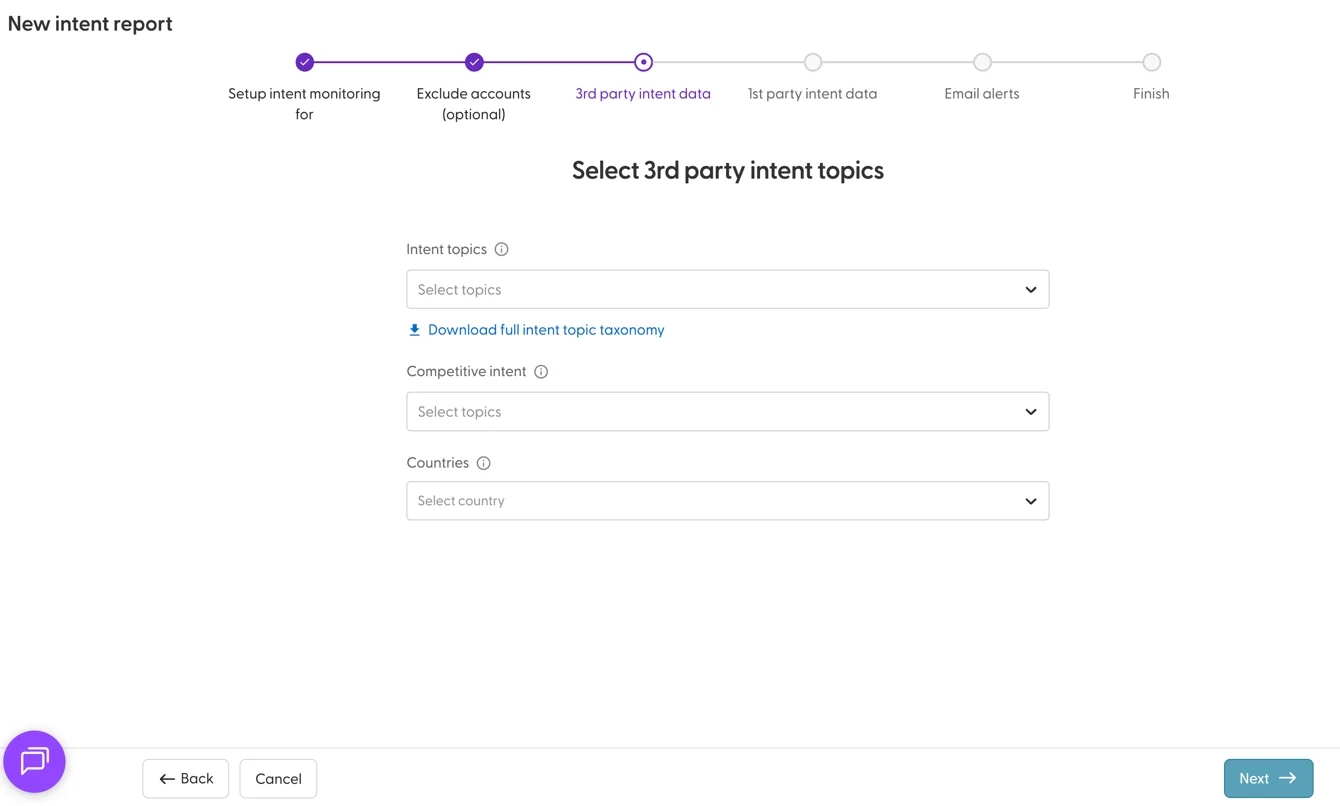
Next up, we get to choose up to 25 intent topics or companies that we wish our report to monitor for. Our taxonomy currently covers more than 10.000 topics and companies. Optionally, we can narrow down our monitoring to specific countries, or keep this field blank.
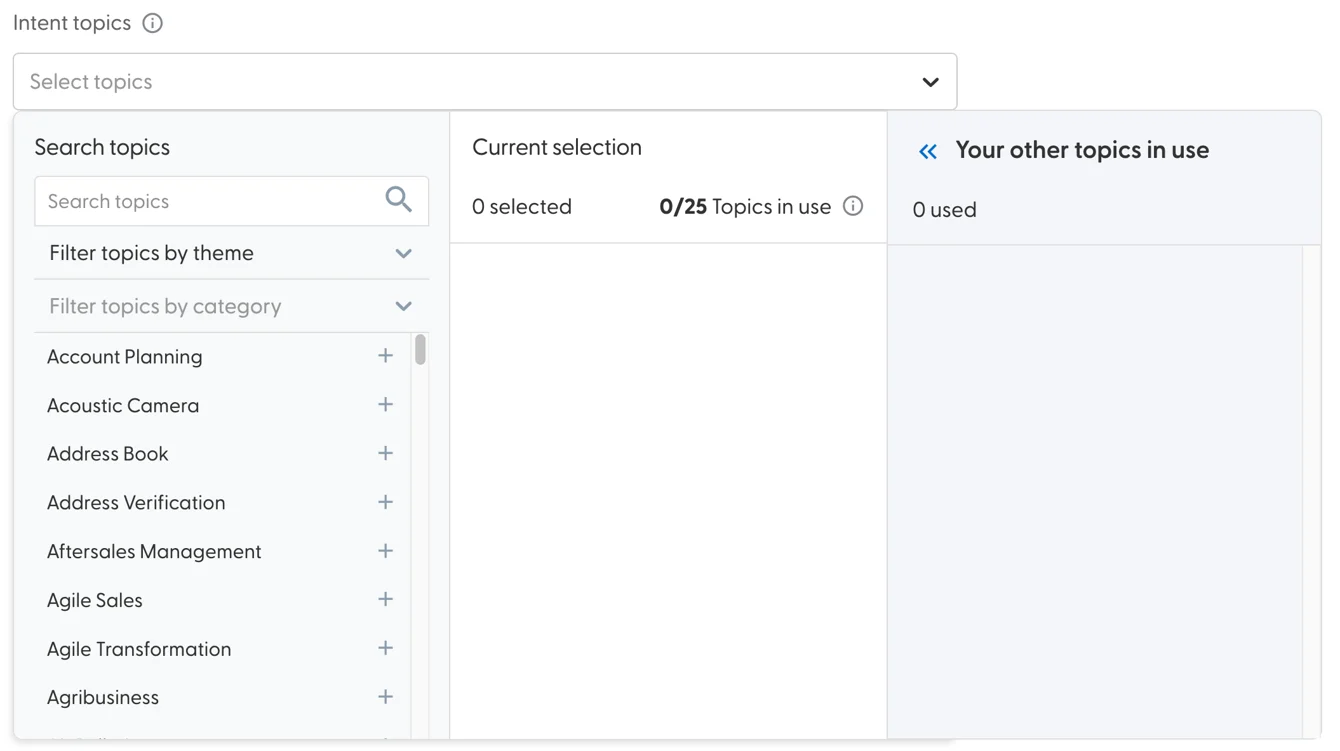
Topics are split across themes and categories for easier navigation. When you create a few reports, you can also check which topics you are already covering to make sure your reports don't overlap:
Next up, we get to define 1st party intent - i.e. what actions stemming from our campaigns and website visits should we take into account as intent:
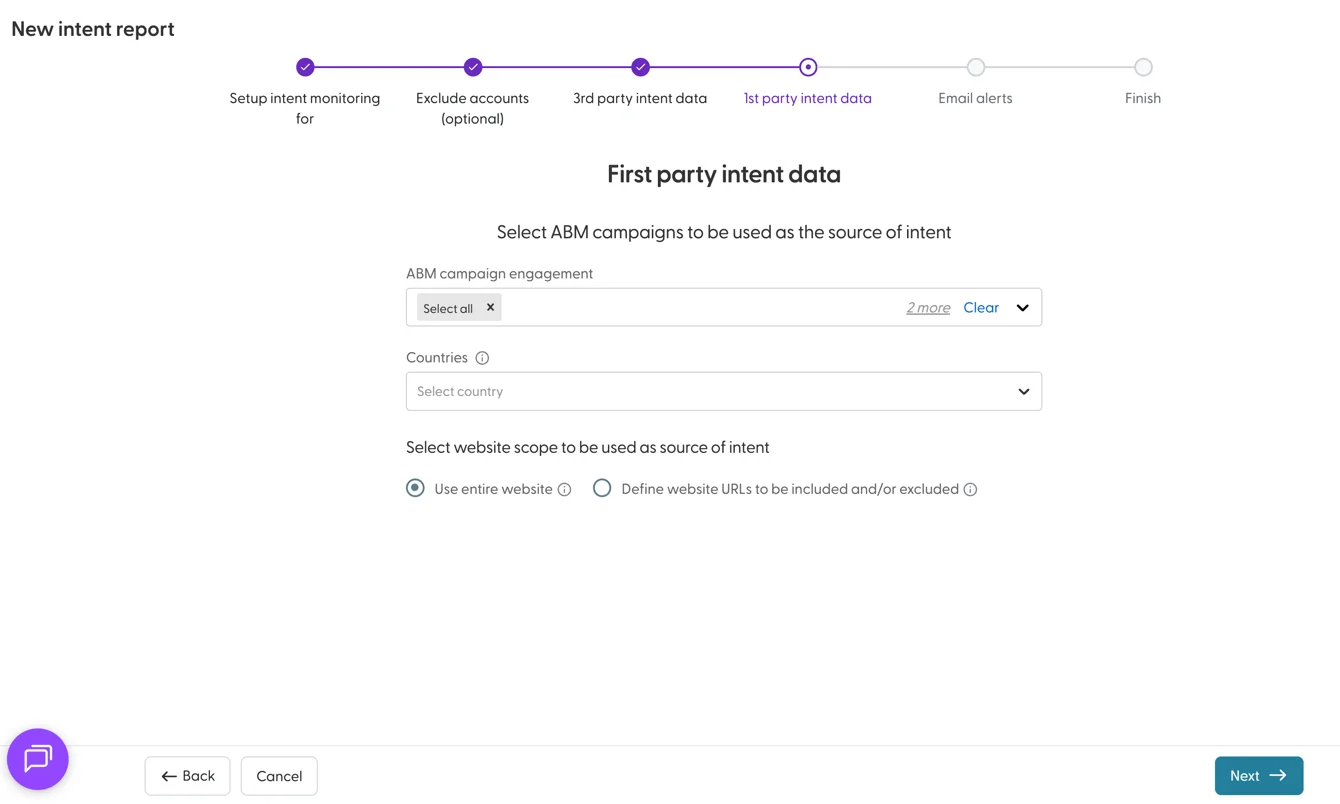
We can select all or specific campaigns, as well as visits from specific countries only. Additionally, we can chose whether accounts visiting our entire website, or only very specific pages on our website should be considered as intent.
Once we're done, we get to choose who from our team should be getting weekly alerts about either the new accounts with the highest intent score OR the top accounts with the highest intent in the past week. Then, we give our report a name and are given a few options:
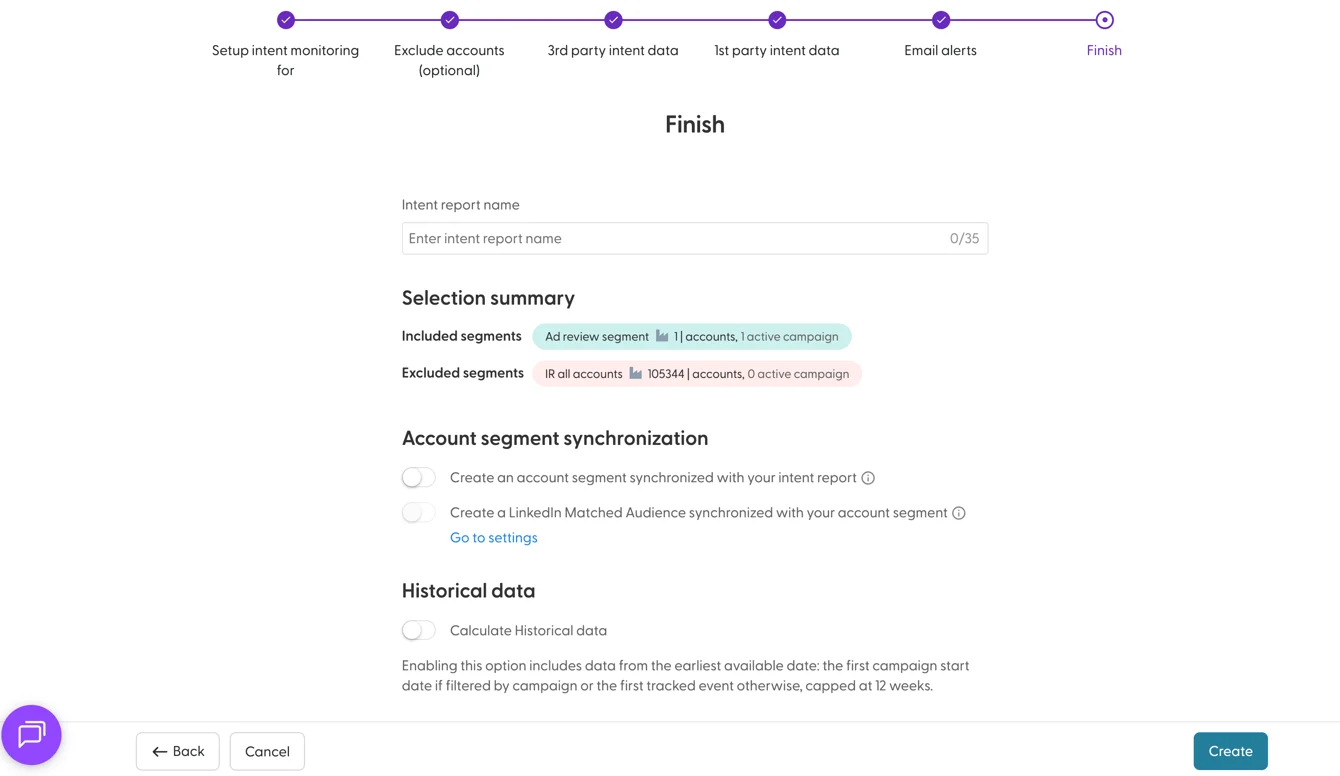
We can see the summary of segments and their size. The Account Segment synchronisation will automatically create a workflow that will shortlist any accounts from our segment that reach the threshold deemed as high-intent into a new, separate segment. This segment will carry the name of our intent report. Optionally, we can also push this segment to LinkedIn.
Last, but not least, you can choose whether to take into account historical data in the intent calculations for this report (up to 12 weeks into the past)
Once our intent report is created, it will take some time to generate it. You will get an email once it is ready. Intent data is refreshed on a weekly basis. Intent data will only reach your CRM once you select the primary intent report under Settings > Intent
In this guide we have glanced over creating one type of intent report. To learn a lot more about intent reports and scoring, see this article on intent data, and on the intent reports.
11. A glance at Workflows
Workflows primarily allow segmenting accounts based on pre-defined actions. The trigger for workflows stem from 6 different points of origin:
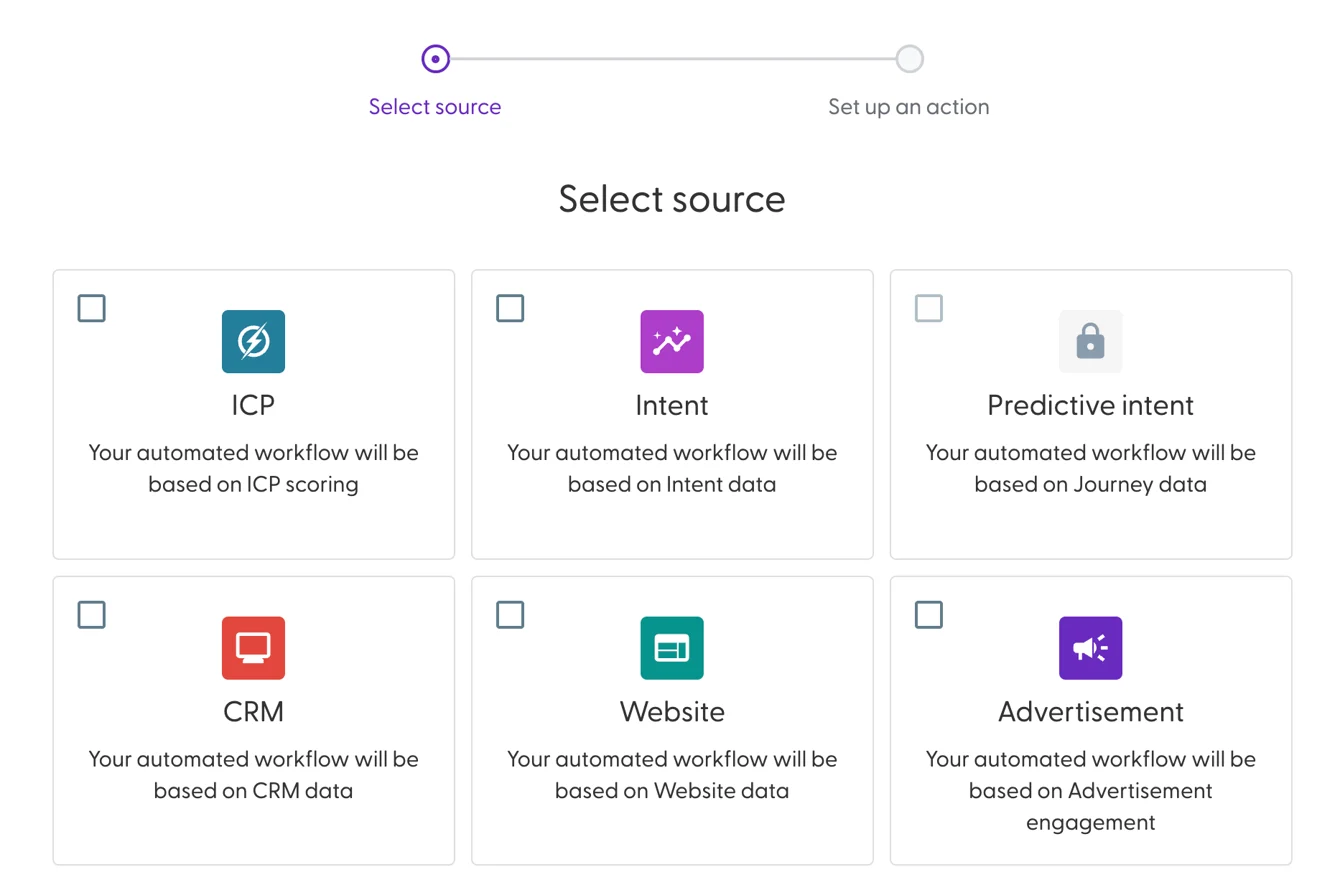
Any trigger that is available will have an icon - if the requirements for a trigger haven't been met, its icon will be a greyed out lock.
All workflows are built like sentences - for example:
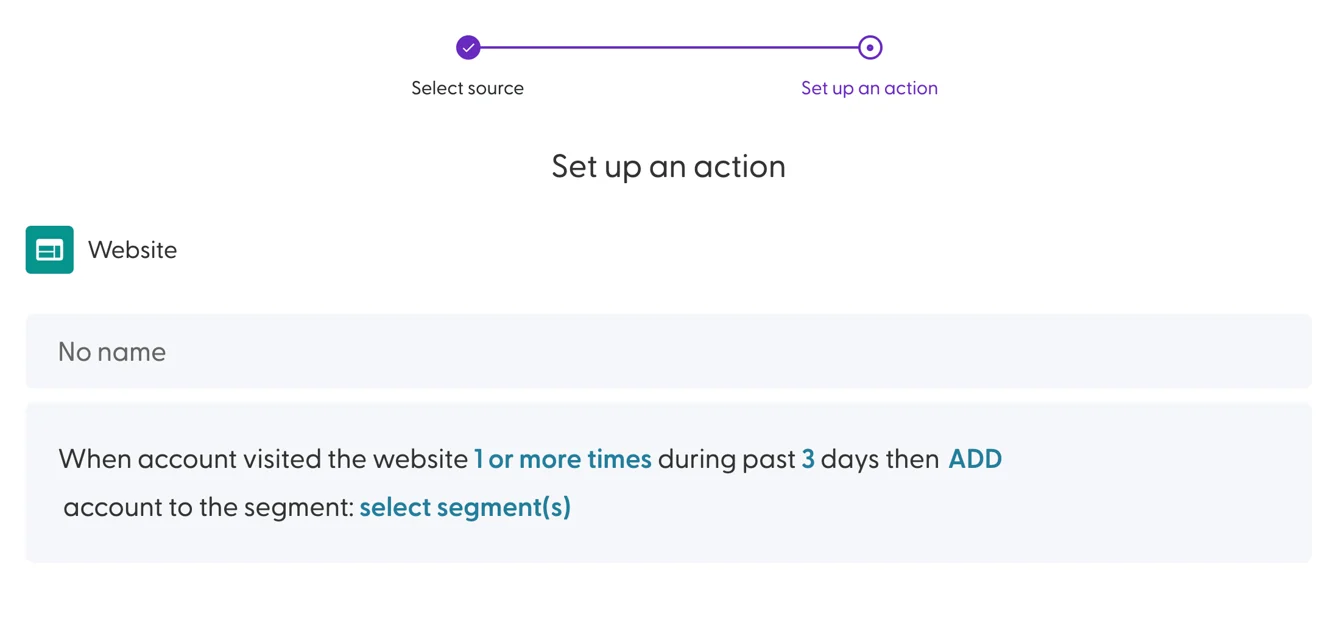
Any word or number in the sentence, when clicked, reveals a list of available options:
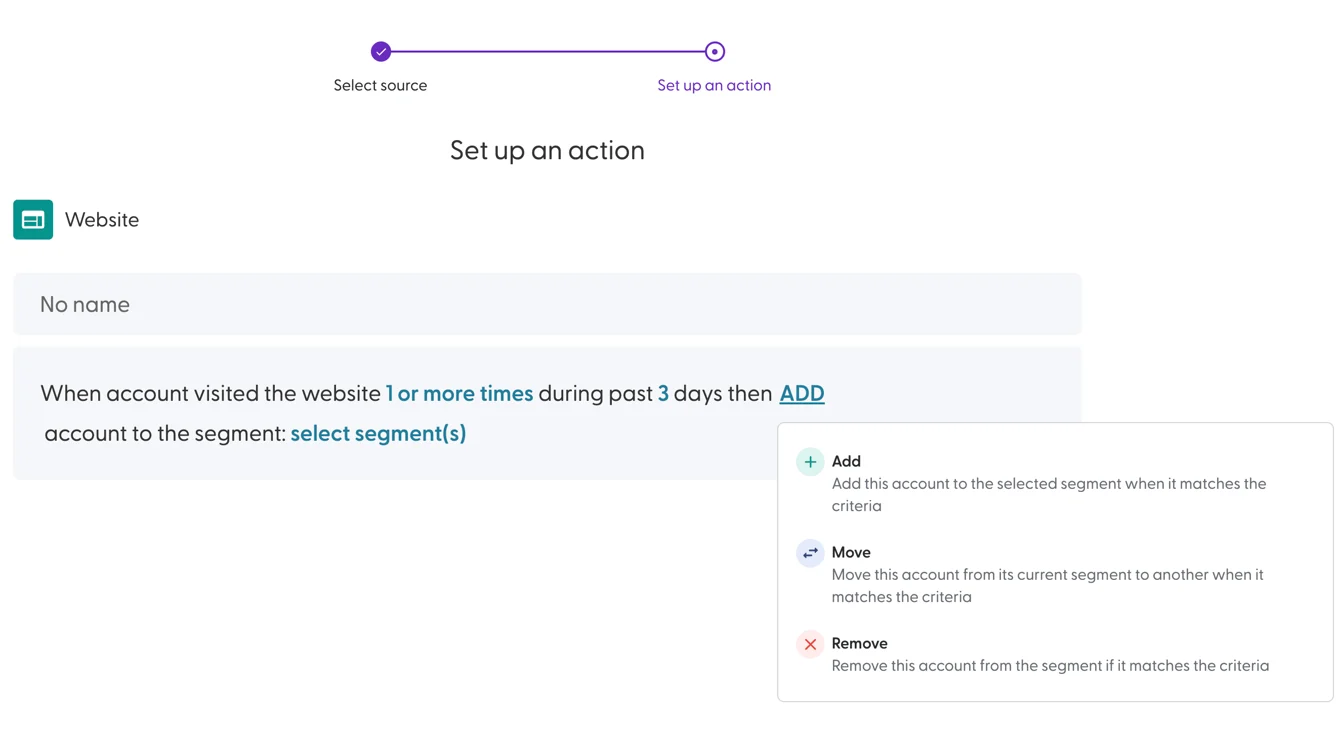
There are no limits to the number of workflows available. To learn more about workflows, head here.
12. A glance at Analytics
Finally, we have reached analytics! Where all of the details about our Accounts, Segments, Intent and Campaigns come together to showcase the results of your Account Based Marketing efforts.
The dashboards are separated into 8 primary categories:
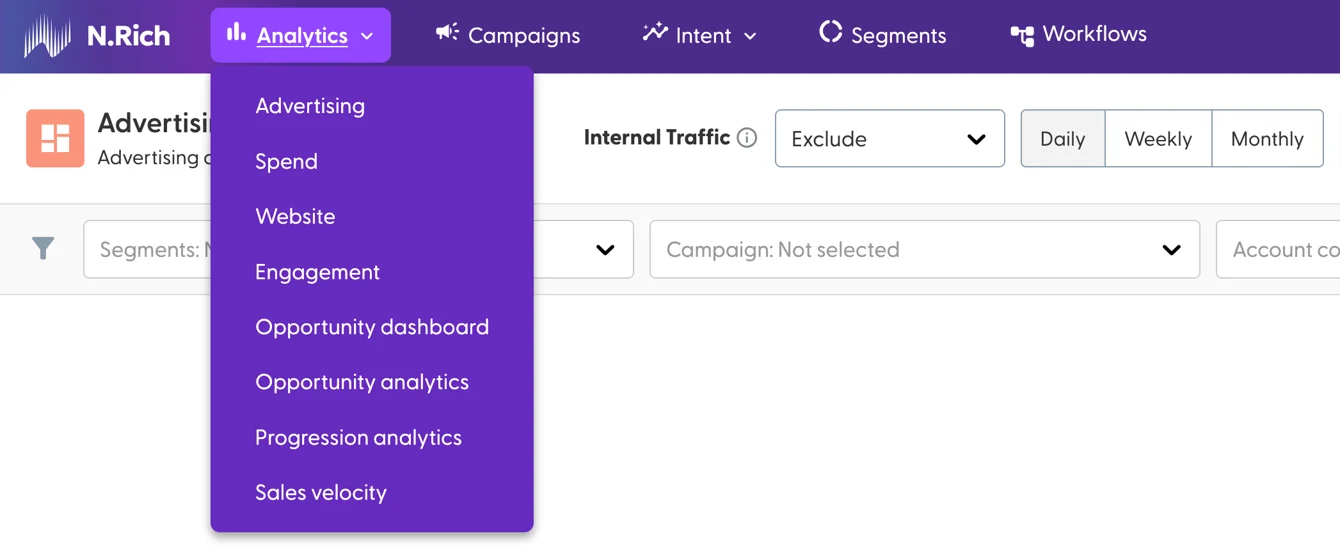
All dashboards can be filtered by timeframe, be made to display data on a daily/weekly/monthly granularity, and, where relevant filtered per individual segment, campaign or location. Traffic data can be filtered to include, exclude or only show internal traffic.
The Advertising dashboard will hold the gist of your Campaign starts - Impressions, views, clicks, CPC, CTR, Bounce Rate, as well as breakdowns per Accounts, Segments and Locations.
The Spend dashboard will zoom in on budget utilisation, indicating campaign spend over time, eCPM, average daily spend and much more.
The Website dashboard focuses the stats collected by the N.Rich tag - total and unique visitors, accounts that visited the website, pages viewed per visitor, the average visit duration and a lot more.
The Engagement dashboard zooms into the most engaged accounts - those accounts that, once exposed to our ABM efforts, have spent time visiting the website, clicking on ads, reading articles and viewing videos. It also shows us of our URLs, Articles and videos have had the most engagement.
The Opportunity dashboard leverages the data from our connected CRM to give us an aggregate overview of the opportunities that N.Rich ABM efforts have influenced.
The Opportunity analytics on the other hand give us a per account breakdown of every account our ABM efforts have influenced.
Progression analytics give us insight into how our accounts are moving between the intent report stages (Cold, In Market, Engaged, Hot) over time.
Sales velocity tells us how our ABM efforts have influenced our deal size, win rate and sales cycle.
To learn a lot more about analytics and each dashboard available, see the more detailed guides here.