Account Dashboard
Last updated: April 1, 2026
Every account imported into N.Rich will have its own dedicated dashboard, detailing that accounts journey though your ABM systems configured within N.Rich, LinkedIn and your connected CRM.
To access it, either search for an account using the primary search bar at the top-right of any page, OR navigate to any segment or intent report or any other area that lists accounts with links and click on said link:
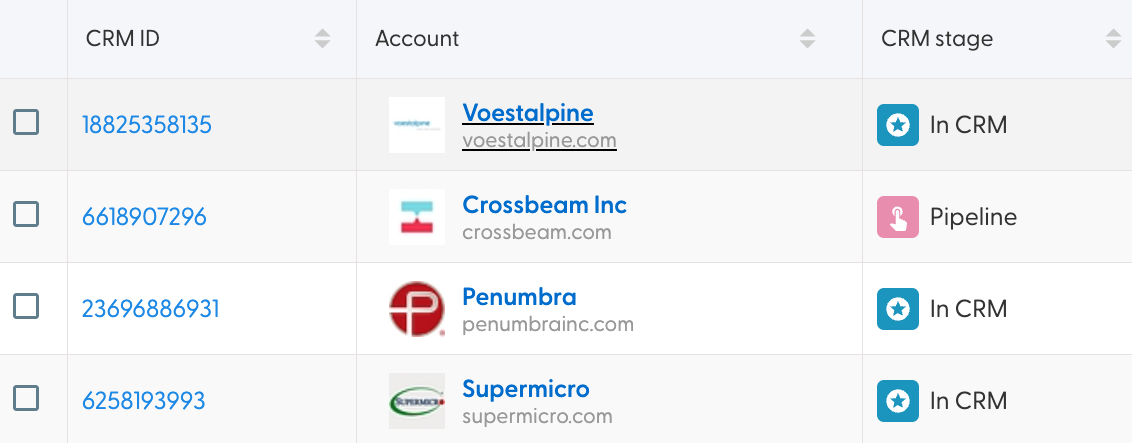
Upon reaching the account dashboard, we are greeted with the following view:
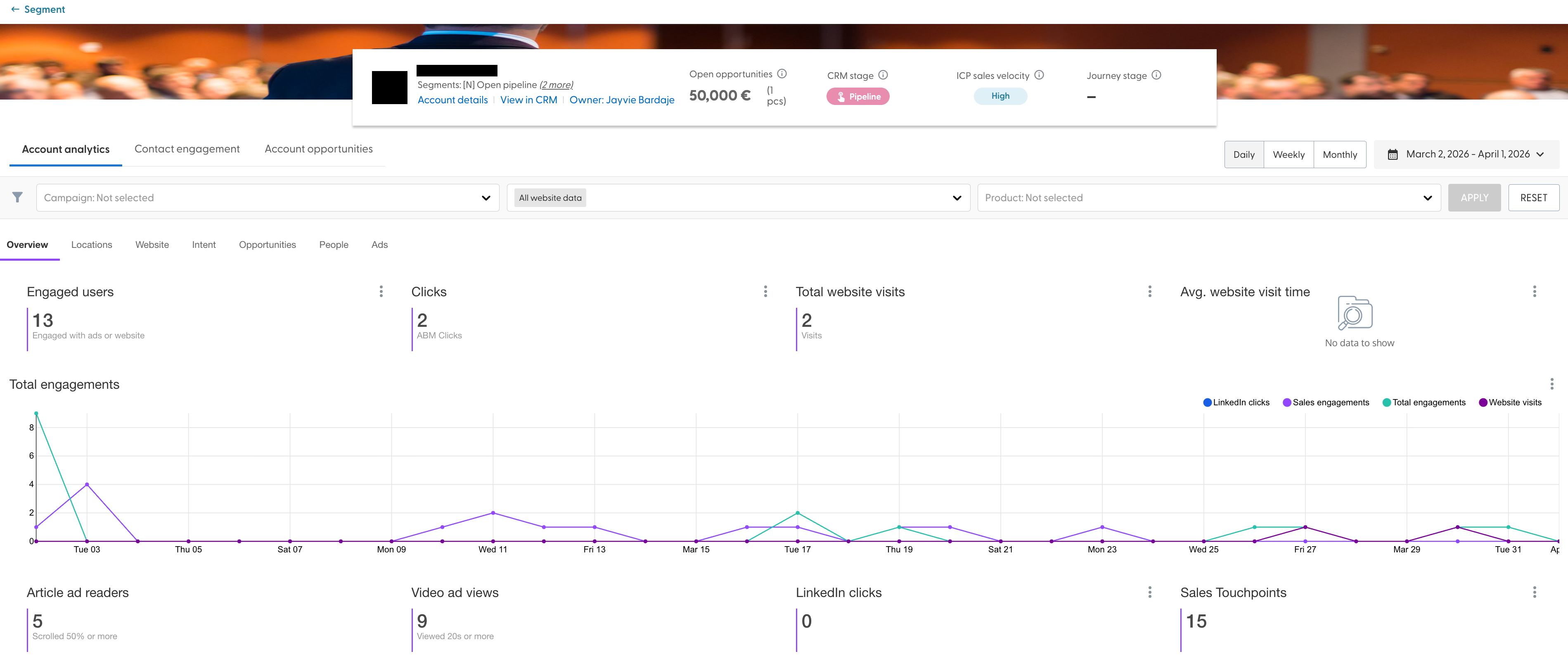
The bar at the top-center gives us an overview of the account, as well as the links to the Account details, CRM and who the owner of the account is in the CRM. In case an account has any open opportunities, its value will also be displayed. Next, the CRM stage and ICP velocity are visible, as well as the journey stage if this account is in scope of a Buyer Journey intent report.
Bellow it, we can see three tabs, and we shall analyse them, one by one.
Account analytics
The Account analytics tab holds the overview of all ABM engagement this account has gathered. This tab can be filtered per campaign, website filter, and product (if products were configured) It offers a daily/weekly/monthly data view and a date picker. It is split across multiple tabs.
Overview
The data points that can be found on the overview are:
Engaged users, or how many users belonging to this account have engaged with your content (clicks, views, reads)
Clicks
Total website visits
Average website visit time
Article ad reads
Video ad views (longer than 20s)
LinkedIn clicks (extracted from LinkedIn)
Sales touch points (extracted from the CRM)
In addition to the above, this view has a graph and a table. The total engagements graph details a number of LinkedIn clicks, Sales engagements, Total engagements (website visits and ad engagements) and website visits. At the bottom of the page, the Engagement stream table gives a itemised list of all individual engagements recorded form the account in the given time period. The table holds the date of the engagement, source campaign, content OR path depending on whether the engagement is with an ad or a web page, the location (country and city if available) and duration of the engagement.
Locations
The location tab focuses on the locations of the engagements detected in the defined time period, with one map and table. The 'Engagement map' offers a scrollable and zoomable modal allowing you to view where in the world this account is engaging with your data. Next to it, the 'Engagement breakdown by location' table gives a tabular view of all engagements broken down per location where the location has occurred (down to the city-level if the data is available)
Website
The website tab of the accounts dashboard focuses on the website traffic generated by the account in question. It holds a graph and two tables. The Website engagement graph shows the website visits over time split across ABM clicks (i.e. clicks on your ads) and direct traffic. The Website engagement stream table shows an itemised list of website visits, including the date and time of each visit, source, content title, path, location and the session time of each engagement. Bellow it is a table breaking down all website Engagement by URL, showing the number of clicks and visits each URL that has traffic from this account has gathered.
Intent
The Intent tab of the account dashboard gives an overview of intent scores pertaining to an account. The three graphs on this page give a time-based overview of the composite (combined 1p and 3p intent score) and individual 3p and 1p scores. Bellow them is a table holding the details of intent locations and composite scores on these locations.
Opportunities
The Opportunities tab holds a simple table holding every opportunity belonging to an account regardless of its state.
People
The People tab should be renamed to the "Devices" tab, as every item on this view belongs to one unique device (and one person may have multiple devices) Regardless, the Total Engaged Cookies graph gives a timeline of the number of engaged cookies. While the Cookie level engagement table showcases all engagement and website traffic generated by the individual devices attributed to this account.
Ads
The ads view offers a bit more detph in terms of the account's ad engagement, offering data points like:
Clicks
Post-click page views
Post-click visit time
Bounce rate
Additionally, the Landing pages table offers a list of landing pages (ad destinations) this account has engaged with.
Contact engagement
The Contact engagement tab offers two tables, with one holding the list of sales reps who have engaged with the account in question and how many times each has engaged. The other table showcases the individual engagements, their timestamps, type of engagement (email/call) and any details if available.
Account opportunities
The Account opportunities tab of the Account dashboard hold the details pertaining the opportunities connected with this account. In terms of filtering, you can choose any one opportunity that is linked to this account and one or multiple campaigns which may or may not have exerted influence on this opportunity.
Upon selecting an opportunity, you will see its CRM ID, name, value, date of creation, age, stage and current status. Bellow it, a number of tabs will be available.
Summary
The summary tab holds the ABM advertising and opportunity influence graph offering a timeline of all engagement types, sales engagements and LinkedIn clicks that have influenced an opportunity in the given timeframe. Bellow it is an ABM engagement stream offering an itemised list of events that have influenced this opportunity.
Overall influence
The overall influence will reveal the following data points regarding influence that took place on this opportunity:
Number of engaged cookies (devices)
Number of video ad views
Number of article reads
Number of clicks
Number of other clicks (clicks that did not originate from your ABM efforts in N.Rich)
Number of organic site visits.
People
The People tab holds a graph of the individual engaged devices over time and the cookie-level engagement table regarding the influence on this opportunity.
Content
The content tab will hold breakdowns of which content specifically influenced this opportunity, split across webpages and video/article ads.
Locations
The locations tab will hold a map and table allowing insight into the locations of engagements which have influenced this opportunity.
Devices and sources
The devices and sources tab will offer two pie-charts, showcasing the split in traffic source (desktop/mobile) and visit source (organic/ABM)