How to see which people visited your website
Last updated: October 9, 2026
Website visitors lists the people who visited your website, the pages they viewed and how they relate to your accounts and CRM. Use it to follow up on individual visitors from your target accounts.
Website visitors isn't on by default: your Solutions Engineer turns it on for your account. Until then, it doesn't appear in the Analytics menu. It only identifies visits from the United States and needs the N.Rich Website Tag on your website.
Open Website visitors
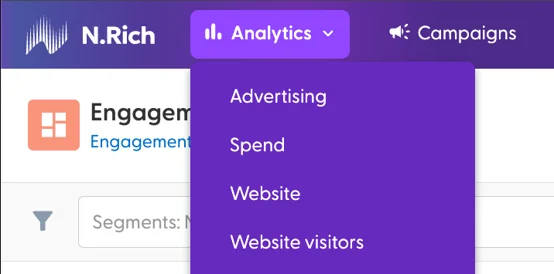
Go to Analytics > Website visitors.
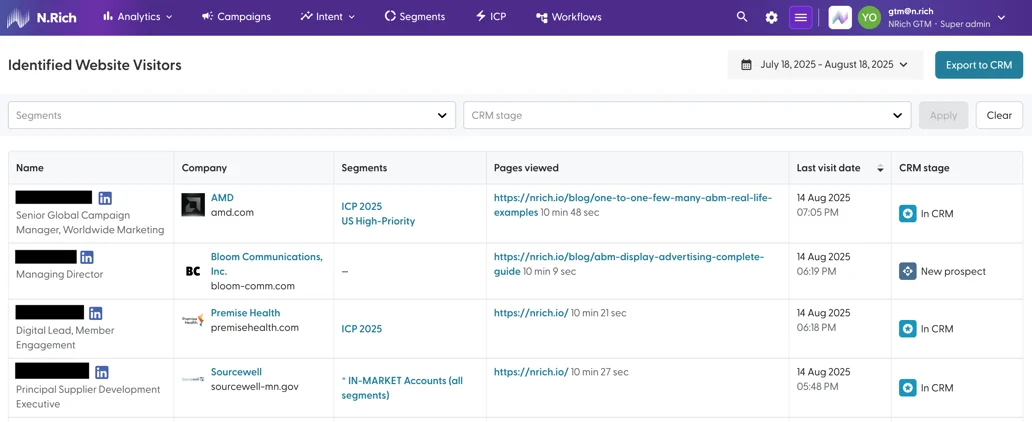
Read the visitors table
Each row is one person, with their name, company and the pages they visited.
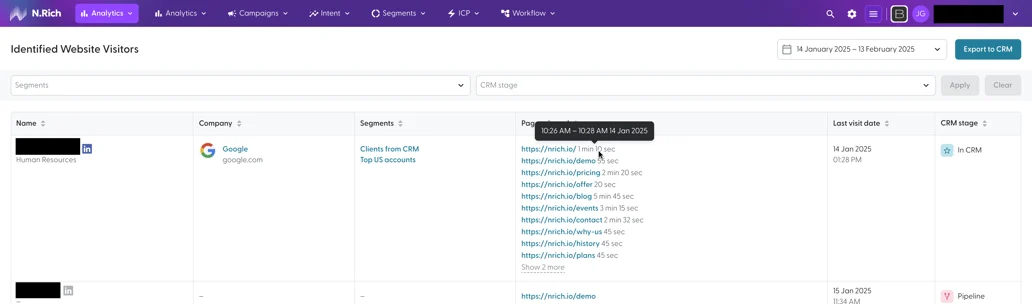
Click Show more to see every page recorded for that visitor.
Segments: the N.Rich segments the visitor's company belongs to. Empty if it isn't in any segment.
CRM stage: the company's stage in your CRM: New prospect, In CRM, Pipeline, Client or Recently lost.
Filter and export
You can filter by timeframe, segment and CRM stage. Export the table as a .csv file.
What's next
Need help? Reach out to your Solutions Engineer via the chat in the bottom-left corner of the N.Rich platform, by email or Slack.