Viewing N.Rich Traffic in Google Analytics (G4A)
Last updated: April 1, 2026
Ever since G4A, viewing pure (uninterpreted) traffic in Google Analytics has become challenging, but not impossible.
Any URL that N.Rich serves in an ad comes with a set of custom and default UTM parameters detailed here: https://knowledge.nrich.io/articles/4335341200-tracking-and-attribution
These allow you to look at traffic coming from a specific ad type (for example, urm_medium=native_video) or all of N.Rich ads combined (for example utm_audience=nrich)
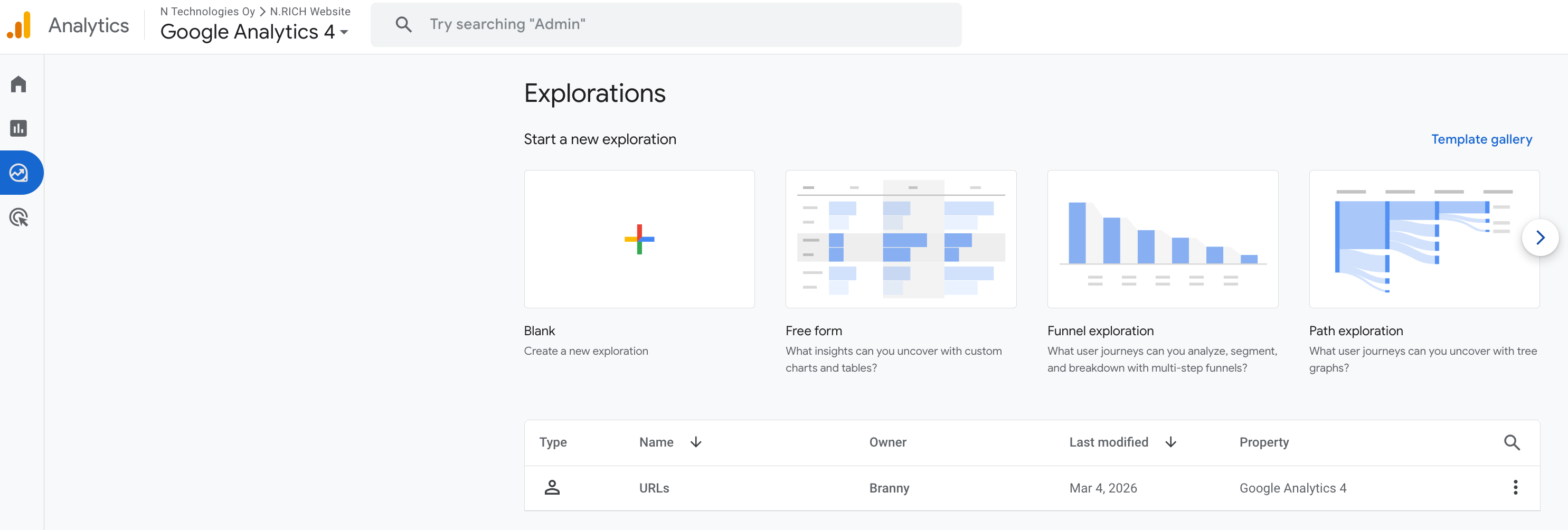
Setting up a G4A exploration report
In terms of seeing N.Rich ads traffic Google Ads, the easiest way to go about it would be via an Explore report:
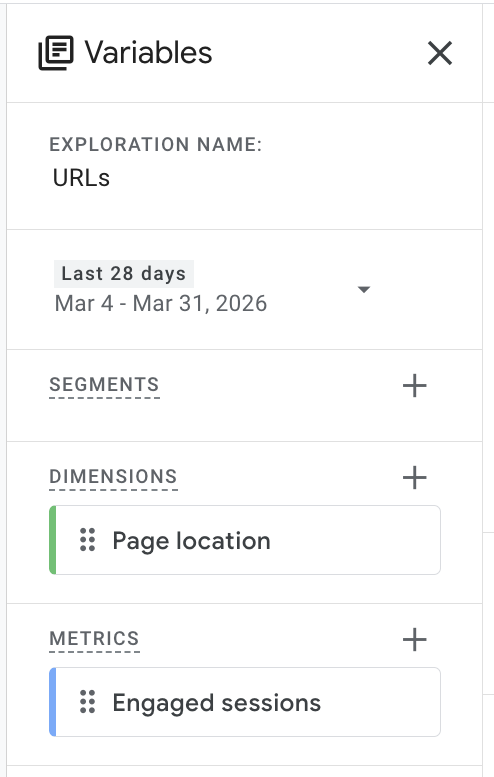
Start from a Blank report, and in terms of variables, pull in the Page location as a dimension and Engaged sessions as metrics:
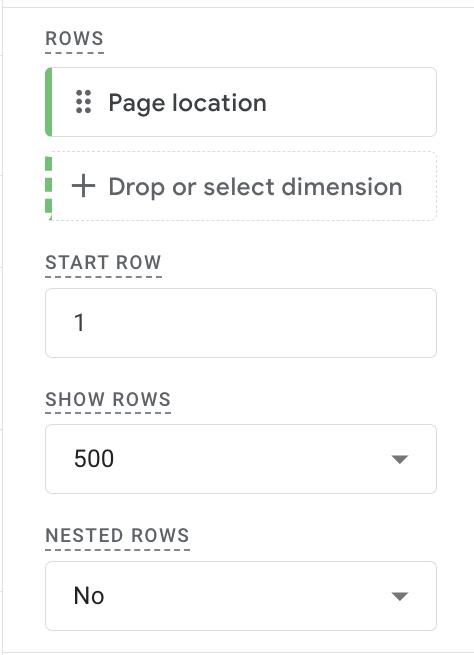
In terms of Settings, add the Page location as a row:
In terms of columns and values, you are looking for Views with a filter of Page location contains utm_audience=nrich:
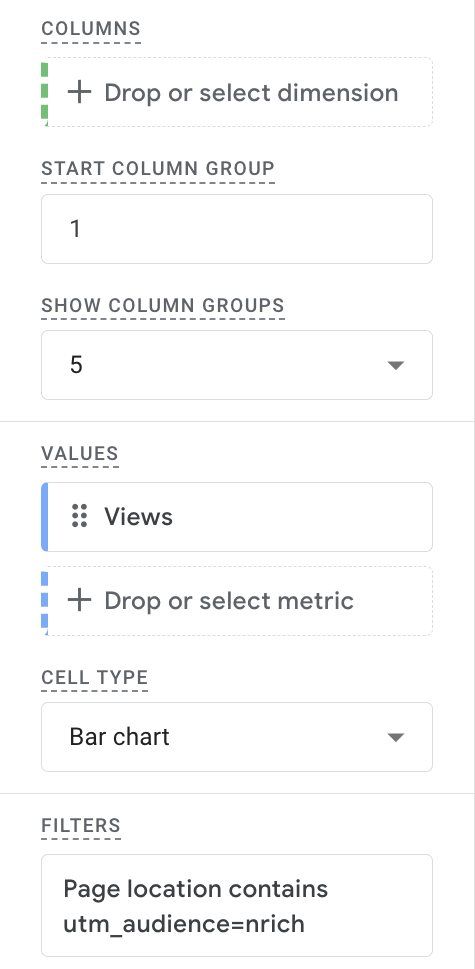
This will give you a report showcasing both the total number of page views Google Analytics sees from N.Rich ads as well as a per-URL breakdown.
Why does Google Analytics see more/less views than N.Rich is reporting?
Training clicks - when ever a new ad is launched, Google may click up to 300 times on a single link within an ad. All N.Rich analytics automatically filters out this traffic while Google Analytics may be showing it.
If your Google analytics is configured to load only after users have granted consent, N.Rich may be showing considerably more traffic than Google analytics, considering that many visits may come from users who did not consent to tracking cookies.
It is possible to opt-out from being tracked by Google analytics - any individual that has done so will never appear on any Google Analytics report, while they still may be tracked in N.Rich (and vice versa, as opting out from being tracked is possible in N.Rich as well)
Read more about these here.