How do campaign budgets and ad credits work?
Last updated: October 19, 2026
Your campaigns spend from your ad credit, and each campaign has its own monthly budget. This article explains the monthly budget, the daily spend estimate, the Ad credit page and budget groups.
Monthly budget and daily spend estimate
The monthly budget is how much a campaign can spend in a month. You set it in the campaign settings.
N.Rich turns it into a daily spend estimate by dividing the monthly budget by 30.4, the average number of days in a month. As a rule of thumb, a campaign won't spend more than this per day. In practice, daily spend varies: N.Rich spends more on days with more traffic. For example, there's less traffic on weekends, so weekend spend can be much lower and weekday spend higher.
A campaign's spend doesn't depend on its duration. If you plan a campaign shorter than a month, take this into account when you set its monthly budget.
If a campaign underspends, budget auto-rollover can carry part of the unspent budget into the following week. See How does budget auto-rollover work?
The Ad credit page
This feature is available to users with Standard and Admin access.
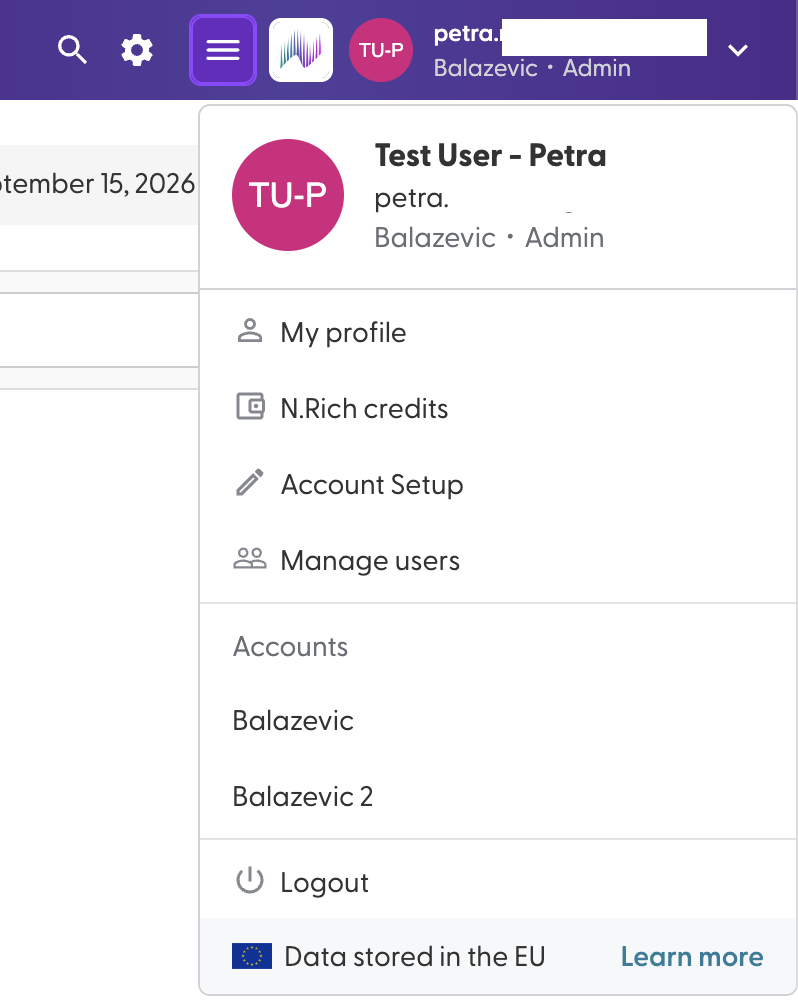
Open N.Rich credits from the menu in the top right to see your ad credit:
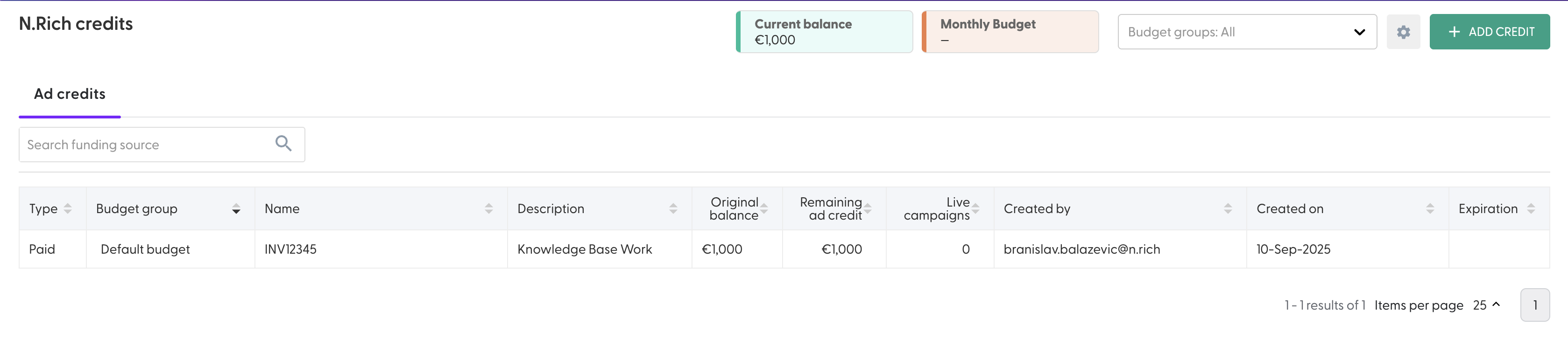
Balance: the ad credit you have available now.
Monthly budget and the date your credit is expected to run out: these fill in once your first campaign is live.
Add credit: you can't add ad credit yourself yet. To get more, contact your Account Manager.
Budget groups
Budget groups split your ad credit into separate pots, so you can tie specific campaigns to a specific pot and stop them from overspending. Click the framed cogwheel next to Add credit to set them up:
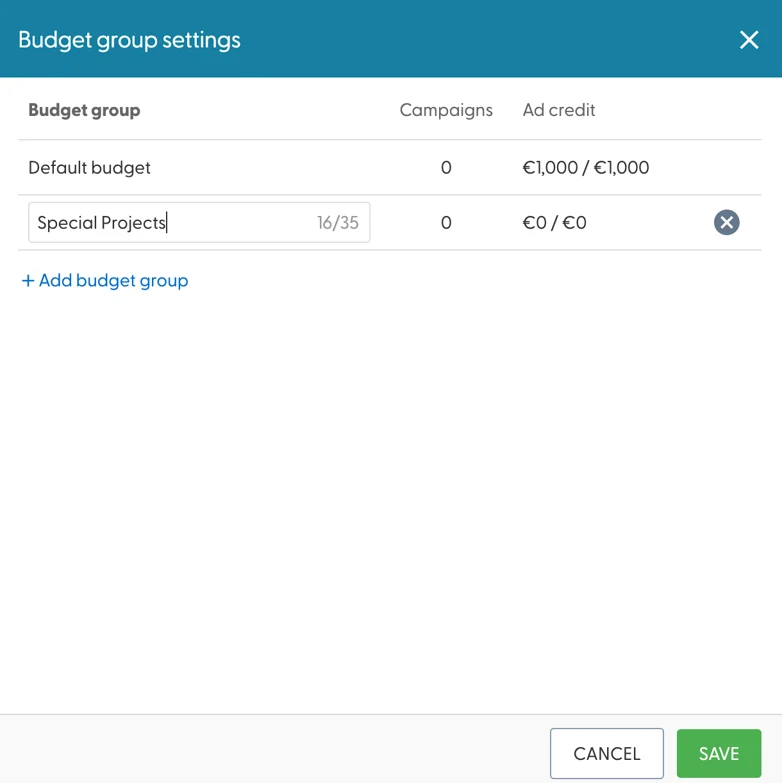
Budget group names can have up to 35 characters.
Once you've created budget groups, tell your Account Manager how your ad credit should be split between them.
In each campaign's settings, choose which budget group it spends from (the ad credit budget source).
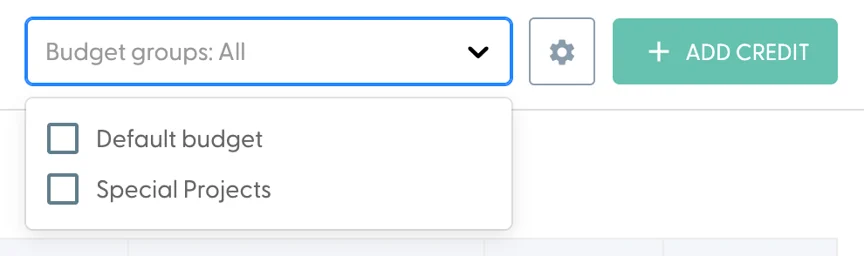
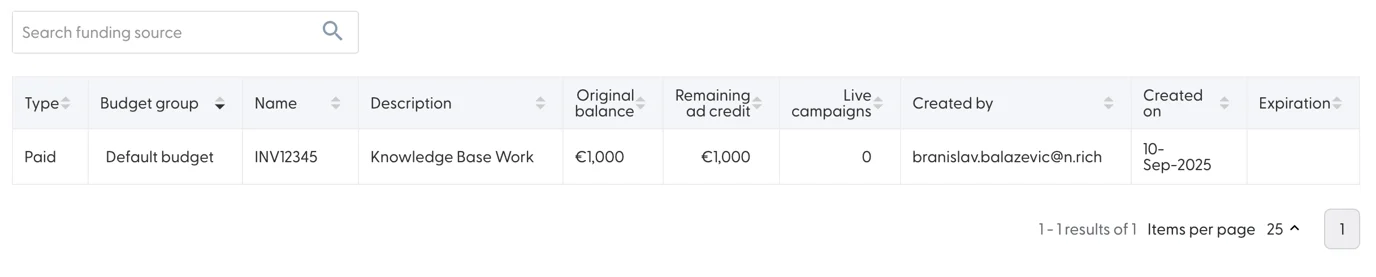
Once you have budget groups, you can filter the table to one or more of them:
Each line in the table is a separate pot. It shows how much ad credit is left in it and how many live campaigns are spending from it. The search bar above the table filters pots by name or description.
What's next
Need help? Reach out to your Solutions Engineer via the chat in the bottom-left corner of the N.Rich platform, by email or Slack.