How does budget auto-rollover work?
Last updated: October 7, 2026
If a campaign underspends during its ramp-up, auto-rollover carries part of the unspent budget over to the following week. This gives the campaign a chance to catch up on spend without you changing its budget.
How it works
A campaign must underspend by more than 10% to earn rollover. Small differences don't trigger it.
Rollover is capped at 20% of the monthly budget per week and doesn't add up across weeks.
If a campaign catches up (reaches 90% or more of its weekly target), its rollover resets to zero the following Tuesday.
Editing a campaign's monthly budget resets its rollover to zero. The new amount becomes the baseline.
Turn auto-rollover on
This setting is available to Admin users only.
Open Settings → Advertising.
Turn Auto-rollover on.
Click Save.
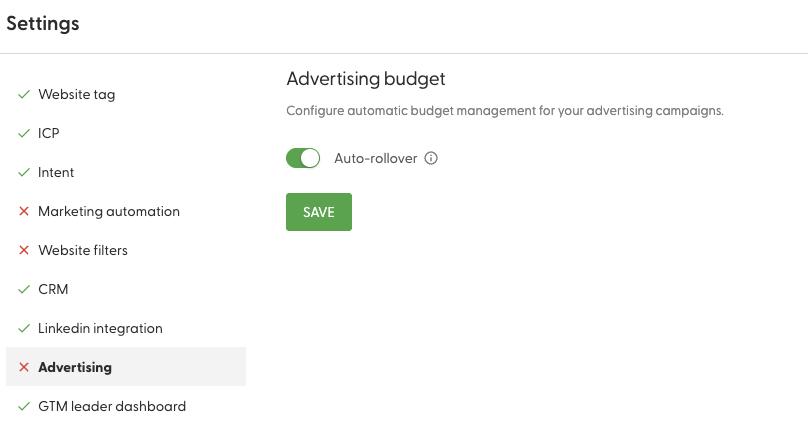
The change takes effect immediately. If your campaigns underspent the previous week, you'll see the higher budgets within seconds.
A budget increase on a live campaign with Cross-channel or Image display ads can put it into re-learning. Your ads keep delivering. See How does campaign Learning work?
Where you see it
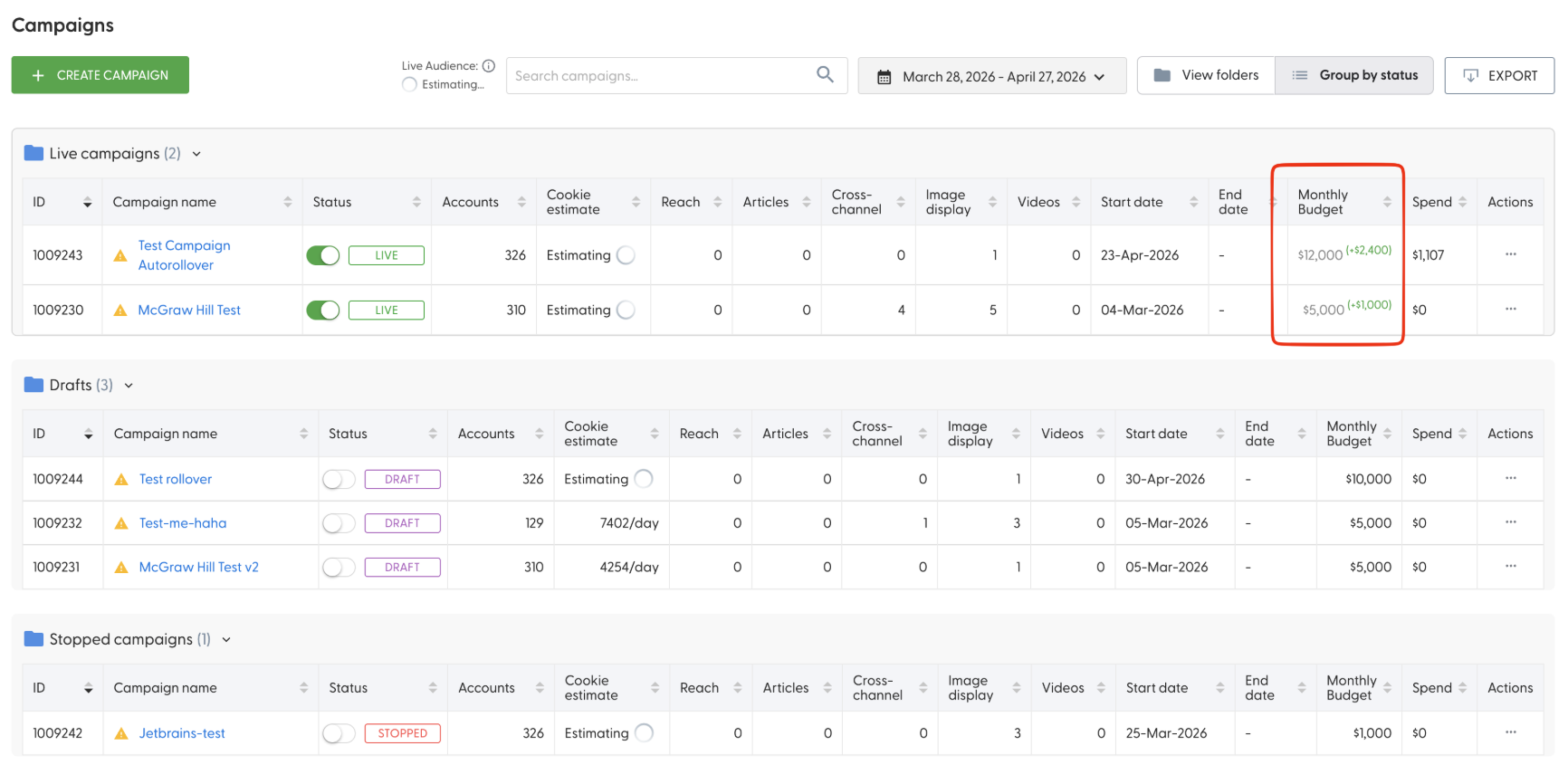
On the Campaigns page, campaigns with rollover show their original monthly budget plus a green (+amount) badge. Hover over the badge to see the breakdown. In the campaign settings, a banner below the Monthly budget field reads: "Auto-rollover active: Original $X + $Y rollover = $Z effective."
Turn auto-rollover off
Turn the toggle off in Settings → Advertising and confirm. All campaigns go back to their original budgets immediately.
What's next
Need help? Reach out to your Solutions Engineer via the chat in the bottom-left corner of the N.Rich platform, by email or Slack.