Completing your account setup
Last updated: October 6, 2026
Account Setup holds the company details N.Rich uses for your ads and analytics. Complete it once, before your first campaign goes live.
Only Admins can open Account Setup.
Open Account Setup
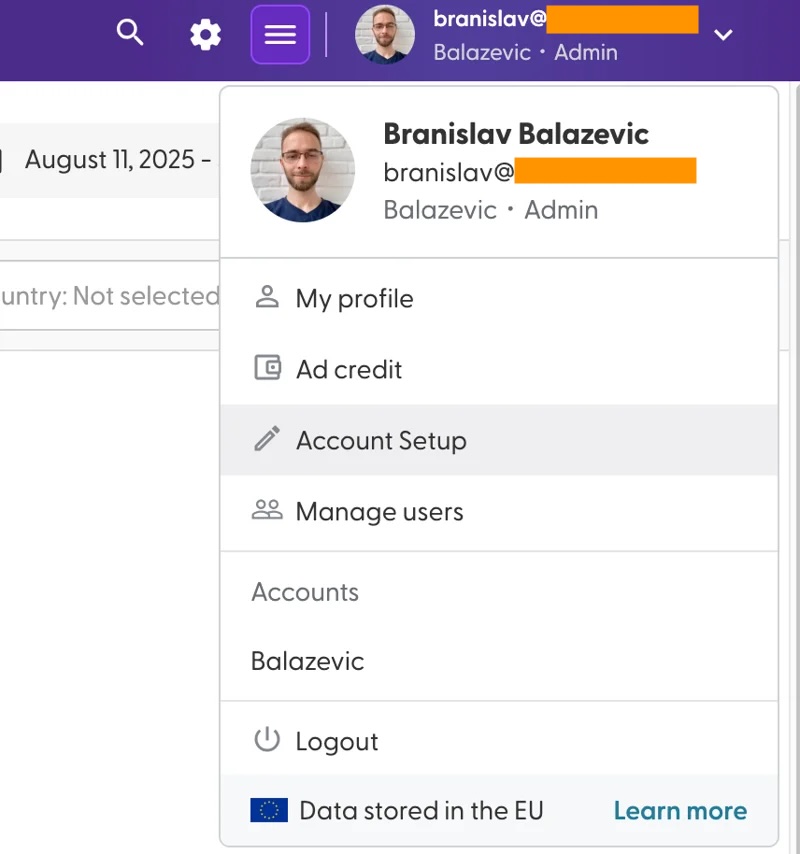
Click your name in the top-right corner and select Account Setup.
Account Setup has three tabs: Company Info, License and Change history.
Company Info
This is the only tab you can edit. Click Save when you're done.
Account Name: set by N.Rich and locked. To change it, reach out to your Solutions Engineer.
Company Domains: add every domain your company uses with + Add Domain. N.Rich excludes these domains from targeting, so your ads don't reach your own employees, and shows their website visits separately as Internal traffic in Analytics. The green check means the domain is valid. The cookies / day number is an estimate of how many cookies a day N.Rich can reach for that domain.
Business Name for Advertising: the advertiser name shown on your ads by default, up to 25 characters. You can change it for a single ad when you create it.
Logo for Advertising: the logo shown on your ads by default. You can change it for a single ad. Use a square image, ideally 1200x1200 px and at least 128x128 px, up to 5120 KB, in PNG, JPG or JPEG format.
License
Shows what your licence includes, such as your limits for campaigns, intent reports and intent topics. For your plan limits, contact your Account Manager.
Change history
Shows the major changes made to your account. This tab is view only.
What's next
Inviting team members and setting user roles: bring your team into N.Rich.
Need help? Reach out to your Solutions Engineer via the chat in the bottom-left corner of the N.Rich platform, by email or Slack.