Inviting team members and setting user roles
Last updated: October 6, 2026
Admins invite teammates to N.Rich and choose what each person can see and do. This article shows how to invite someone, what each role allows and how to manage users later.
Only Admins can invite and manage users.
Invite a team member
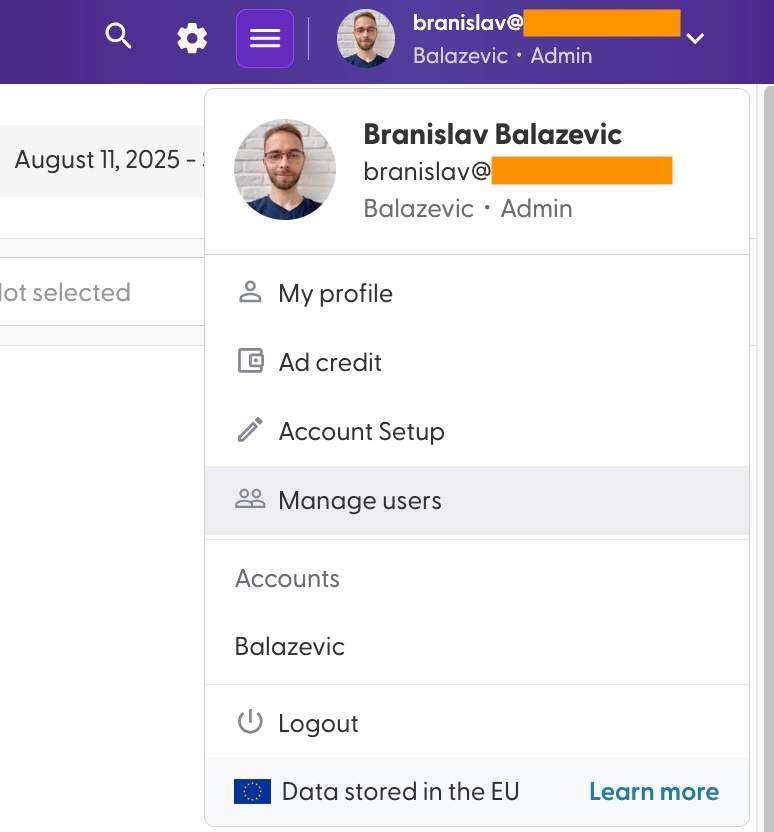
Click your name in the top-right corner and select Manage users.
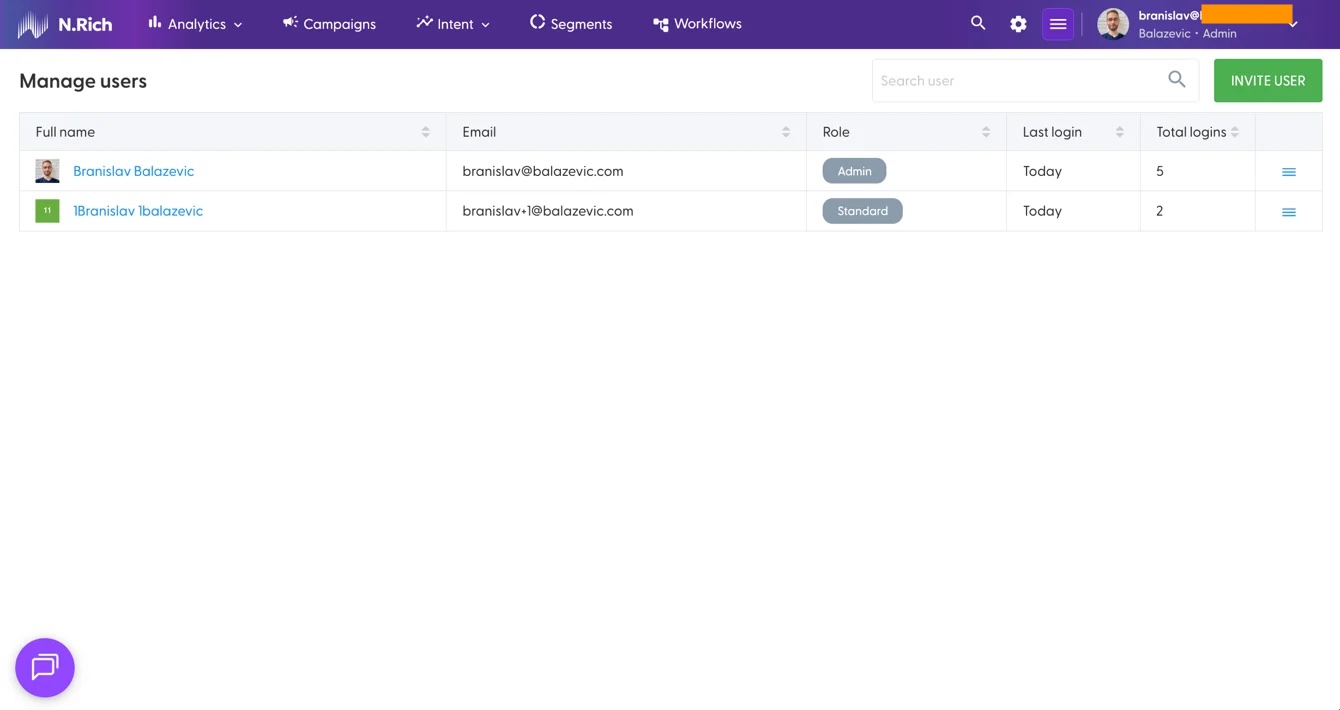
Click Invite user in the top-right corner of the user list.
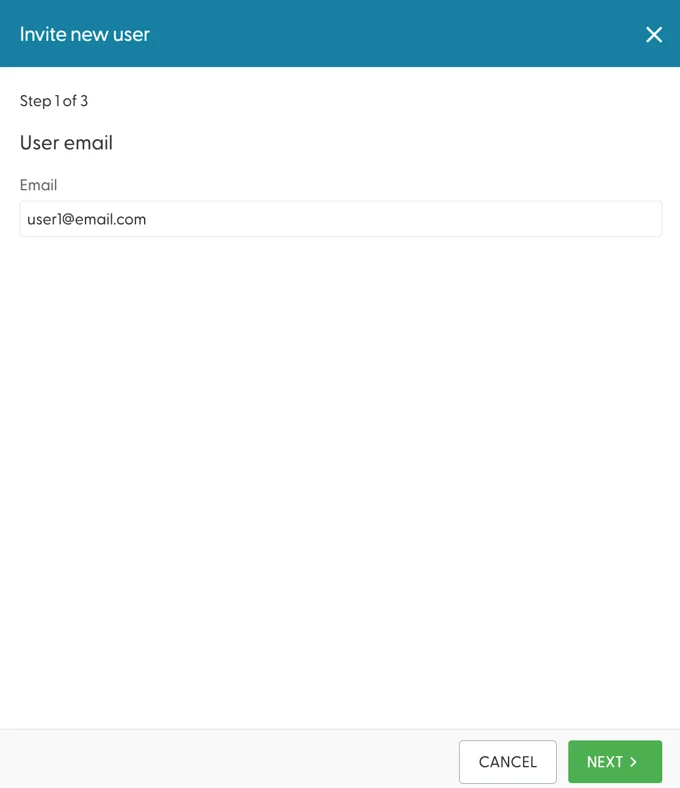
Follow the steps in the panel: enter the person's email, their name and their access level (see the roles below).
The person gets a welcome email with a link to set their password and log in.
If your company logs in to N.Rich with Single Sign-On (SSO), you don't need to invite anyone. N.Rich creates the account the first time a person logs in and gives them the Analytics role. An Admin can then change the role. See How do I set up Single Sign-On (SSO) for my N.Rich account?
What each role can do
N.Rich has four roles. Each role includes everything the role before it can do.
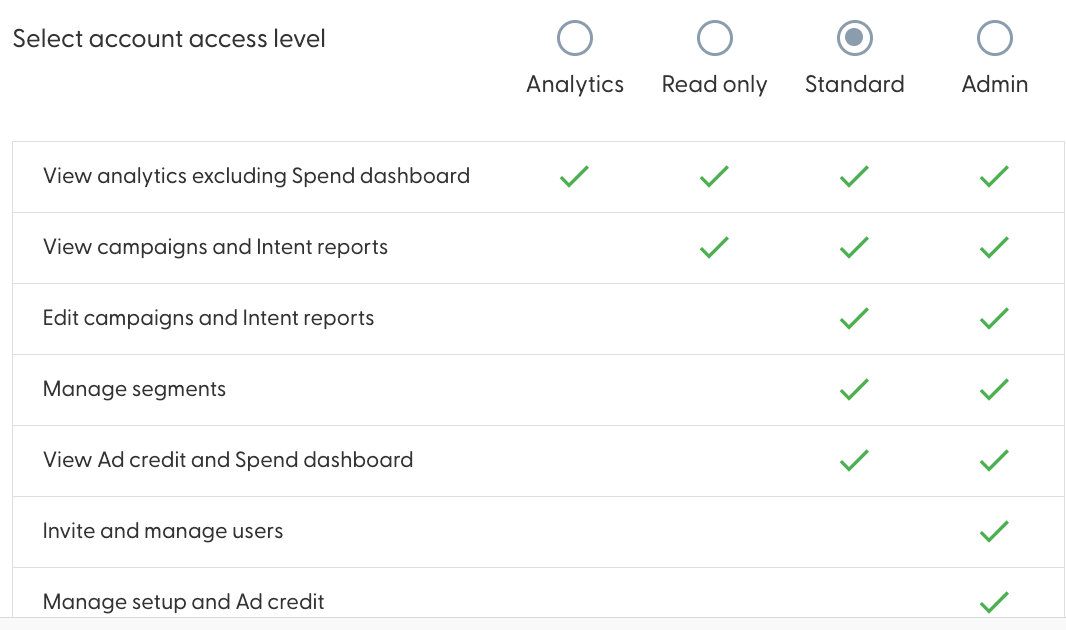
What the user can do | Analytics | Read only | Standard | Admin |
|---|---|---|---|---|
View analytics, except the Spend dashboard | Yes | Yes | Yes | Yes |
View campaigns and intent reports | No | Yes | Yes | Yes |
Edit campaigns and intent reports | No | No | Yes | Yes |
Manage segments | No | No | Yes | Yes |
View Ad credit and the Spend dashboard | No | No | Yes | Yes |
Invite and manage users | No | No | No | Yes |
Manage Account Setup and Ad credit | No | No | No | Yes |
Nobody can change their own role, Admins included. To change your role, ask another Admin on your account. You can see who your Admins are in My profile > Account admins.
Manage existing users
In Manage users, open the menu at the right end of a user's row:
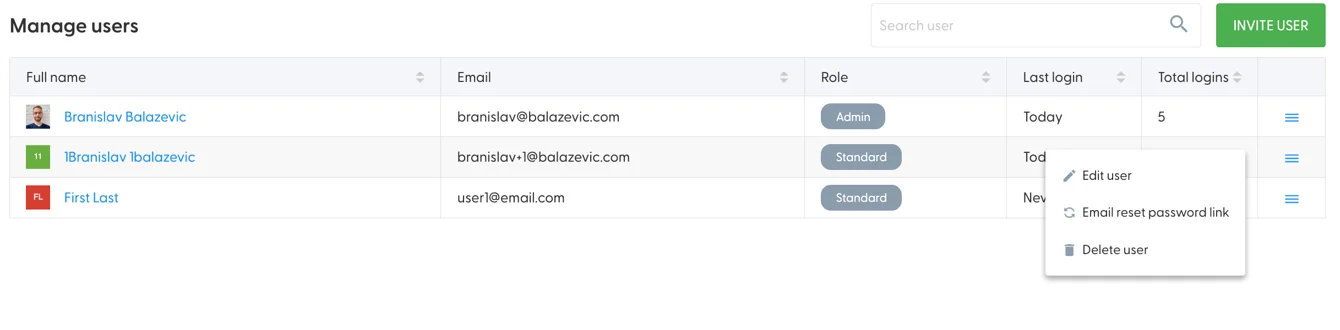
Edit user: change the person's first name, last name and role. The email address can't be changed. If someone's email changes, invite them again as a new user.
Email reset password link: sends a link to set a new password. It shows for users who log in with a password and have logged in before.
Resend welcome email: shows for users who haven't logged in yet.
Delete user: removes the person's access. You can't delete yourself.
What's next
Advertising Budget Management: check your ad credit before you launch campaigns.
Getting started with the N.Rich Website Tag: install the tag so N.Rich can see which accounts visit your website.
Need help? Reach out to your Solutions Engineer via the chat in the bottom-left corner of the N.Rich platform, by email or Slack.