How to connect LinkedIn to N.Rich
Last updated: November 12, 2026
Connect your LinkedIn Ads account to N.Rich so you can sync segments to LinkedIn as matched audiences, see LinkedIn ad engagement in N.Rich and use your LinkedIn campaign data in N.Rich AI.
What the integration does
Pushes your N.Rich segments to LinkedIn as matched audiences. See How to sync a segment to LinkedIn as a matched audience.
Pulls account-level LinkedIn ad clicks into N.Rich account analytics. See How do LinkedIn ad clicks show up in N.Rich analytics?.
Brings your LinkedIn campaign reporting into N.Rich AI once a day: impressions, clicks and spend, broken down by campaign. See LinkedIn data in N.Rich AI below.
Do you need it?
Only if you run LinkedIn ads. If you don't run LinkedIn ads, you can skip this integration.
What you need
A LinkedIn user with access to your LinkedIn Ads account. If you don't have access, ask your organisation's LinkedIn admin to give it to you first.
Connect LinkedIn
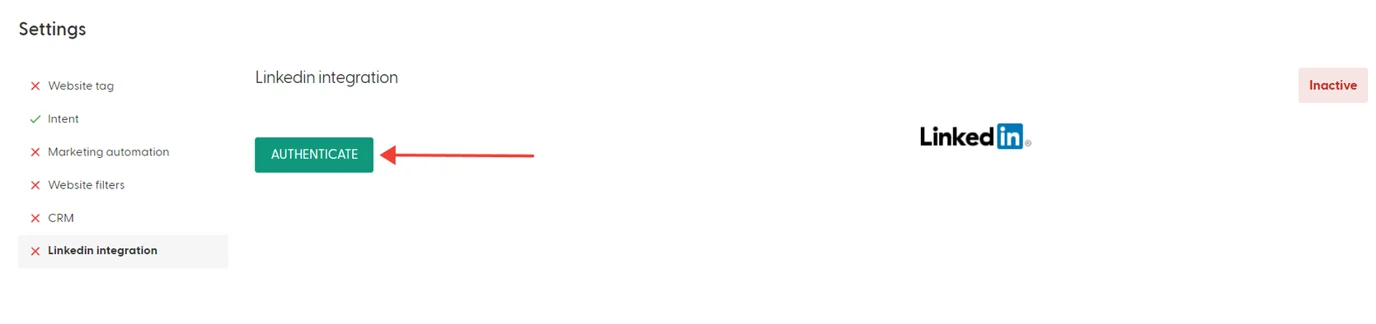
In N.Rich, go to Settings (cog icon in the top right) and open LinkedIn Integration.
Click Authenticate.
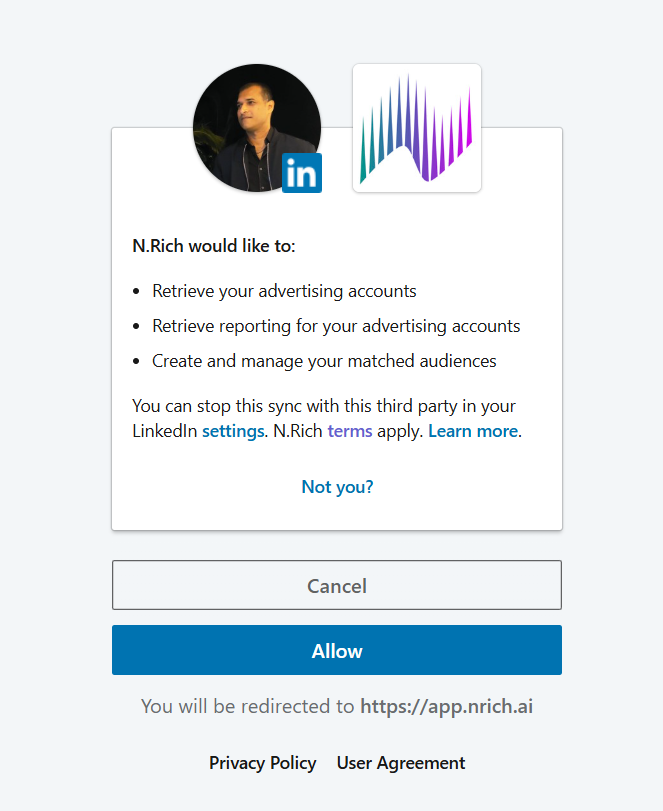
If you're not logged in to LinkedIn in this browser, log in when asked.
Review the permissions and click Allow. N.Rich asks to read your ads and ad reporting and to manage matched audiences. You're then sent back to N.Rich.
Select your ad account. You can connect one ad account per integration. SAVE stays disabled until you pick one. N.Rich only collects ad clicks and campaign reporting from this ad account.
Turn on Automatically sync LinkedIn data.
Click SAVE. If you leave the page without saving, the connection is lost.
Check that the integration status shows Active.
Options after connecting
After you connect, two options appear on the LinkedIn Integration page:
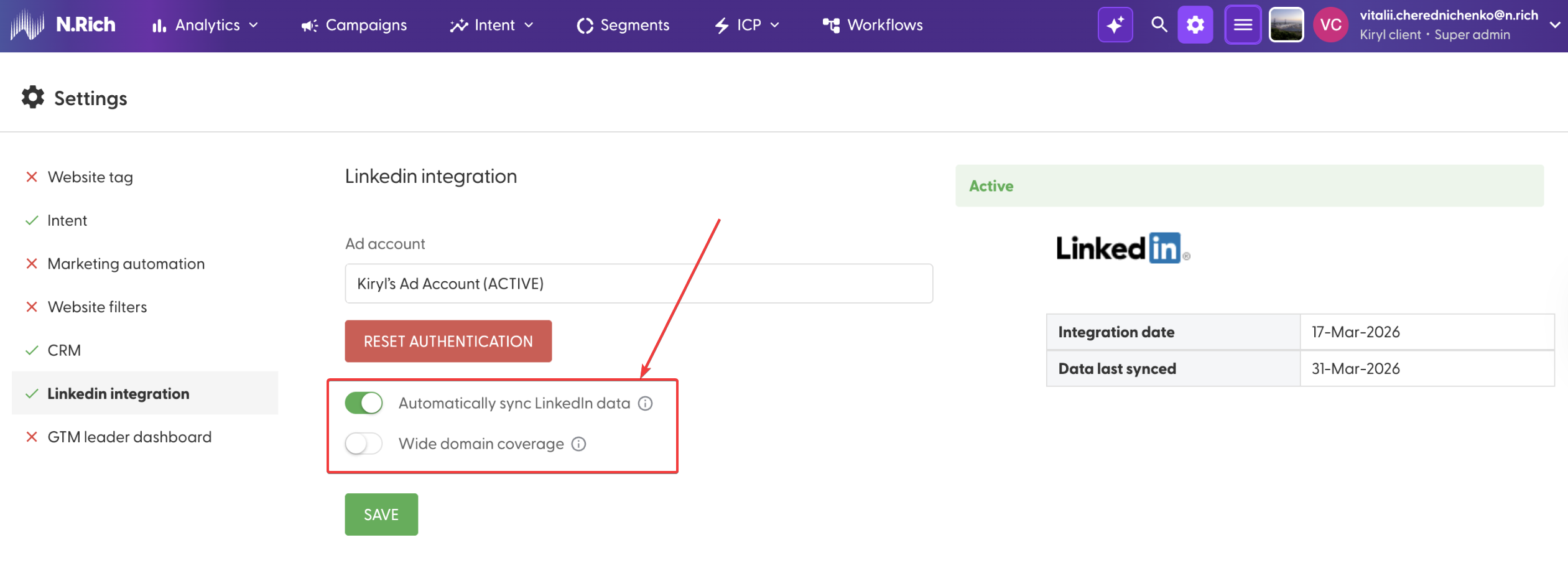
Automatically sync LinkedIn data: keeps your N.Rich segments and LinkedIn matched audiences in sync automatically. Nothing syncs while this is off.
Wide domain coverage: for Account groups, decides whether N.Rich pushes all domains in a group to the LinkedIn matched audience, or only the primary domain. On gives you more reach. Off gives you more precision. Turn it off if your account groups include domains you don't want to target on LinkedIn.
LinkedIn data in N.Rich AI
Once LinkedIn is connected, you can build N.Rich AI apps that show your LinkedIn campaign results next to your N.Rich ads, intent and CRM data.
What's included: impressions, clicks and spend for your LinkedIn campaigns, with a breakdown per campaign.
Which ad account: only the ad account selected in the integration. Campaigns in other ad accounts aren't included.
How often it updates: once a day.
How far back it goes: LinkedIn campaign data is available from July 2026 and onwards. N.Rich AI can't show LinkedIn results for earlier periods. If you connect LinkedIn today, we will only be able to pull data as of the date of the first sync.
What this integration doesn't cover
LinkedIn messages and InMails in the GTM Leader Dashboard don't come from this integration. They come from activity logged in your CRM. See Which HubSpot activity counts in the GTM Leader Dashboard? and Which Salesforce activity counts in the GTM Leader Dashboard?.
What's next
Need help? Reach out to your Solutions Engineer via the chat in the bottom-left corner of the N.Rich platform, by email or Slack.