Salesforce Integration
Last updated: October 2, 2026
A guide to connect your Salesforce CRM with N.Rich and unlock more capabilities.
Capabilities
The N.Rich Salesforce Integration can:
Pull opportunity data from Salesforce to N.Rich
This data is used to measure opportunity attribution (opportunity analytics), create segments based on opportunity data, and to generate Ideal Customer Profiles (ICP).
Push ABM engagement and Intent data to the Salesforce Account Object
This data becomes available as account fields and objects on Salesforce and can be used for building out Salesforce reports and dashboards.
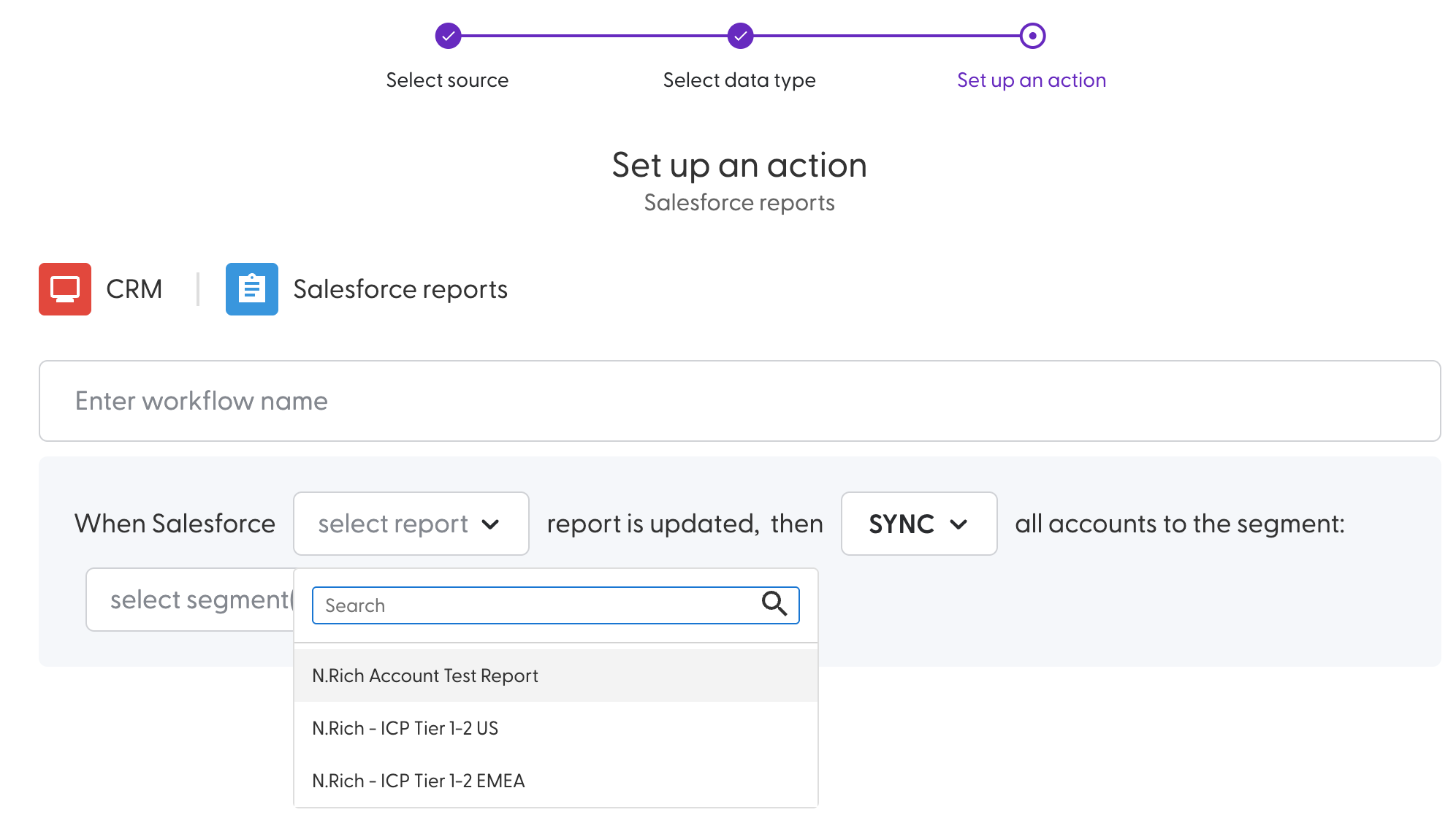
Sync accounts from a specified Salesforce Report into one or more N.Rich segments via workflows.
Integration prerequisites
SFDC User
A full Salesforce licensed user is required. A Salesforce Integration License is not supported as the integration requires a browser-based OAuth flow to establish the connection, which the Integration License does not support.
Please consider the following when creating the user:
For security reasons, it is recommended to create a dedicated user for N.Rich instead of using shared credentials and a shared user.
The Salesforce user must have write access to the Accounts object of the SFDC API
The Salesforce user must have read access to the Contact, Opportunity, Task, Event and Report objects of the SFDC API, as well as any objects used for identifying product-association of opportunities.
We recommend giving the API user admin access, but if not, when you are customizing user permissions, make sure to check "Approve Uninstalled Connected Apps", Without this permission, the integration will result in 0auth error
NOTE: Installation on SFDC Sandboxes is not supported.
Whitelisting IPs
You need to add the following N.Rich IP addresses as trusted from SFDC:
141.94.102.61
51.83.66.86
162.19.61.72
15.235.83.18
15.235.83.19
15.235.66.79
For instructions, please see Set Trusted IP Ranges for Your Org.
Creating account fields
The account fields must be manually created in SFDC. For the sync to be successful, please follow our Salesforce Fields and Objects creation guide.
Domains in SFDC accounts
N.Rich uses website domains to match an account in N.Rich to an account in Salesforce. In order for the sync to work, your Salesforce records need to have valid domains within the website field of each account.
For successful mapping, please ensure both of the following conditions are true:
The Salesforce Website field contains a valid company domain (e.g. https://www.ibm.com).
At least one associated Contact has an email address domain that matches the Account Website domain (e.g. alice@ibm.com).
If the domain from the account Website matches a domain from a contact email, the account will be mapped successfully.
Domain mapping will not work if:
The Website field is empty, invalid, or contains non-company domains (e.g. gmail.com, linkedin.com, or random strings).
No associated contact has an email address on the same domain as the account's website.
The Website domain and contact email domains do not match.
In these cases, the account will not be synced until a valid domain is provided. If no domain can be confidently mapped, the account will be excluded from syncing. This helps avoid incorrect associations and ensures data quality across systems.
Integrating
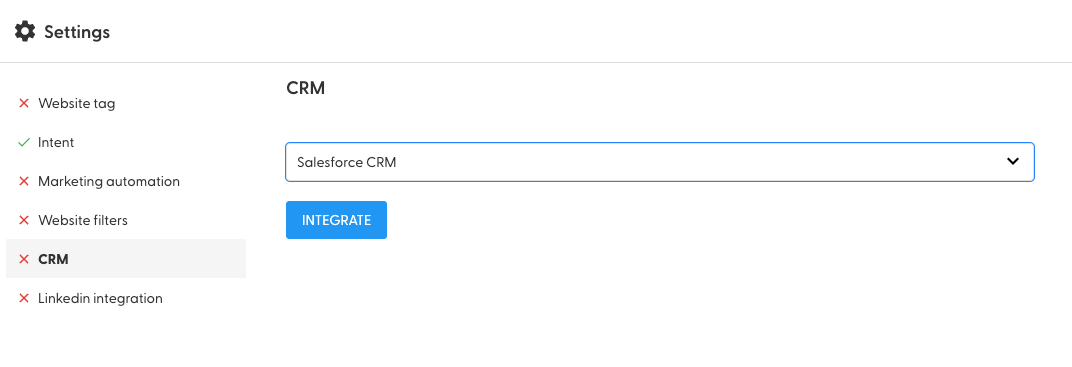
After completing the prerequisites above, click on the "INTEGRATE" button on N.Rich settings (Settings Cog Icon > CRM > Salesforce CRM > INTEGRATE) and authenticate with a Salesforce API user.
Sync interval
Syncs between N.Rich and Salesforce happen every 8 hours. For the full breakdown by data type, see Salesforce Sync Cadences.
Security and Privacy Considerations
The N.Rich integration has been granted an official security review acceptance from Salesforce. This app is installed automatically when integrating N.Rich with Salesforce and should never be installed from the AppExchange.
Pushing Segment information to Salesforce
In case you want to see N.Rich segment information associated with your accounts in SFDC, first make sure you have completed the pre-requisites detailed here.
With the custom object in place and configured make sure you toggle the "Push account segment data to CRM"
Options available after integrating
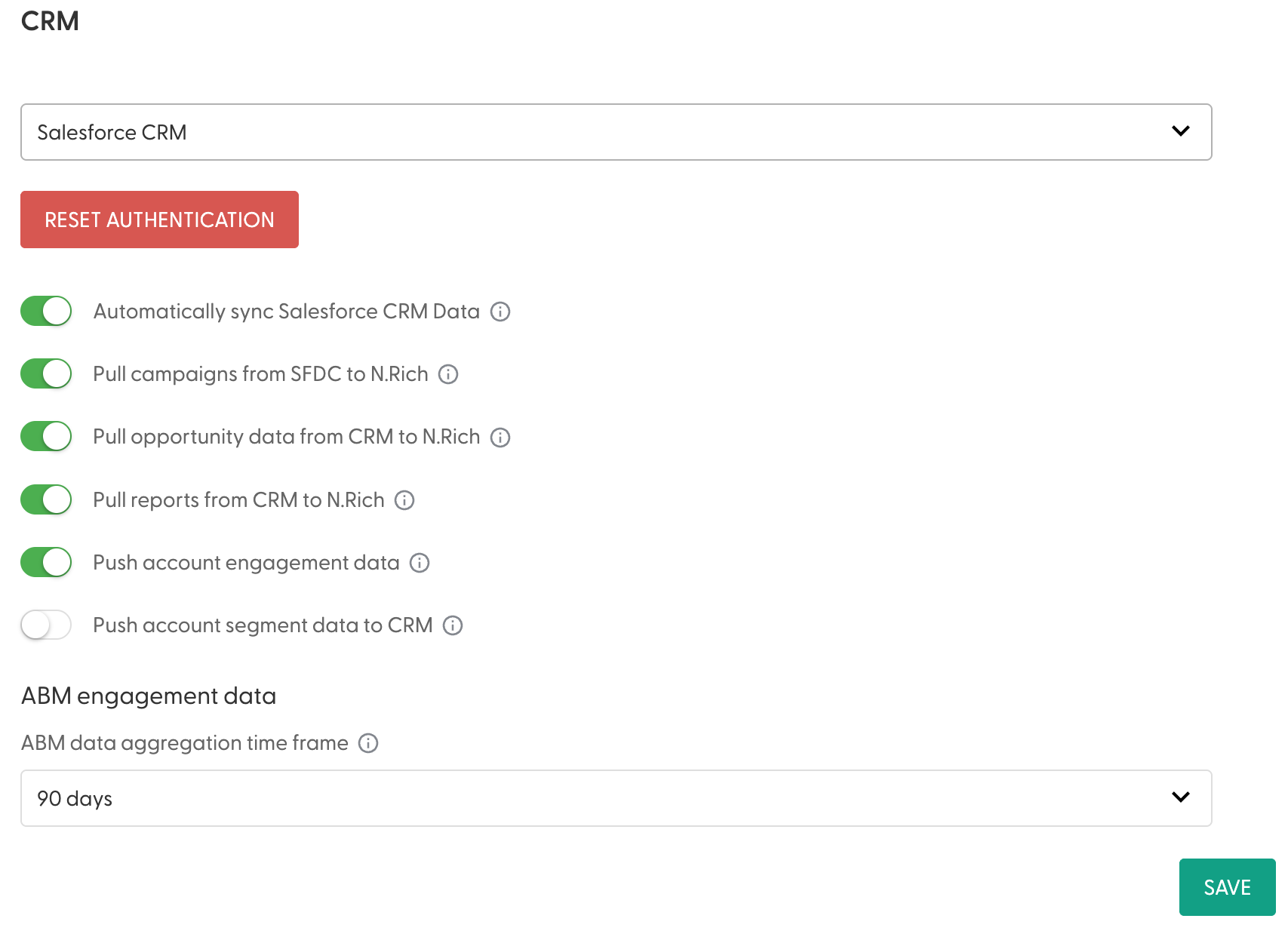
The toggle Automatically sync Salesforce CRM Data dictates whether N. Rich will automatically pull information about the SFDC accounts we are in sync with - only the Account Id, Name and Country are synced with N.Rich if they get updated in your SFDC instance.
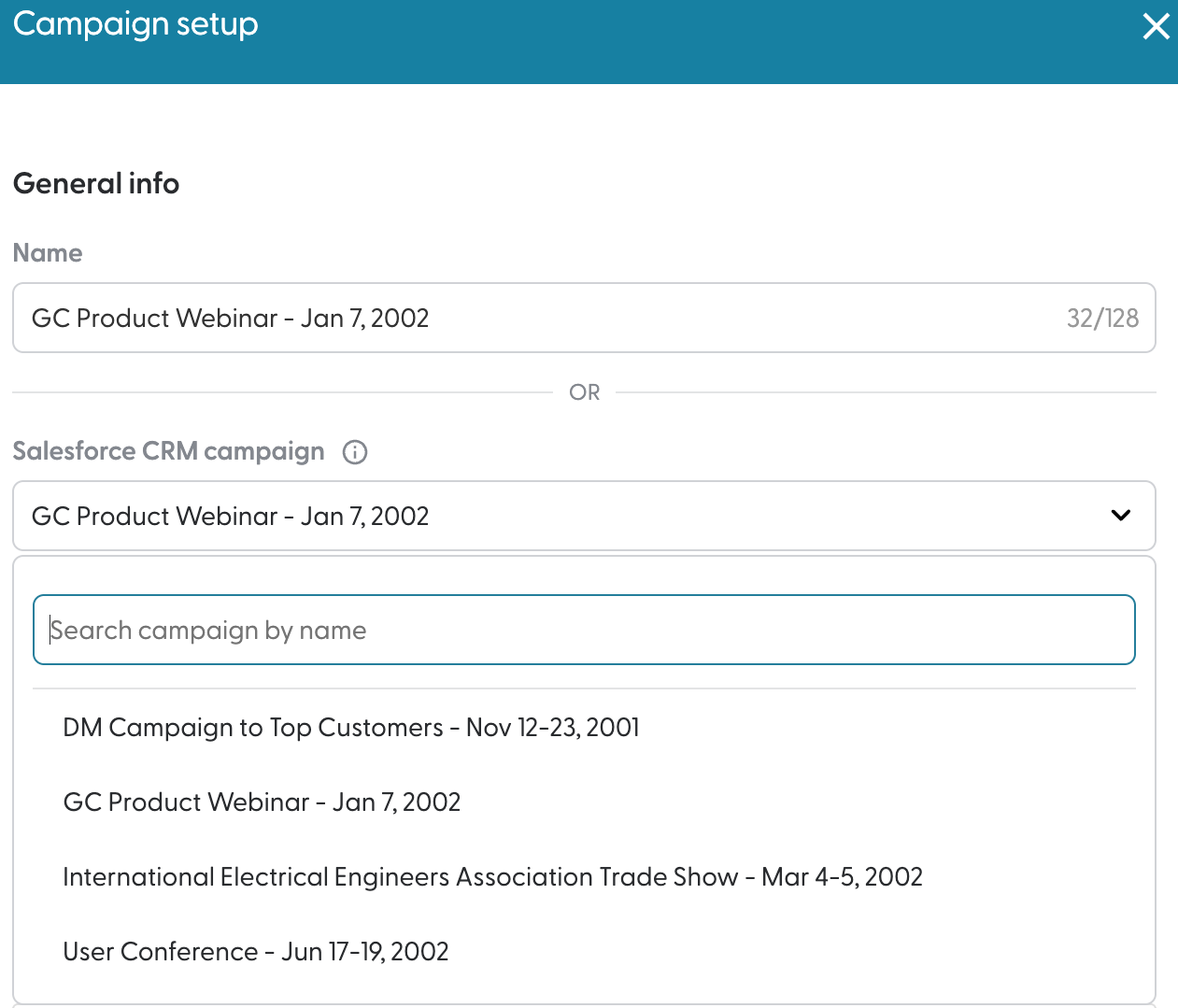
Pull campaigns from SFDC to N.Rich decides whether or not N.Rich will pull all campaigns that exist within your SFDC instance and make them available when creating campaigns in N.Rich:
Pull opportunity data from CRM to N.Rich decides whether or not N .Rich is allowed to pull opportunity data from your SFDC instance.
The Pull reports from CRM toggle to N.Rich determines whether or not your workflows will have the ability to pull accounts from tabular account reports in your connected SFDC instance. See here for more info on these types of workflows.
Push account engagement data decides if N.Rich is allowed to push any engagement data to the accounts in your SFDC instance.
Push account segment data to CRM pushes which segments an account belongs to into an object on your SFDC instance. before toggling this option, please make sure you have configured the object as defined in our Creating Salesforce Account Fields and Objects article.
ABM engagement data defines what time period you consider to be relevant when pushing engagement data to your CRM. If you select 90 days, and the last engagement has happened 91 days ago, we will wipe it from your SFDC instance.
Authorisation expiry
When the authorisation token expires, we are no longer able to sync with your Salesforce instance. When this happens, Admins of your N.Rich account will see an alert across most pages in the platform prompting them to reauthorise the connection. Upon reconnection, the next sync will backfill any data that couldn't be pushed into the synced accounts on your Salesforce instance.
Need help? Reach out via the chat in the bottom-left corner of the N.Rich platform - our solution engineering team is happy to walk you through it.