How do I create ads?
Last updated: October 7, 2026
Ads live inside campaigns, and N.Rich supports four ad types. This article shows where to create them and links to the step-by-step guide and requirements for each type.
Create an ad
Open the campaign you want to add the ad to. If you don't have one yet, see How do I create a campaign?
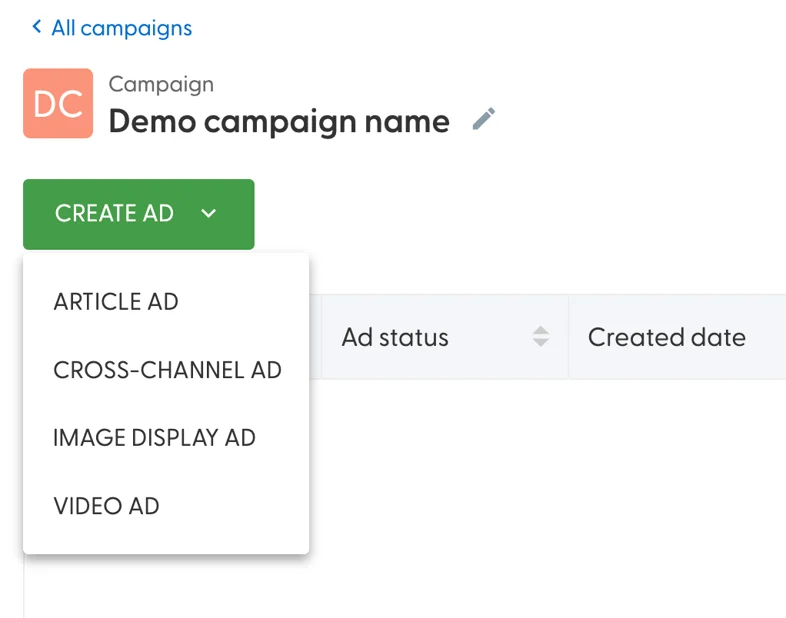
Click Create ad and choose the ad type:
Add your content on the left side of the editor. The right side shows a preview once you save.
Click Save. The ad appears in the campaign's ads table and runs when the campaign is live.
If you see a yellow warning next to the link in your ad, see What does the "issue with tags on this landing page" warning mean?
Guides for each ad type
Ad type | How to create it | Requirements |
|---|---|---|
Cross-channel ads | ||
Image display ads | ||
Article ads | ||
Video ads |
Not sure which type to use? See Which ad type should I use?
What's next
How do I write ads that perform well?
Need help? Reach out to your Solutions Engineer via the chat in the bottom-left corner of the N.Rich platform, by email or Slack.