Cross-Channel Ads
Last updated: April 30, 2026
A deep dive into all aspects of Cross-channel ads in N.Rich
Technical overview
N.Rich Cross-channel ad is similar to Google responsive display ad and, in fact, uses Google as one distribution channel. The Cross-channel ad creative consists of 1-15 images, 1-5 headlines, and 1-5 descriptions, which will be randomly mixed to create combinations. This means you need to make sure every image + headline + description combination makes sense. The system manages the multivariate optimisation automatically, so the more combinations are available, the better results you can expect.
It is not recommended to use text on images, because it is a possible disapproval reason for the ad from Google. The reason for this is that optimisation is based on algorithms that use Natural Language Processing and try to interpret the context of the ad. With text on image with the current level of AI technology, it is very hard for the algorithm to interpret the meaning, even if it could extract the text and recognise what the image represents.
Creating Cross-Channel Ads
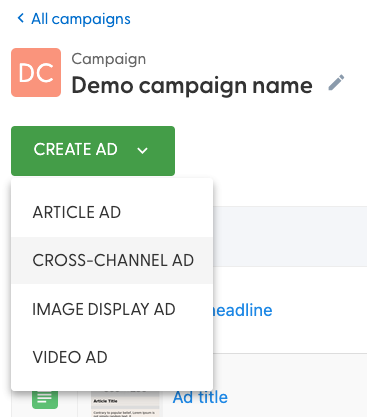
From the Campaign you have previously created, click on "+Create ad" and select Cross-Channel ad from the drop-down:
Once done, you will reach a view that looks like this:
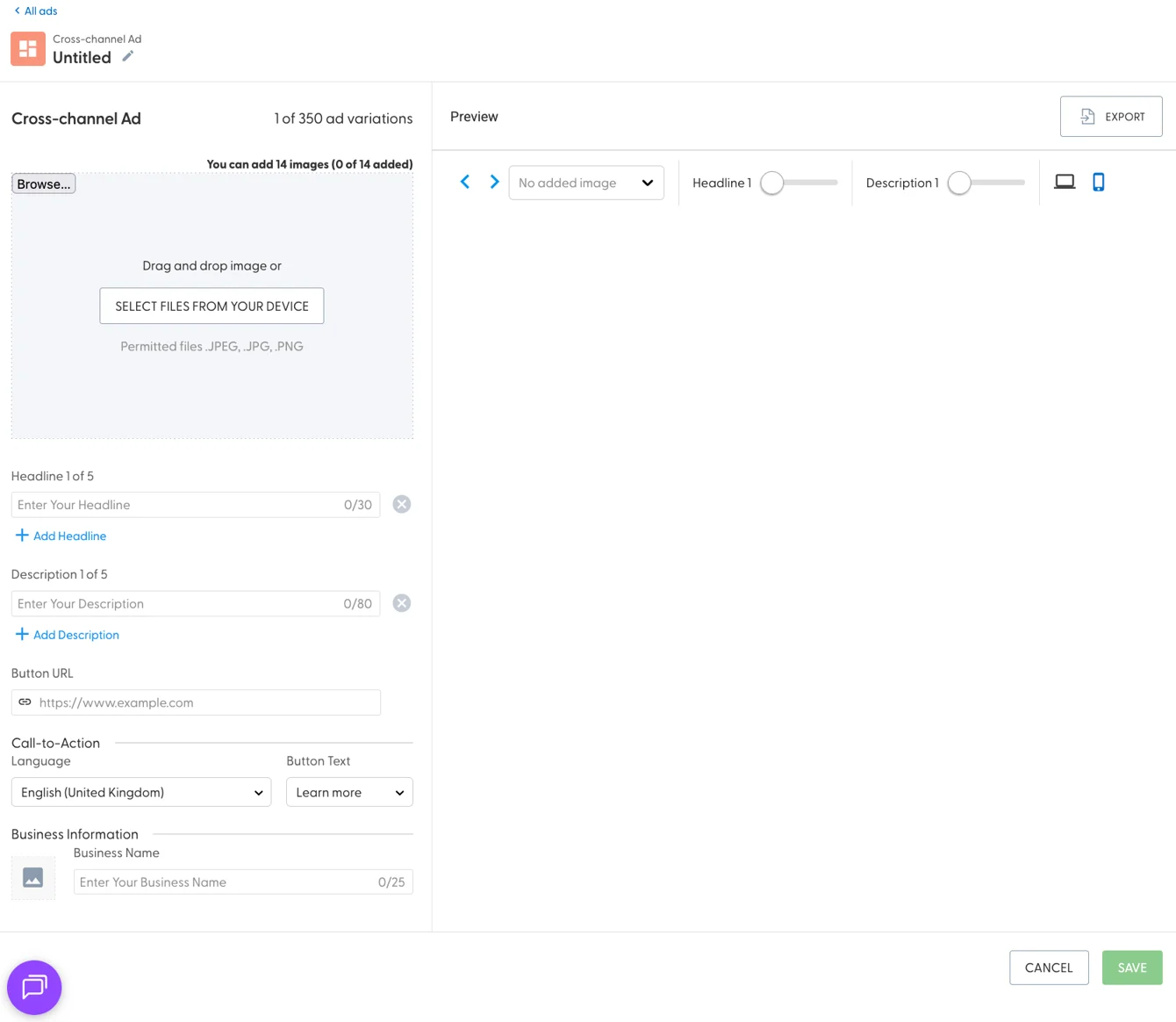
Apart from the title of the ad itself, which will be used primarily for identifying the ad within N.Rich, the Cross-channel ad has the following components:
Up to 14 images
Up to 5 headlines
Up to 5 descriptions
Button URL
Call to action button language and content picker
Area to modify your business name and image
We highly recommend using up all of the resources available when populating this ad type - anything under 300 content variations will have a negative impact on the ad performance, such as high CPC or lower CTR due to insufficient ad variations.
The left-hand side is dedicated to content input.
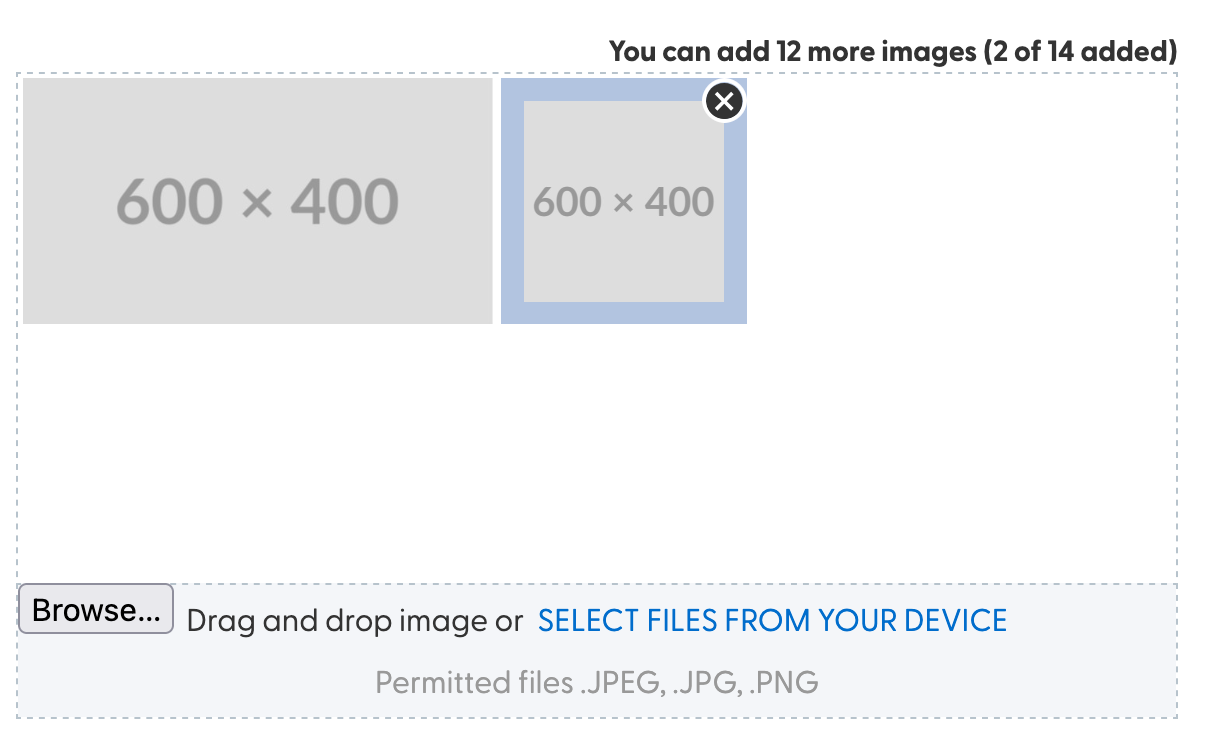
When uploading images, the image area will indicate which images you have uploaded thus far, and count how many of them you have uploaded - hovering over an uploaded image will allow you to remove it:
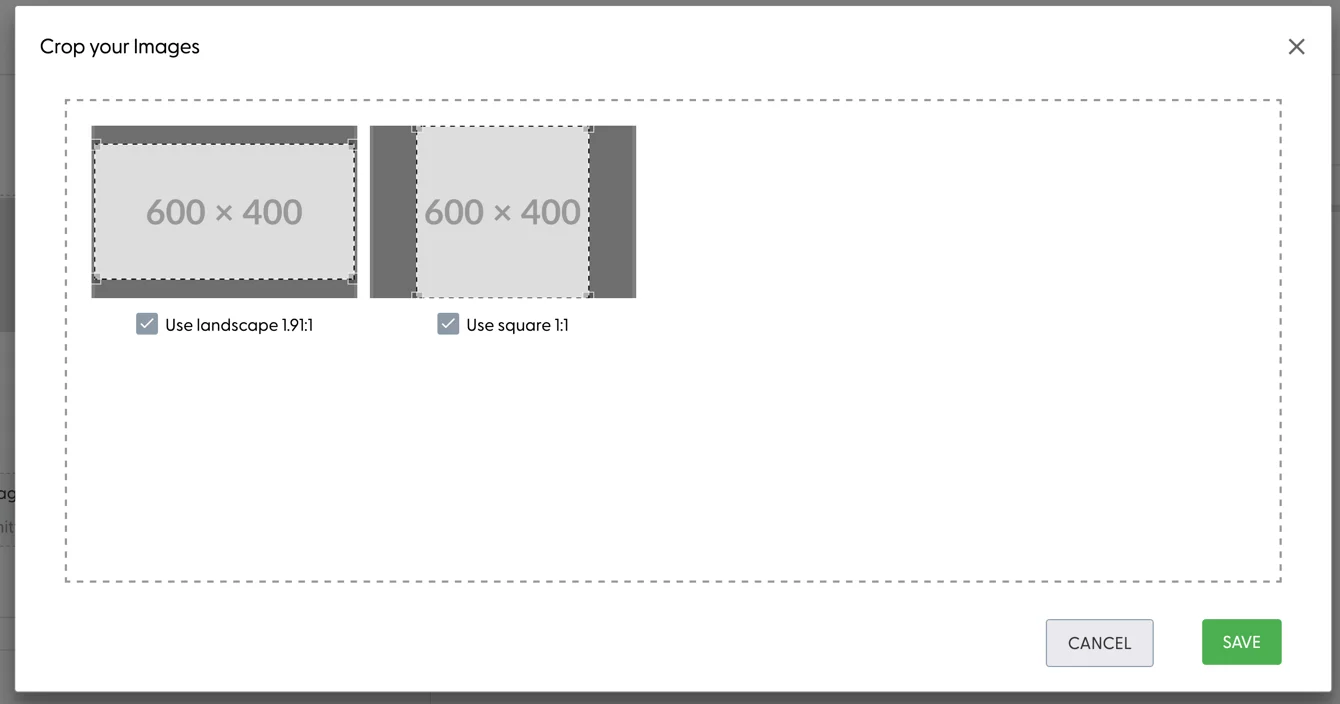
When uploading one image, the system will automatically ask you whether we should use the image in landscape and/or square as well:
When adding headlines and descriptions, the input areas will tell you how many characters you have used up.
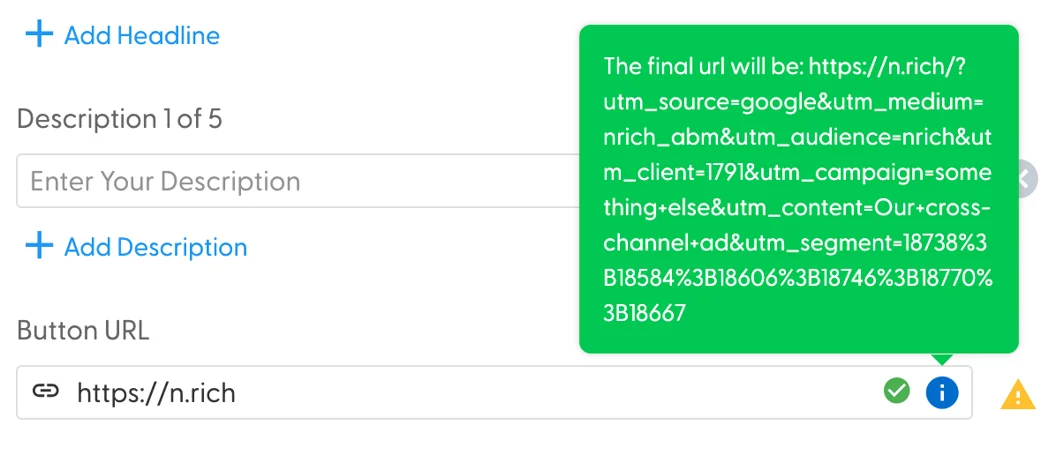
When adding the button URL, N.Rich hovering over the blue icon will show the full URL that will be associated with this ad - these UTM parameters should not be modified within the URL (utm_campaign can be configured in the campaign settings, and utm_content comes from the ad name) :
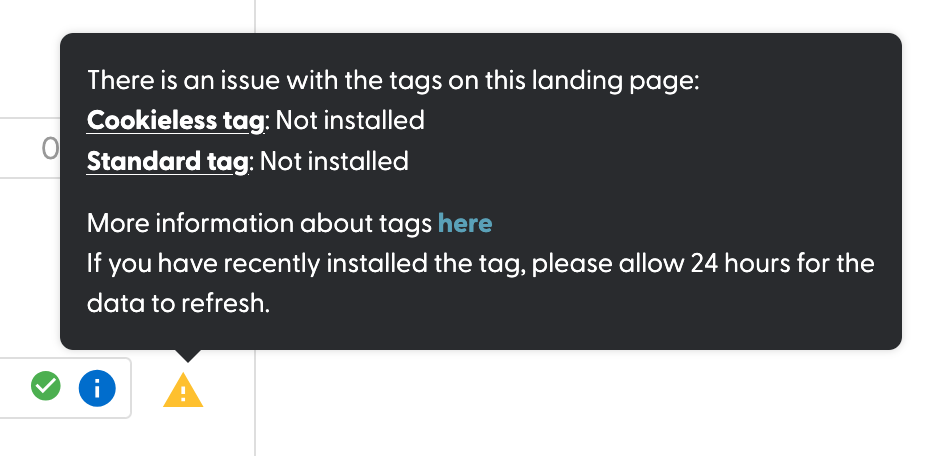
The yellow triangle next to the button input field may feature this warning:
The Call-to-Action button is pre-defined in the case of Cross-channel ads, and as such, it can not be made custom - you must choose one language and one button text from the available drop downs:
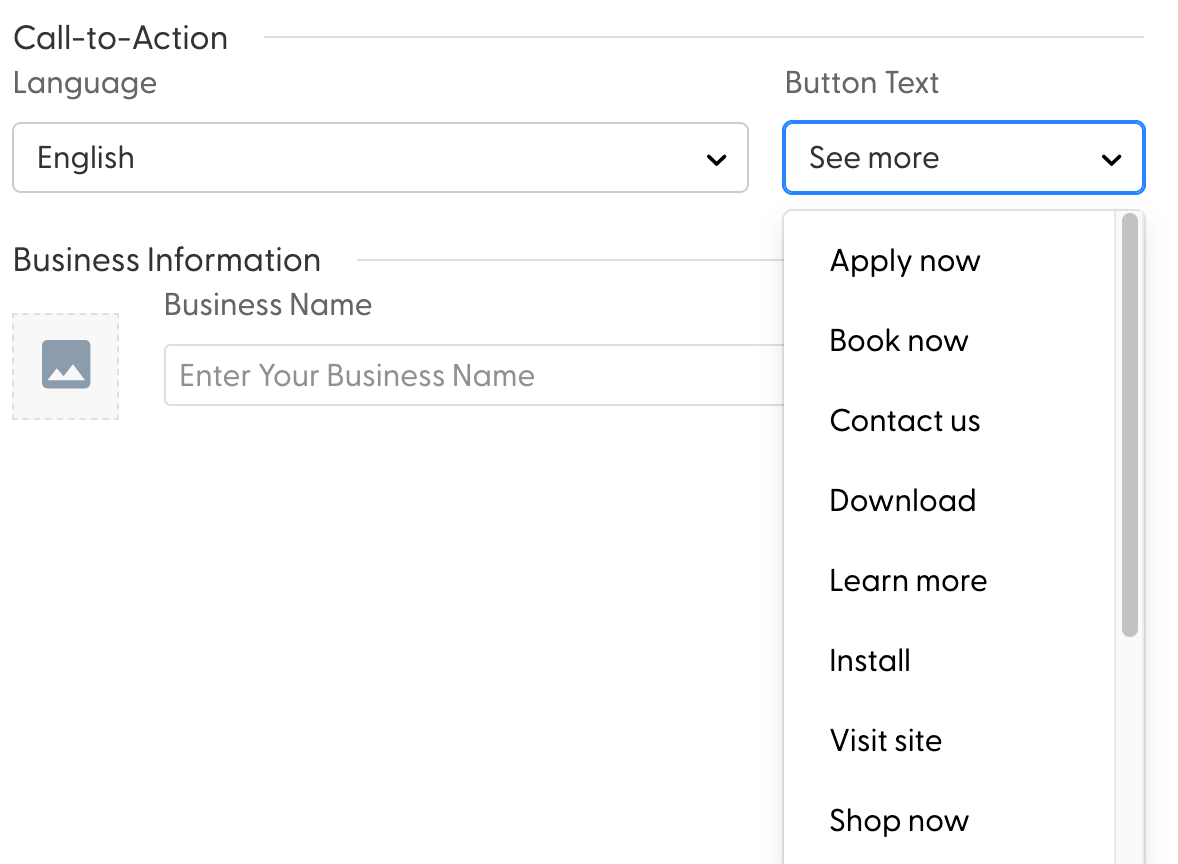
Any business information you input here will only apply for the ad in question and will not modify your account-wide business name and image.
As you add images, headlines and descriptions, upon clicking save at the bottom-right corner of the page, the right-hand preview side will populate with previews of your asset combinations:
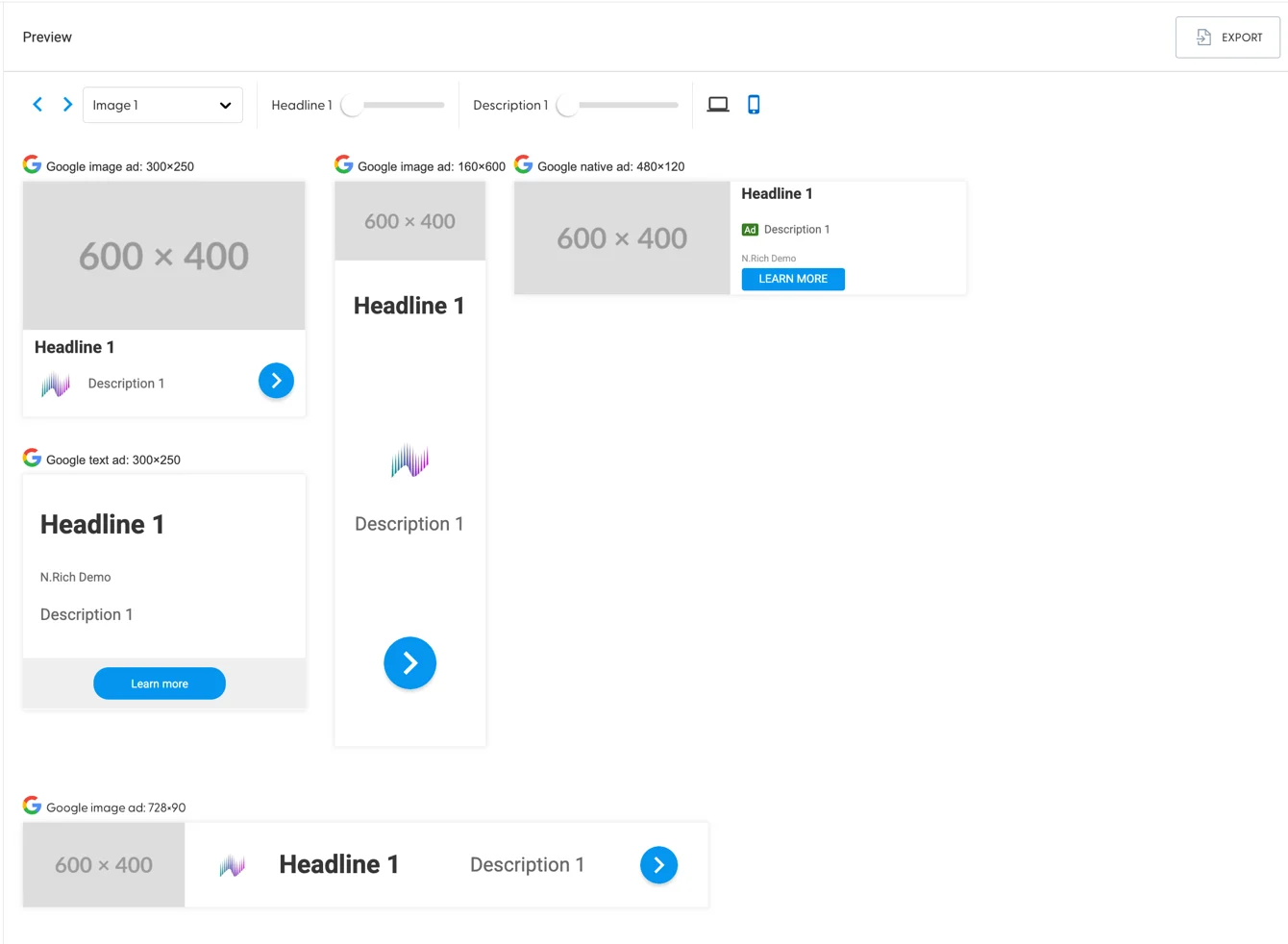
The sliders at the top allow you to go through different ad combinations - the laptop/phone icon allow you to toggle between desktop and mobile views of your ads.
The Export feature will generate a PDF of all the available asset communications that you can share with your coworkers outside of N.Rich.
Aurora AI and Article Ads
In case you enabled and trained Aurora AI, your cross channel ad creator will look slightly different, namely, there will be a dedicated area between the image upload area and the headline input area:
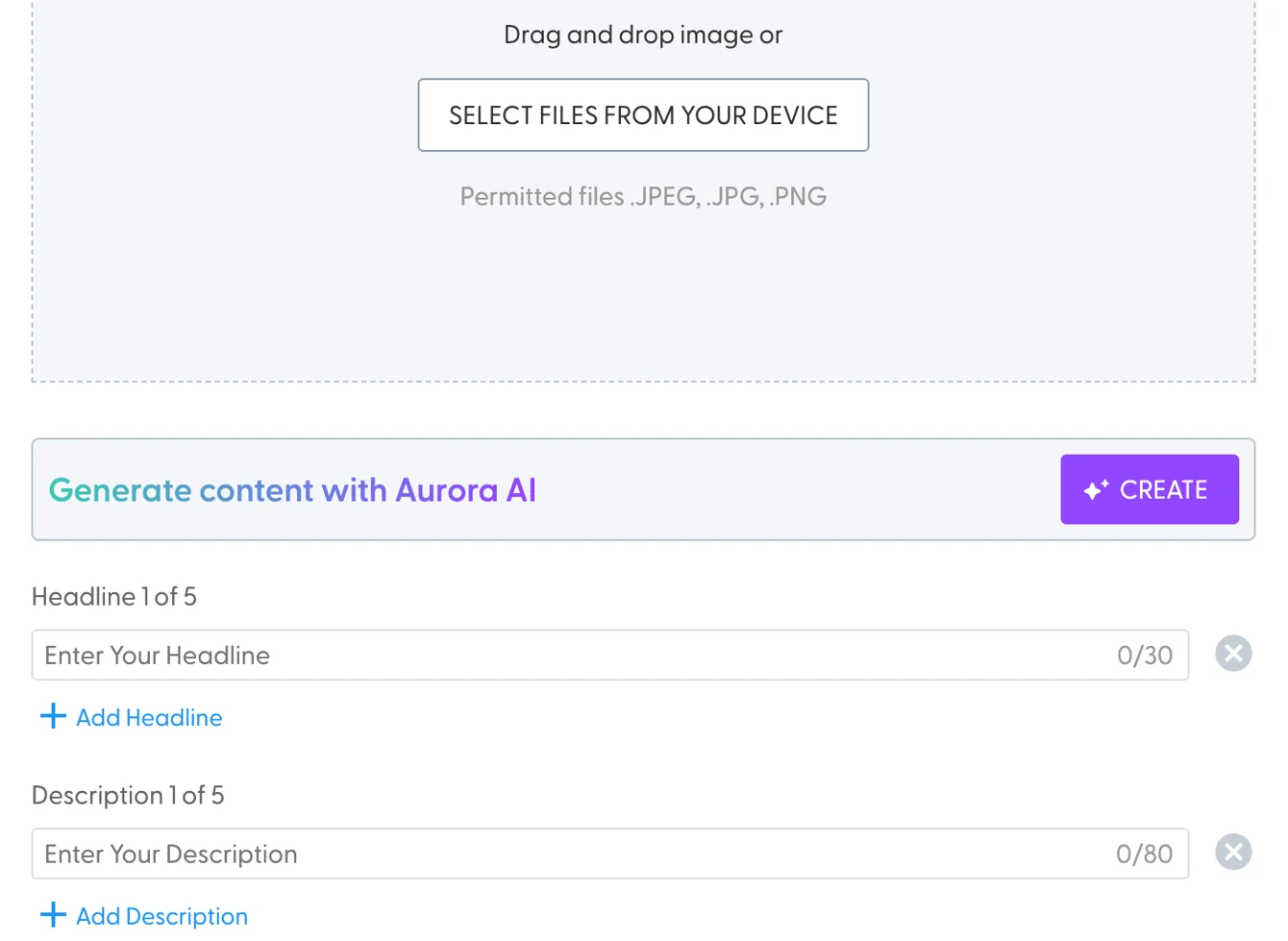
Clicking on the Create button will reveal an overlay for Aurora:
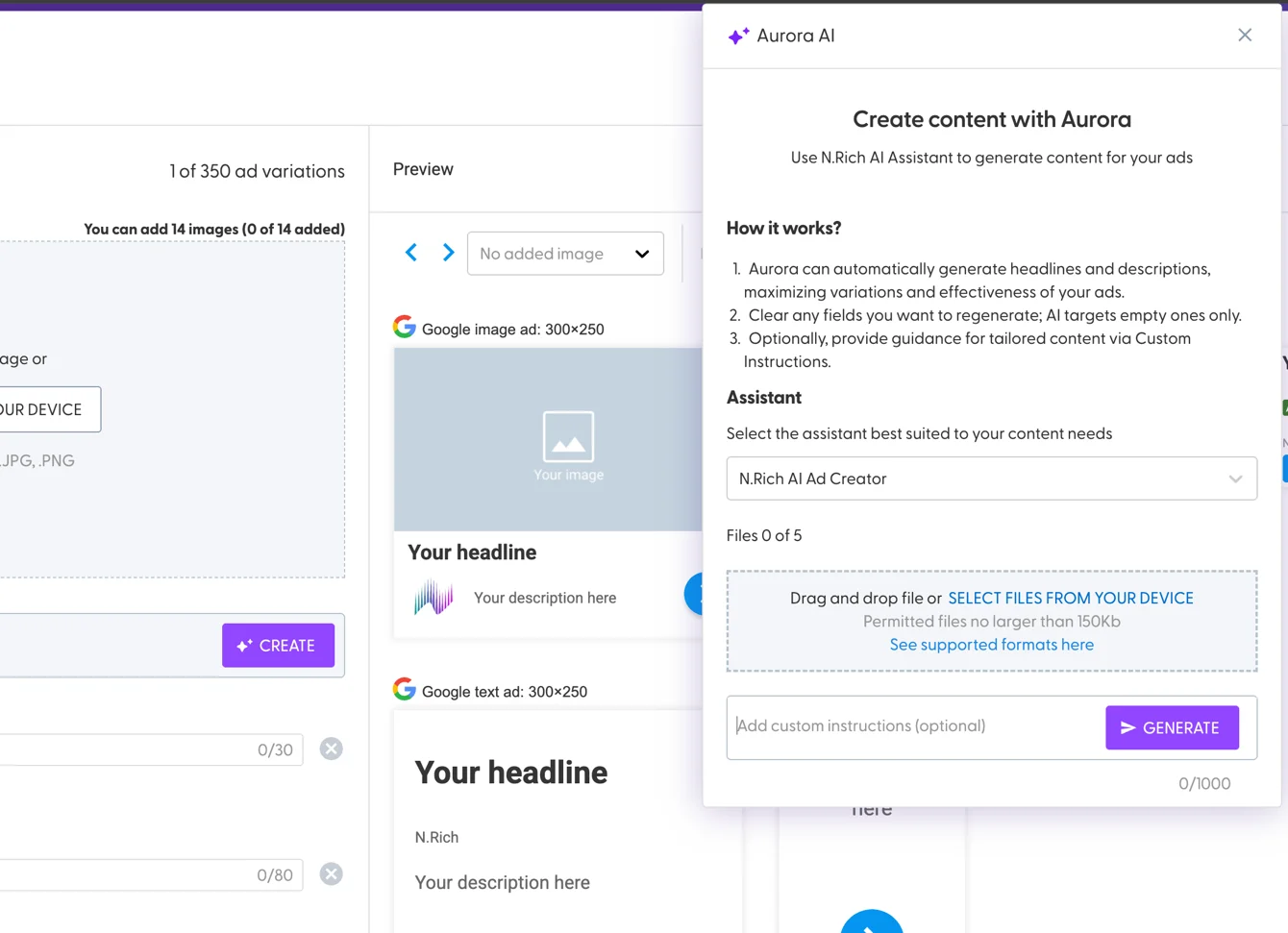
You can provide instructions in up to 1000 characters, as well as up to 5 documents that Aurora will analyse and generate a post, header and title in line with your brand and tone.
Clicking on Generate will automatically populate all headline and description fields with content as per your requirements.
Image generation is not yet supported for this ad type (we're currently running a closed beta only on Article ad types)
Cross-Channel ad Assets format
Text
Headline: 30 characters
Description: 80 characters
Button URL: 1800 characters
Image
.png, .jpeg, .jpg
less than 5MB
Landscape: 1.91:1, Square: 1:1, 1200x628px and above.
We recommend 12 landscape and 2 square images per cross-channel ad
Aurora AI
Text generation - 1000 characters worth of instructions and up to 5 files,
.DOC,.DOCX, .PDF, .PPTX, .TXT, each not larger than 150KB
Best practices
Familiarise yourself with Google-Ads Policies: Since N.Rich Cross Channel ads run on Google Display Network, it would be safe to assume that your ads will also need to comply with Google Ads Policies. This will vastly improve your ad approval rate and minimise any sort of down time.
Use as many headlines, descriptions and images as possible: Cross Channel ads leverage user-provided assets and automatically optimise for the best combination of assets. To maximise the effectiveness of this ad format, best recommendations are listed below:
Use all available headlines (5), descriptions (5) and images (14) so that the system can tap into 350 possible ad variations.
When it comes to the images, it's best to have (12) landscape and (2) square images because landscape ad-spaces are up to 99% more prominent than square dimensions
To streamline your creative process, our system automatically generates both square and landscape cropping options for each uploaded image. This ensures flexibility in your ad designs and eliminates the need to prepare square images separately before uploading.
Keyword Inclusion: Incorporate relevant keywords naturally within your ad content to improve relevancy. For example, Mention "Case Study" in the headline to let the readers quickly understand what they're going to read about.
Compelling Imagery: Use high-quality images that resonate with your B2B audience and align with your brand message.
Setting Proper Expectations: When crafting ad content, it is essential to clearly communicate what users can anticipate when clicking through to your website.
Setting accurate expectations not only builds trust but also enhances campaign effectiveness by attracting visitors genuinely interested in your offering. In other words, better bounce-rates.
Clearly outlining the value and purpose of your offer within the ad copy helps prospective visitors quickly assess its relevance to their needs and motivates meaningful engagement. Articulating what users will discover or achieve by clicking your ad ensures they know what awaits them and can decide if it aligns with their current interests.
To maximise results, ensure your landing pages closely align with your ad messaging. This alignment reassures visitors that they are in the right place, reinforces the value promised in the ad, and promotes deeper exploration of your solutions. Consistent messaging across ads and landing pages is key to sustaining user engagement and driving qualified interest in your platform.
Value Propositions: Leveraging clear sales value propositions is fundamental to driving engagement and clicks in your campaigns.
When developing ad content, start by referencing a specific sales value proposition to shape your message. It is important to maintain clarity and focus; each ad should highlight one distinct value proposition.
By dedicating individual ads to separate value propositions, you enable effective A/B testing. This approach allows you to evaluate which value resonates most with your target segments and to continuously refine your campaign based on real performance data.
Resonance With Your Target Audience: When your ad resonates with a target audience, they are more likely to engage or click on your ad, thus further improving your ad CTR
Some examples:
Concept | Description | Focus/Psychological Trigger | Example Headlines |
1. Outcome | Focuses not on the problem, but on the ideal future state the customer is trying to achieve. | Aspiration & Fulfillment | "Close Bigger Deals with ABM." |
2. Consistency | The ad validates an existing belief or behavior the customer already holds, making them feel smart for clicking. | Validation & Self- Identity | "ABM: The Quality Choice." |
3. FOMO | Creates urgency by emphasizing limited availability, time, or exclusivity of the offer. | Scarcity & Urgency | "Competitors Use This ABM." |
4. Social Proof | Uses numbers, testimonials, or endorsements to show that others trust the product. | Trust & Herd Mentality | "Trusted by 500K Marketers." |
5. Clarity | The ad makes the value proposition so simple and clear that the decision to click requires almost no effort. | Simplicity & Efficiency | "Launch ABM in 3 Steps." |
6. Clearing Roadblocks | Focuses on a specific obstacle or pain-point the user has encountered with competitors or old solutions. | Frustration Relief | "Stop Chasing Bad Leads." |