What is the Buyer Journey intent report?
Last updated: October 8, 2026
The Buyer Journey intent report places your accounts into buying stages based on how they engage with you and what they research. Use it to see which accounts are moving towards a deal and which ones to hand over to sales.
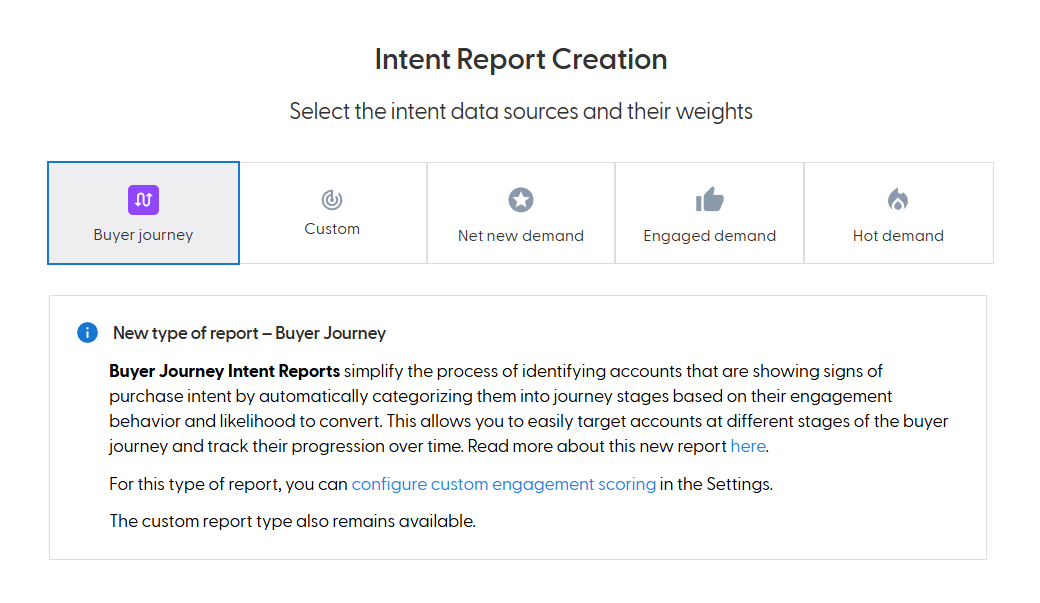
How it works
Unlike a Custom intent report, where you define the weights yourself, the Buyer Journey intent report uses a ready-made scoring model:
The model was trained on real engagement behaviour across many B2B companies, industries and touchpoints. When an account lands in a stage, its behaviour matches patterns that historically led to opportunities.
It gives more weight to first-party engagement than to third-party intent. Engagement type, frequency and website visit quality matter most.
When your CRM is connected, it also uses your CRM opportunity data.
The score is absolute, so an account's stage does not depend on the other accounts in the report.
Buyer journey stages
Stage | Intent score | What it means |
Cold | No intent signals | No first-party engagement and no third-party intent. Low likelihood of conversion. |
In Market | Above 0 and below 30 | Third-party intent only, no first-party engagement yet. The account is in an early research phase. |
Engaged | 30 or more and below 60 | Some first-party engagement, for example with your ads or website. The account is actively interacting with your content. |
Hot | 60 or more | Enough first-party engagement to reach the Hot threshold. Strong intent and a high likelihood of conversion. |
The GTM Leader Dashboard scores accounts in a wider scope, so an account's stage there can differ from its stage in a specific report. See How is the intent score calculated?
What you need
Required: the N.Rich Website Tag installed and collecting enough website data. N.Rich checks the tag's data from the last 4 weeks before you can create the report. If you installed the tag recently, you may see a message that data is still being collected.
Optional:
Connect your CRM and enable pulling of opportunity data. This adds opportunity and conversion insights and lets you filter accounts by CRM stage. Stages work without it.
Launch a campaign through N.Rich.
Find the third-party intent topics relevant to your business in the N.Rich taxonomy.
What you can do with it
Track progression: ABM Progression Analytics shows how accounts move from Cold to In Market, Engaged and Hot.
Segment by stage: automatically create dynamic segments for each stage and target each stage with ads that match its readiness.
Close the loop: engagement with your stage-based campaigns feeds back into the report, which makes stage classification more accurate over time.
What's next
Need help? Reach out to your Solutions Engineer via the chat in the bottom-left corner of the N.Rich platform, by email or Slack.