Navigating N.Rich AI
Last updated: September 30, 2026
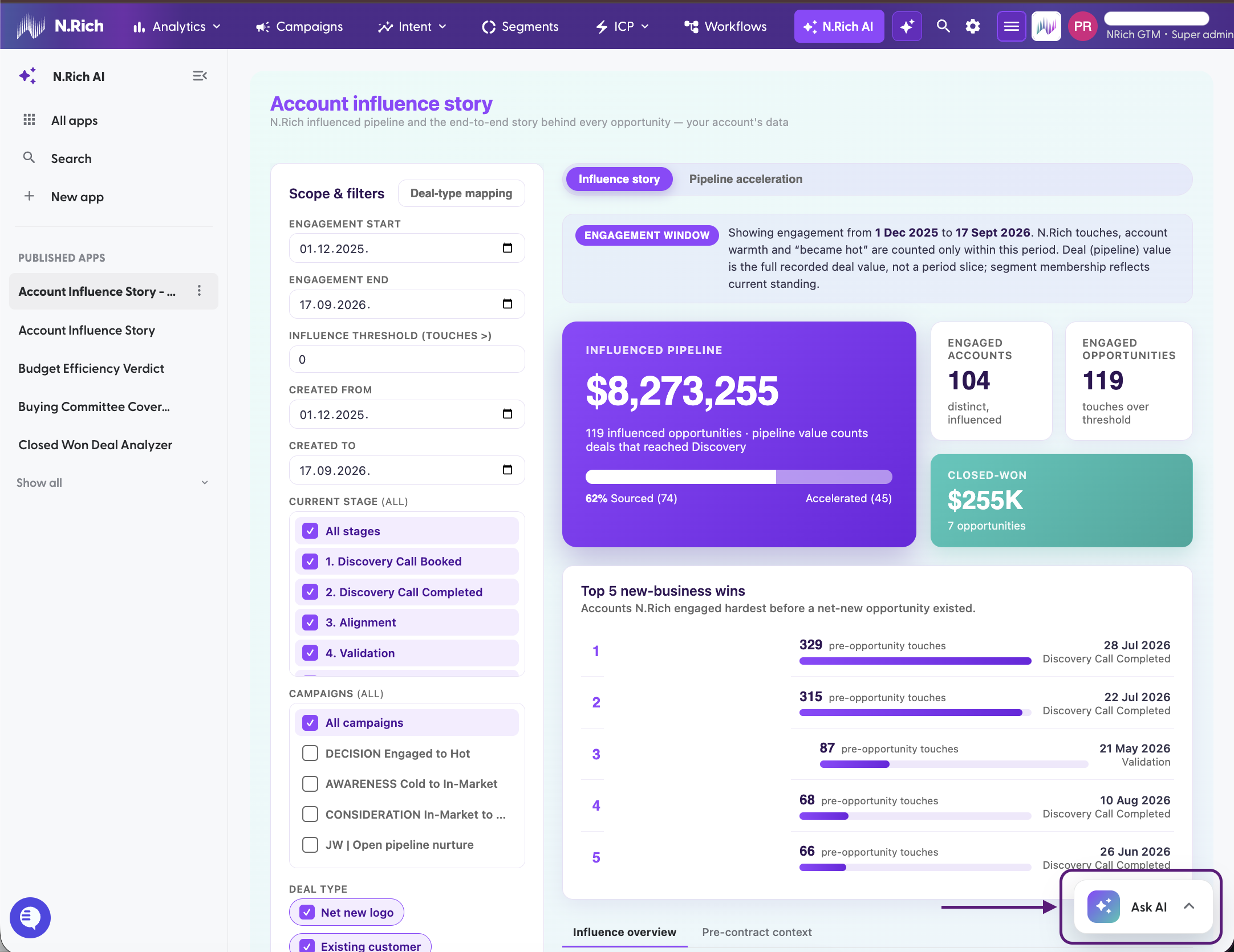
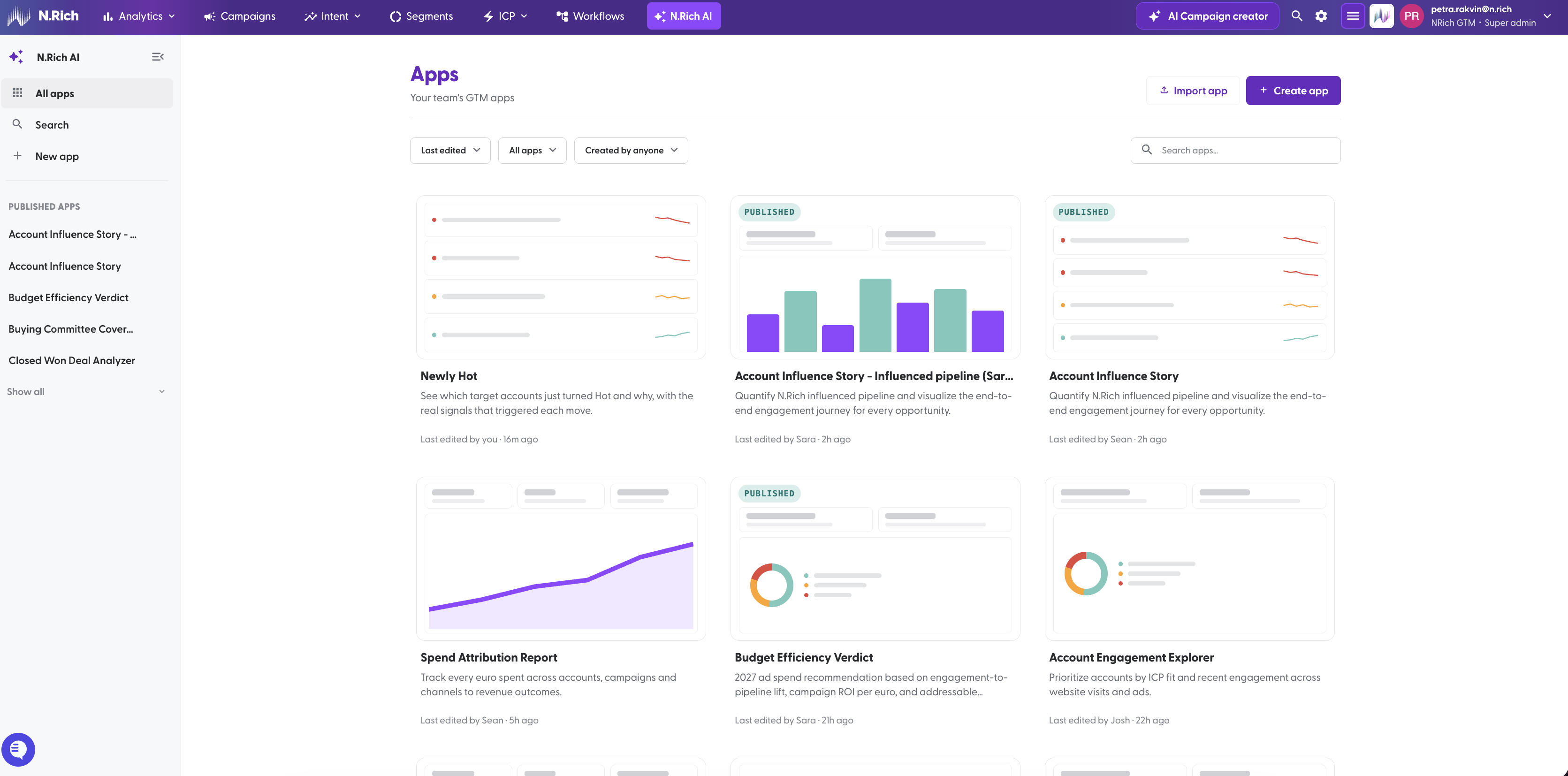
Click N.Rich AI in the top navigation to open the Apps library. This is where your team's apps live.

N.Rich AI keeps all your team's apps in one place, the Apps library.
Here you can find an app, open it, and ask the N.Rich AI Assistant questions about it and re-build it. This article walks you through each part of the page so you know where to look.
New to N.Rich AI? Start with Intro to N.Rich AI.
The Apps library
Don't see any apps yet? Contact your Account Manager.
Sidebar
All apps: every app you can see.
Search: find an app by name.
New app: start building a new app.
Starred: apps you've starred.
Published apps: quick links to published apps. Click Show all to see the full list.
Filters
Filter | Options |
|---|---|
Sort | by Last edited / by Name |
Status | All apps, Published, Drafts |
Owner | Created by anyone, Created by me |
App cards
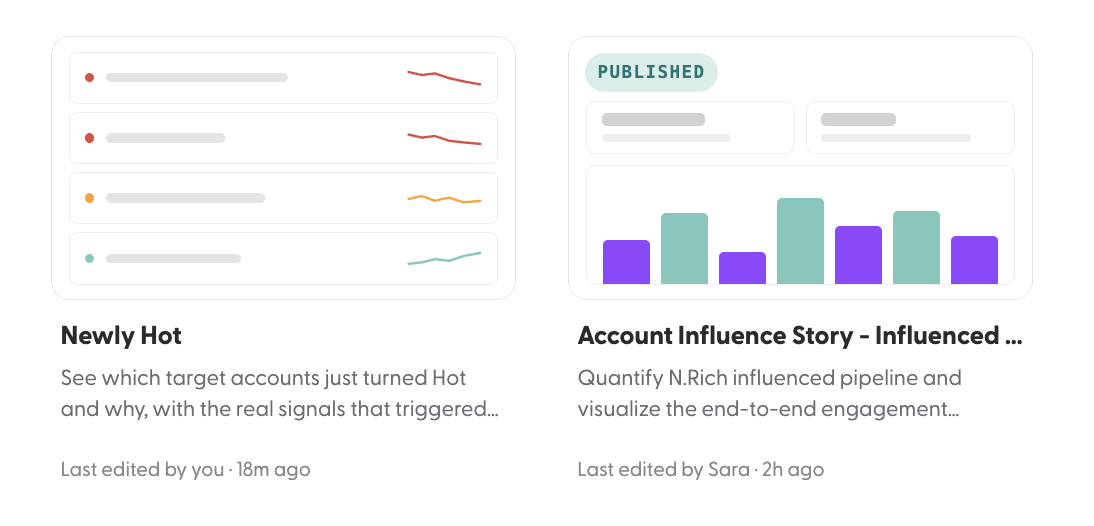
Each card shows a preview, the app's name and description, and who last edited it.
PUBLISHED badge marks apps that are live for your team.
Cards without a "Published" badge are drafts.
App options
Hover over a card to see its star and its three-dot menu. The menu only shows what you can do with that app:
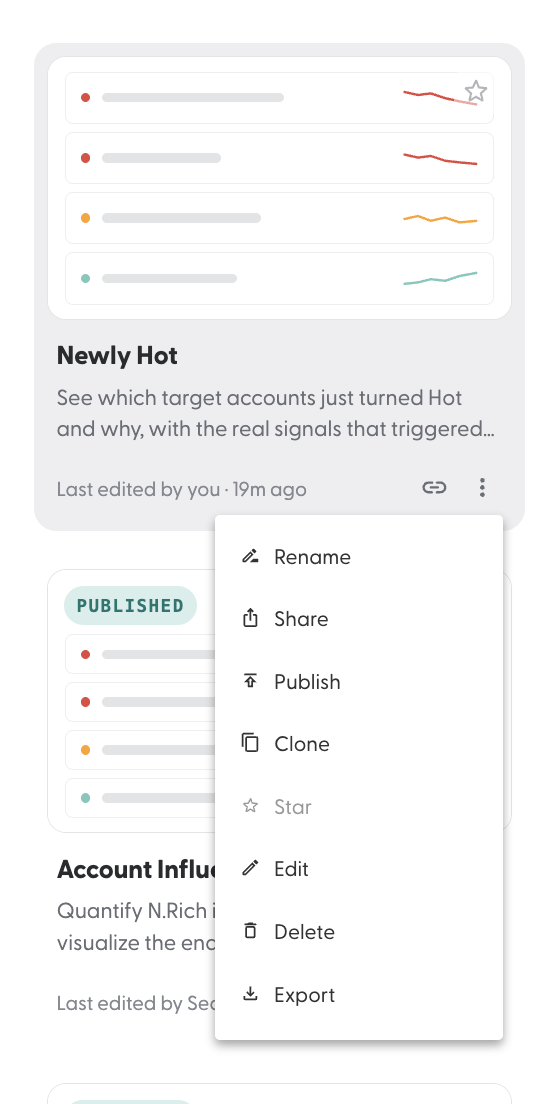
For what each action does and who can do it, see Working with apps.
Inside an app
Click a card to open the app.
The app: use its filters, tabs and drill-downs as you would any dashboard.
The N.Rich AI Assistant: click the Assistant button to open the chat panel next to the app. You can resize it. On a published app, you can use Chat mode to ask questions about the app and its numbers.
Back to the library: use the sidebar, or Back to library if you opened the app from a shared link.
Where to next
[N.Rich AI: Free trial and limits]: find out how how trial plan works.
[Navigating N.Rich AI]: find your way around the Apps library and an open app.
[Working with apps]: what you can do with an app, and who can do it.
[N.Rich AI apps in your CRM]: open published apps inside HubSpot.
[MCP section]: connect Claude or another AI assistant to your N.Rich data.
Need help at any point? Reach out via the chat in the bottom-left corner of the N.Rich platform, we're happy to help.