N.Rich AI apps in HubSpot
Last updated: October 2, 2026
Published N.Rich AI apps can open right inside HubSpot. Your sales team sees N.Rich data on the company record they're already working in, without switching tools or logging in to N.Rich.
Before you start
Your HubSpot must be connected to N.Rich. See HubSpot Integration. The N.Rich AI GTM Apps card is added to your HubSpot company records automatically. No extra HubSpot setup is needed.
Only published apps can appear in HubSpot. (Drafts can't.)
Only the app owner can publish an app to HubSpot.
Add an app to HubSpot
Open your app in N.Rich AI.
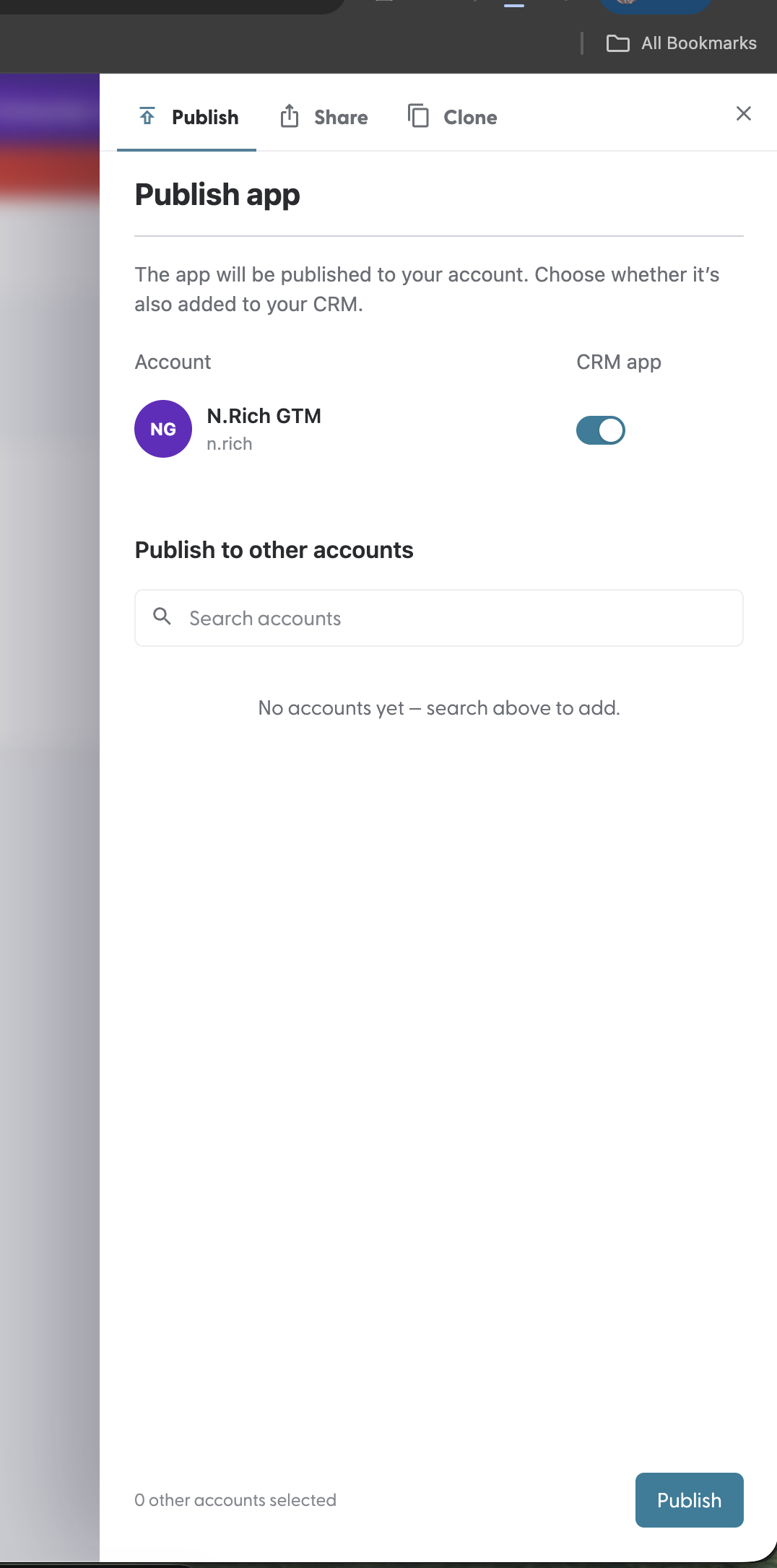
Open the Publish panel.
In the CRM app column, turn on the toggle next to your account.
Click Publish (or Update if the app is already published).
Open an app in HubSpot
Open a company record in HubSpot.
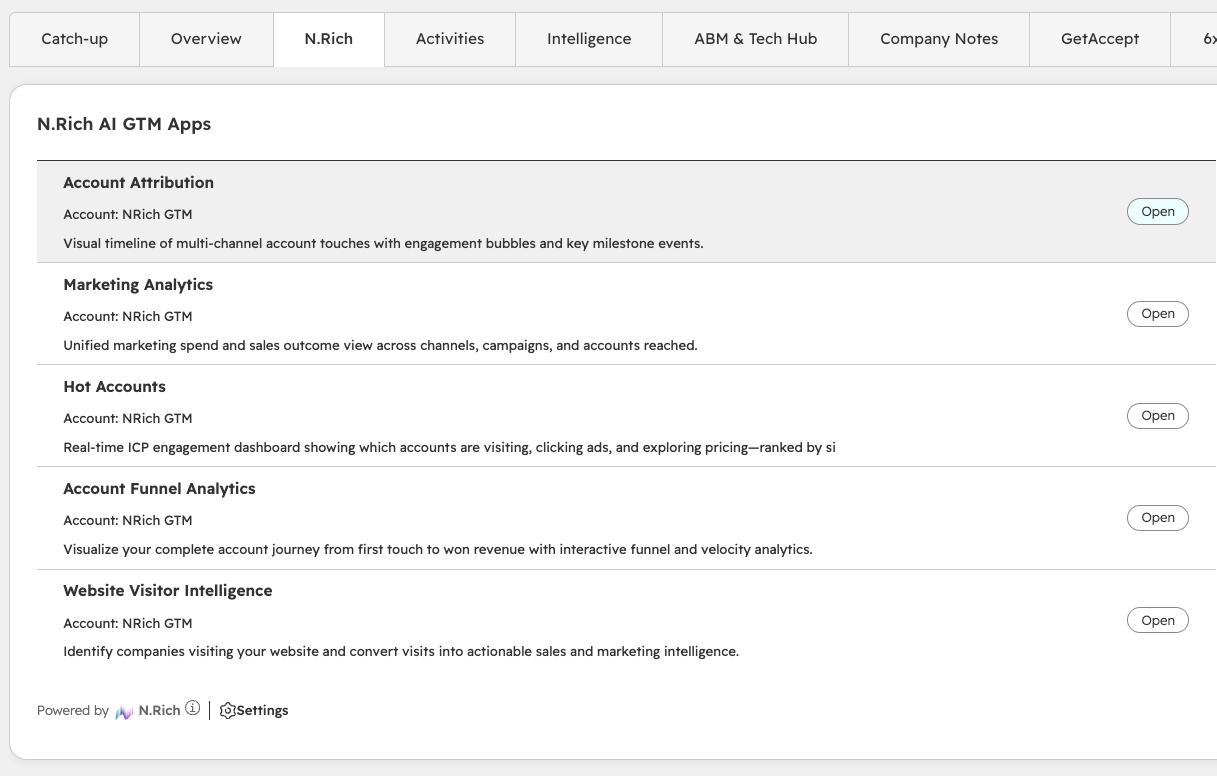
Find the N.Rich AI GTM Apps card. It lists every app shared to your CRM, with its name, the N.Rich account it belongs to, and its description.
Click Open next to the app you want.
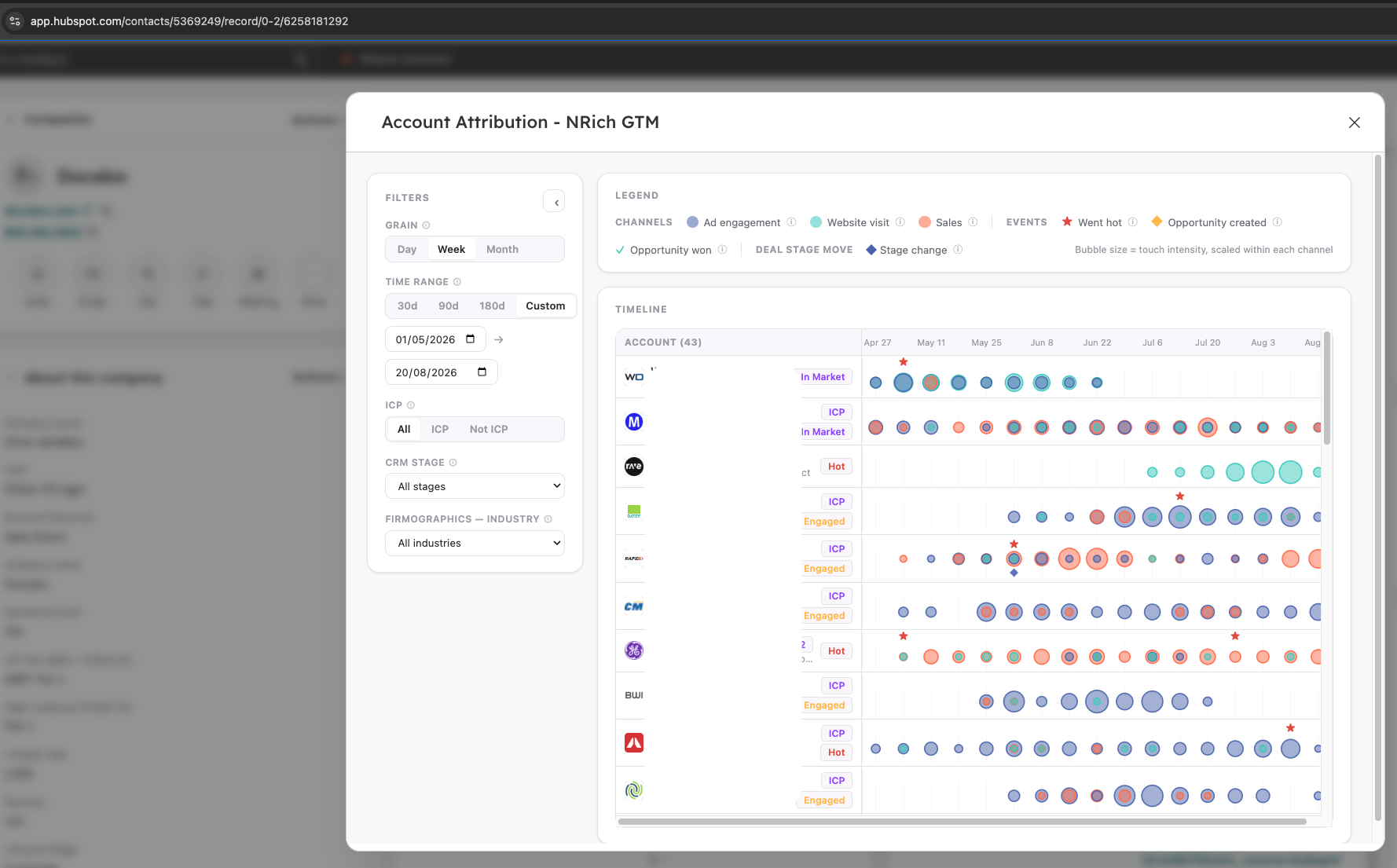
The app opens in a window on top of the company record. Close it to go back to the record.
With more than five apps, the card shows five per page. Use the search box to find an app by name.
What you can do in HubSpot
In HubSpot you can | In HubSpot you can't |
|---|---|
Use the app's filters, tabs and drill-downs | Change or rebuild the app |
Open it without an N.Rich login | Use the N.Rich AI Assistant (Chat or Build mode) |
See the company you opened it from already selected (in apps built for a single account) | See draft apps |
Updating or removing an app that's in HubSpot
When the owner edits a published app, HubSpot keeps showing the current published version. The edits stay private and show as "Unpublished changes" until the owner publishes them again.
To remove an app from HubSpot, open the Publish panel, turn the CRM app toggle off and click Update.
Troubleshooting
What you see | What to do |
|---|---|
The CRM app toggle is unavailable | Check that HubSpot is connected to the same N.Rich account. |
The app doesn't appear in the card | Make sure it's published with the CRM app toggle on. Then refresh the record and check you're in the HubSpot portal connected to N.Rich. |
The N.Rich AI GTM Apps card is missing | Ask your HubSpot admin to add the card to the company record view. |
FAQ
Does my sales team need an N.Rich login to open apps in HubSpot? No.
Why isn't my app in the card? It's either still a draft, or it was published without the CRM app toggle on.
Can I change an app from HubSpot? No. Changes are made in N.Rich AI by the app owner.
Where to next
[N.Rich AI: Free trial and limits]: find out how the trial plan works.
[Navigating N.Rich AI]: find your way around the Apps library and an open app.
[Working with apps]: what you can do with an app, and who can do it.
[MCP section]: connect Claude or another AI assistant to your N.Rich data.
Need help at any point? Reach out via the chat in the bottom-left corner of the N.Rich platform, we're happy to help.