How do I see all my accounts across segments?
Last updated: October 7, 2026
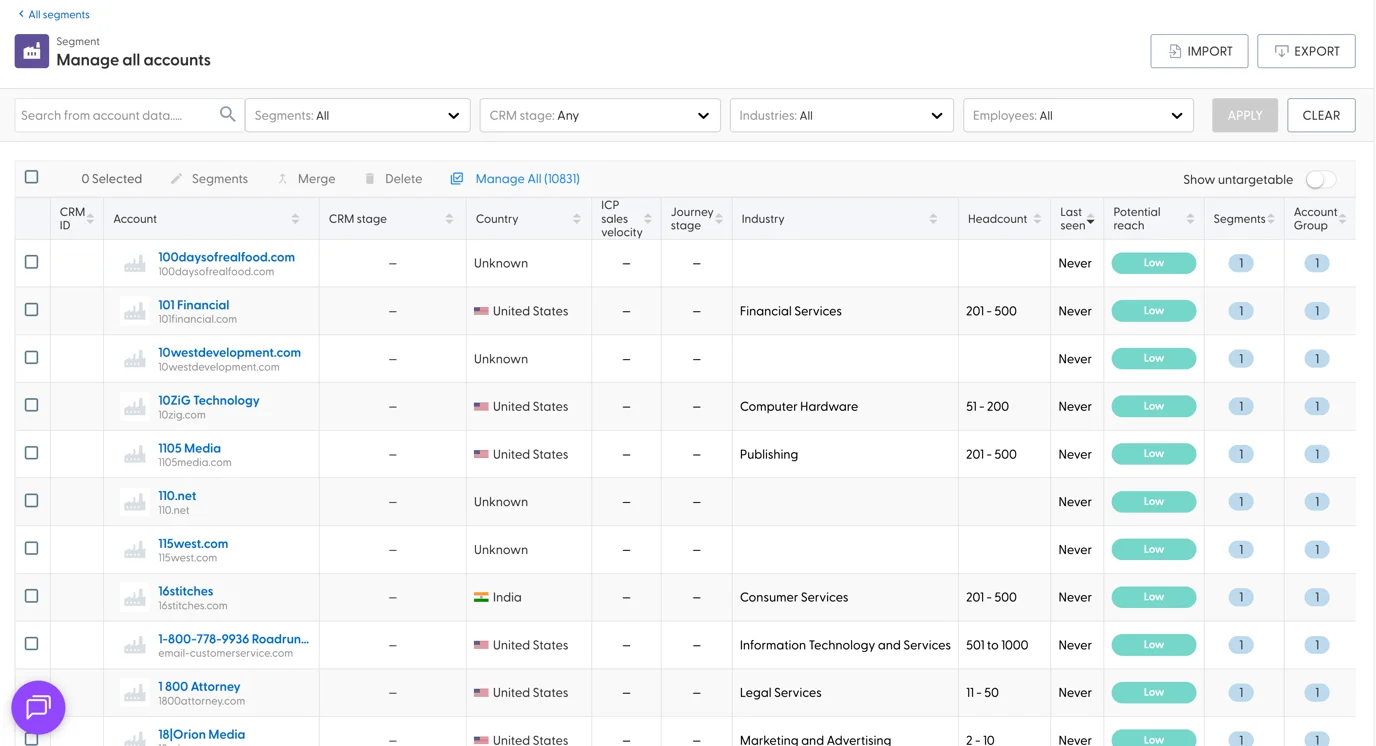
The all accounts view shows every account you have in N.Rich, across all segments, in one table. Use it to search, filter, merge or export accounts without opening each segment.
Open the view
On the Segments page, click Manage all accounts at the top.
How it differs from a single segment
The view works like a single segment (see What do the stats and columns in a segment mean?), with these differences:
An extra filter lets you show accounts from one or more segments.
There are no segment stats at the top.
You can't rename the view.
There are no options to sync or delete a segment, because the view shows accounts from all segments. This is also true when you filter down to one segment.
What you can do here
Add, remove or copy accounts between segments. See How do I add, remove or copy accounts between segments?
Merge duplicate accounts. See How do account groups work, and how do I merge accounts?
Export accounts from several segments at once. See How do I export accounts from a segment?
What's next
Need help? Reach out to your Solutions Engineer via the chat in the bottom-left corner of the N.Rich platform, by email or Slack.