How do I import accounts into a segment?
Last updated: October 7, 2026
Fill an account segment by pasting a list of domains, uploading an Excel file, or adding the accounts with open opportunities from your CRM data. You can only import into account segments, not into firmographic or lookalike segments.
Open the import wizard
Open an account segment and click Import in the top right. You can also click Import on the Segments page and choose an existing or new segment. The wizard offers three options.

Quick import: paste domains
The fastest option. Use it when all you have is a list of domains.
Choose Quick import.
Paste your domains, separated by commas or new lines. A single domain works too.
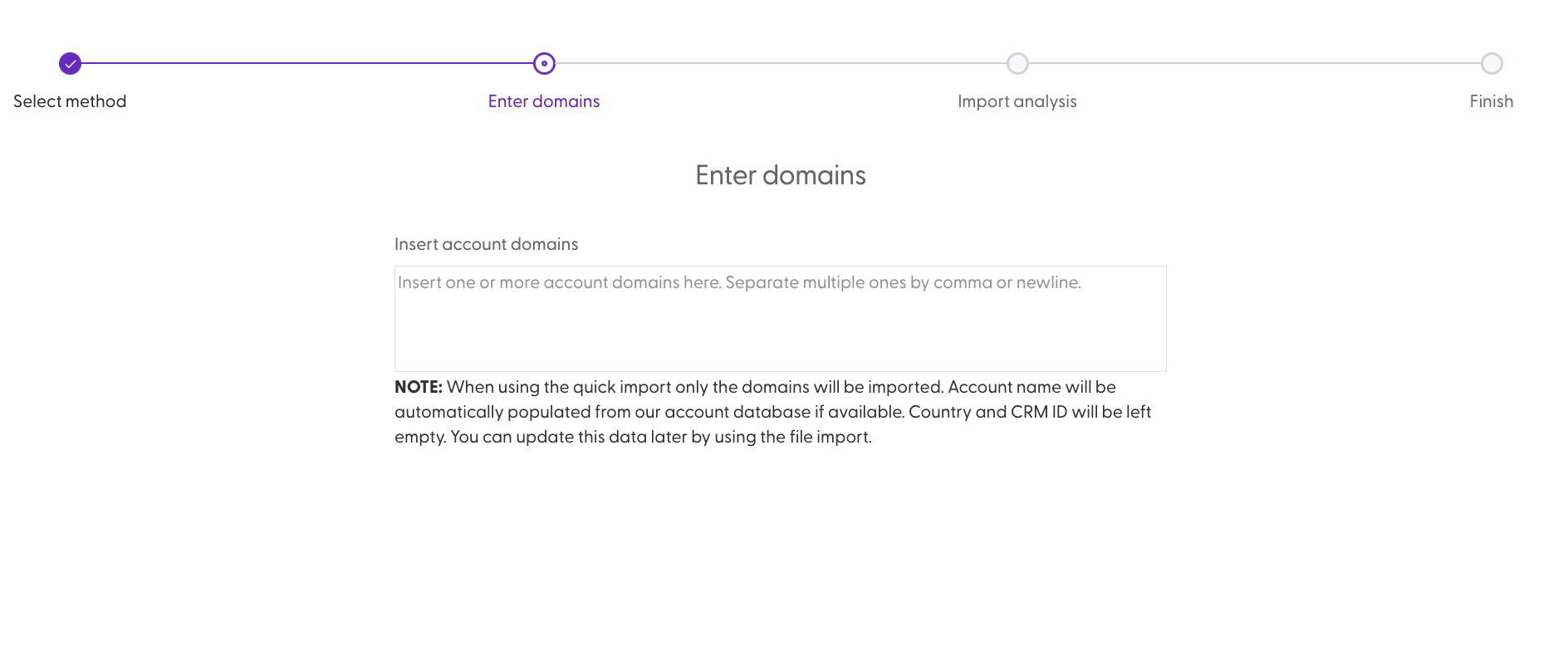
N.Rich shows which domains are valid. Accounts are not created from invalid domains.
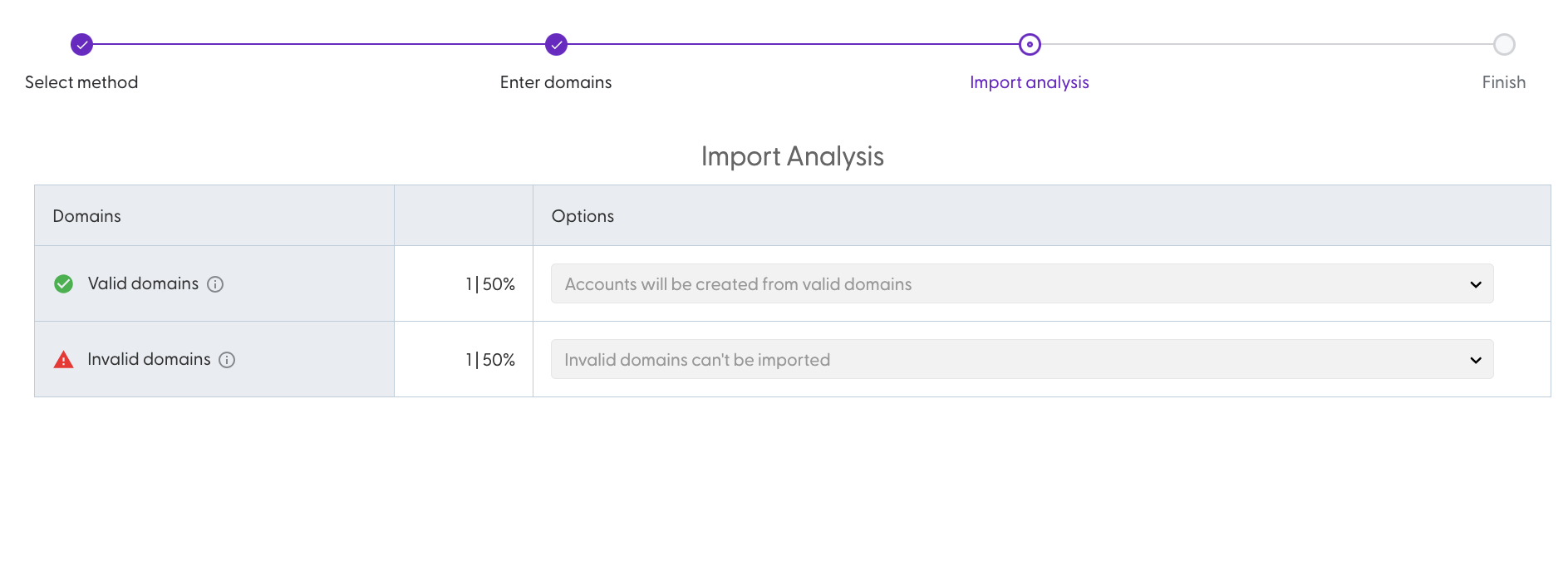
Continue. The import runs in the background and you get an email when it is done.
N.Rich tries to fill in the account name automatically. CRM ID and country are not filled in. To add them later, run an Excel import with the same accounts: accounts with a matching name and domain are updated, not duplicated.
Excel import: upload a file
Use this option when you also have CRM IDs, account names or countries.
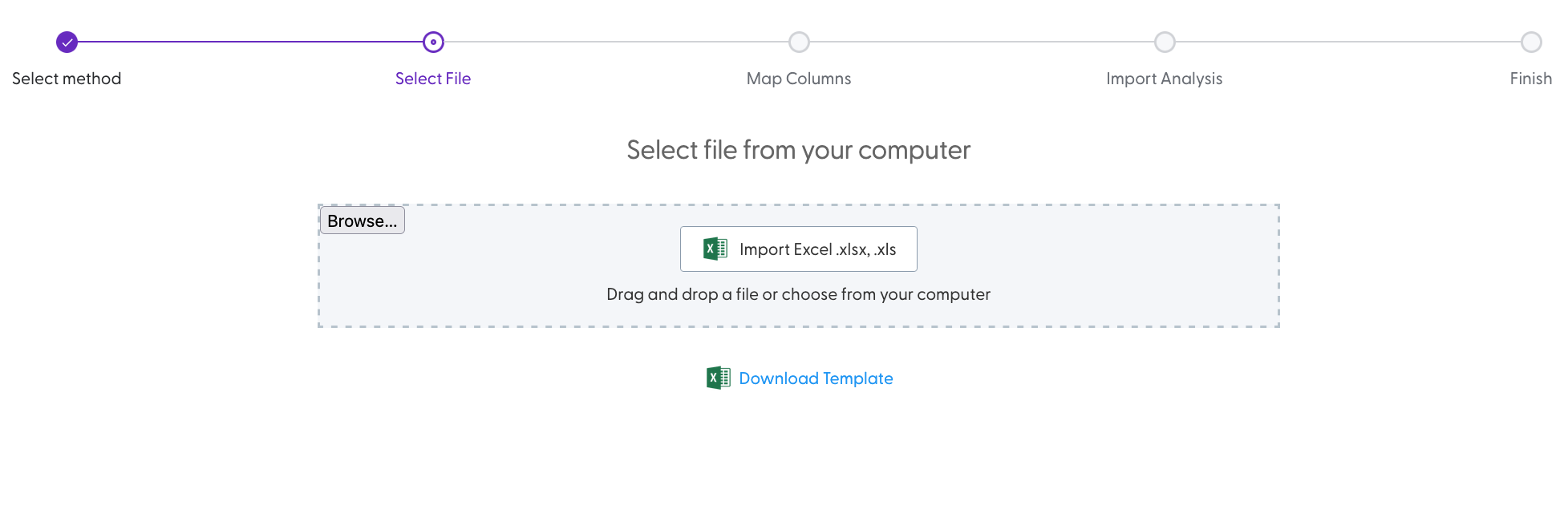
Choose Excel import. The import template is available on this page.
Upload your file (.xlsx or .xls). The header row must be the first row of the sheet. You can delete the file and pick another one before you continue.
Map the columns in your file to the four N.Rich fields: CRM ID, Name, Domain and Country.
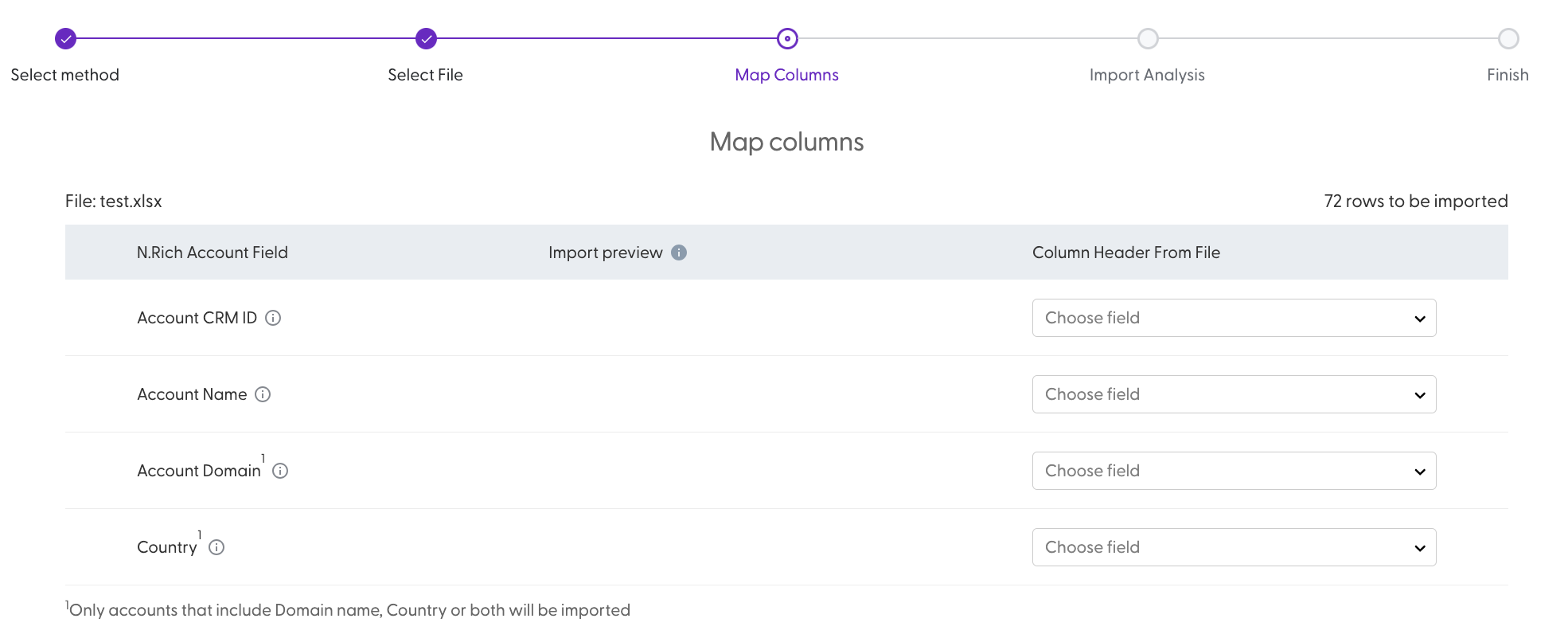
You can continue when you have mapped at least one of these:
Domain
Name and Country
CRM ID is optional.
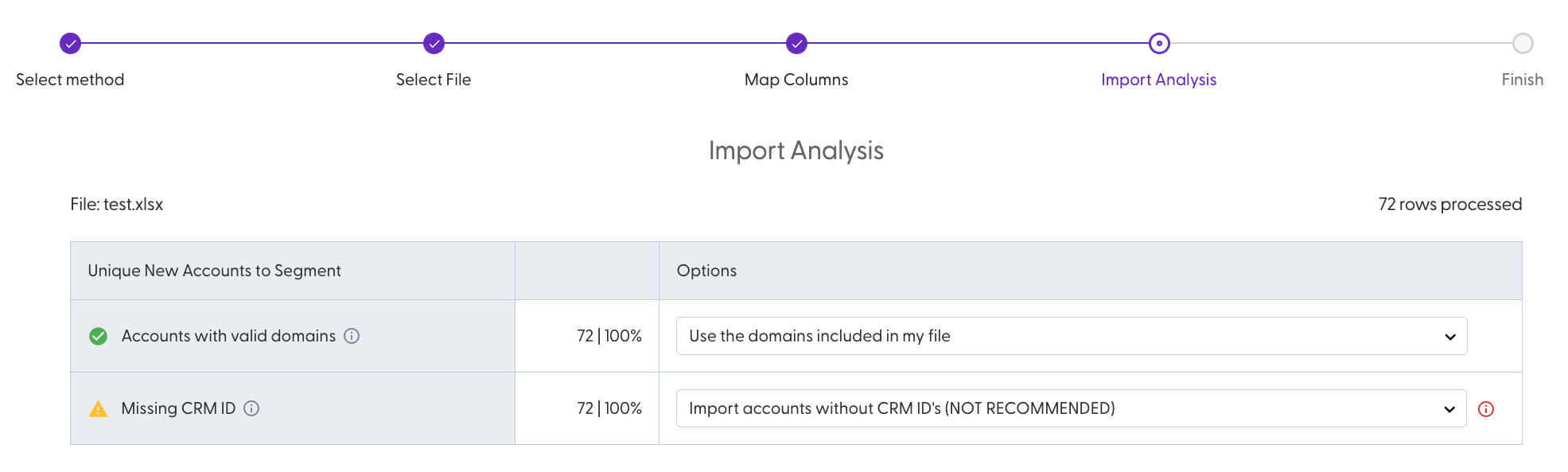
Review the import analysis and choose how to handle each group of accounts, then start the import. You get an email when it is done.
Import accounts with open opportunities
Use this option to add every account that has an open opportunity to your segment. It's the easiest way to make sure your marketing supports the deals your sales team is working on.
N.Rich uses the opportunity data already synced from your connected CRM. It includes accounts that aren't in N.Rich yet. An opportunity counts as open while it is not won or lost.
Choose Import accounts with open opportunities.
N.Rich shows the import analysis: which accounts are valid and which are not.
Review the analysis and start the import.
The same data rules as for Excel import apply: each account needs a valid domain, or an account name and country.
Check the import analysis
For what each status and option in the import analysis means, see How do I read the import analysis?
What's next
Need help? Reach out to your Solutions Engineer via the chat in the bottom-left corner of the N.Rich platform, by email or Slack.