How do I create a lookalike segment?
Last updated: October 7, 2026
A lookalike segment contains new accounts that are similar to accounts you already know. N.Rich builds it from a list of domains (or email addresses) or from one existing segment.
Start a lookalike segment
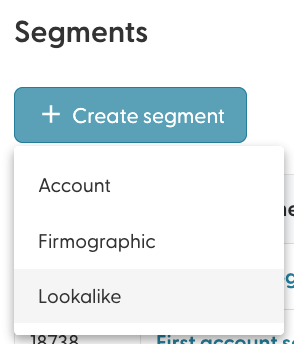
Go to the Segments page, click + Create segment and choose Lookalike.
Choose how to find lookalikes: based on a list of domains, or based on an existing segment.
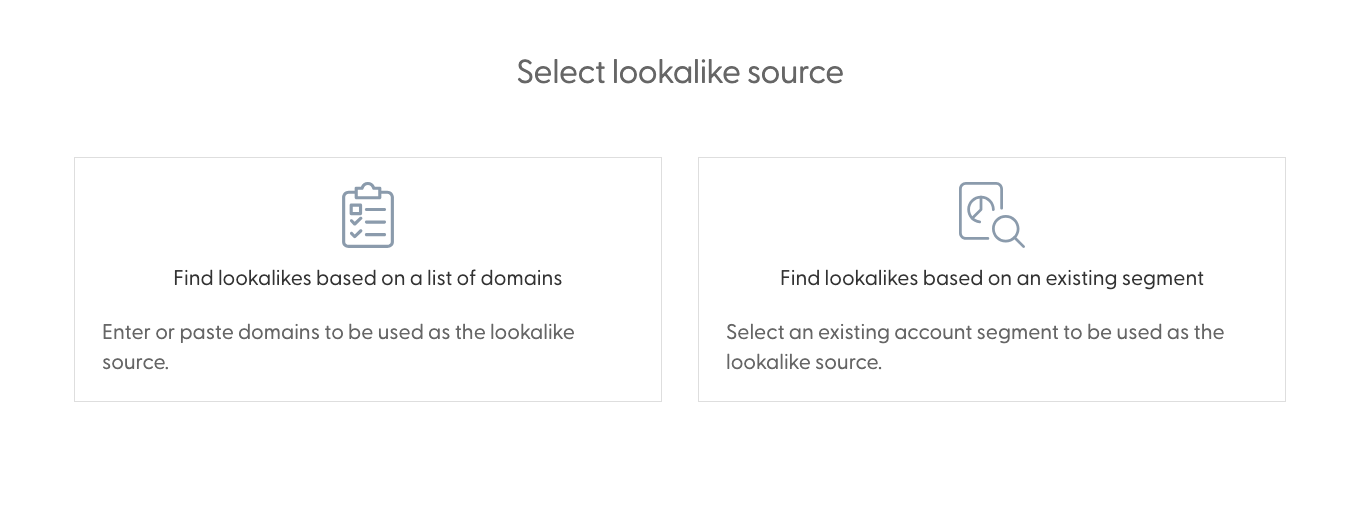
Option 1: Find lookalikes based on a list of domains
Paste 25 or more domains or email addresses (or a mix), one per line. The counter below the text area shows how many domains N.Rich recognises.
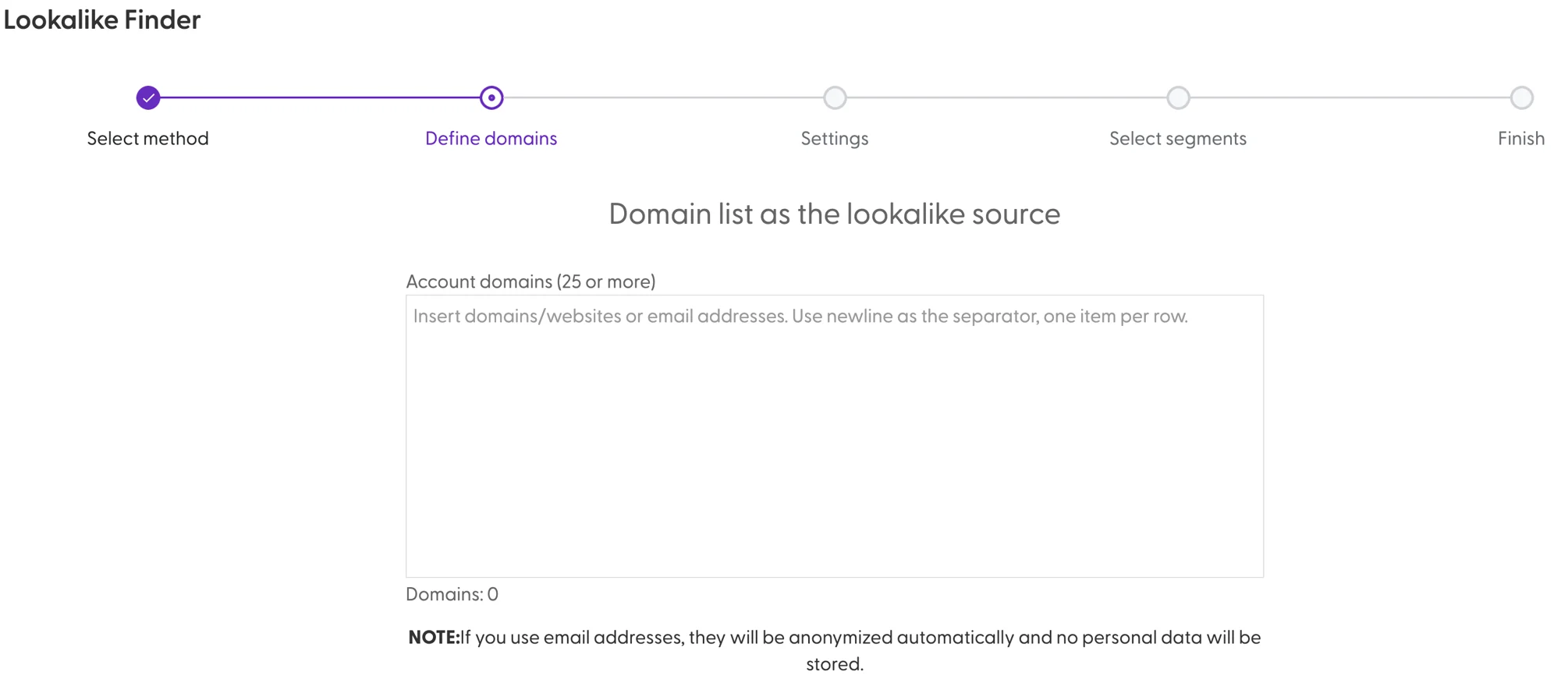
You can continue with fewer than 25 domains, but the lookalike quality will be lower. The more domains you add, the better the result. Email addresses are only used to extract the domain. They are not saved or used for anything else.
Set the details of the new segment:
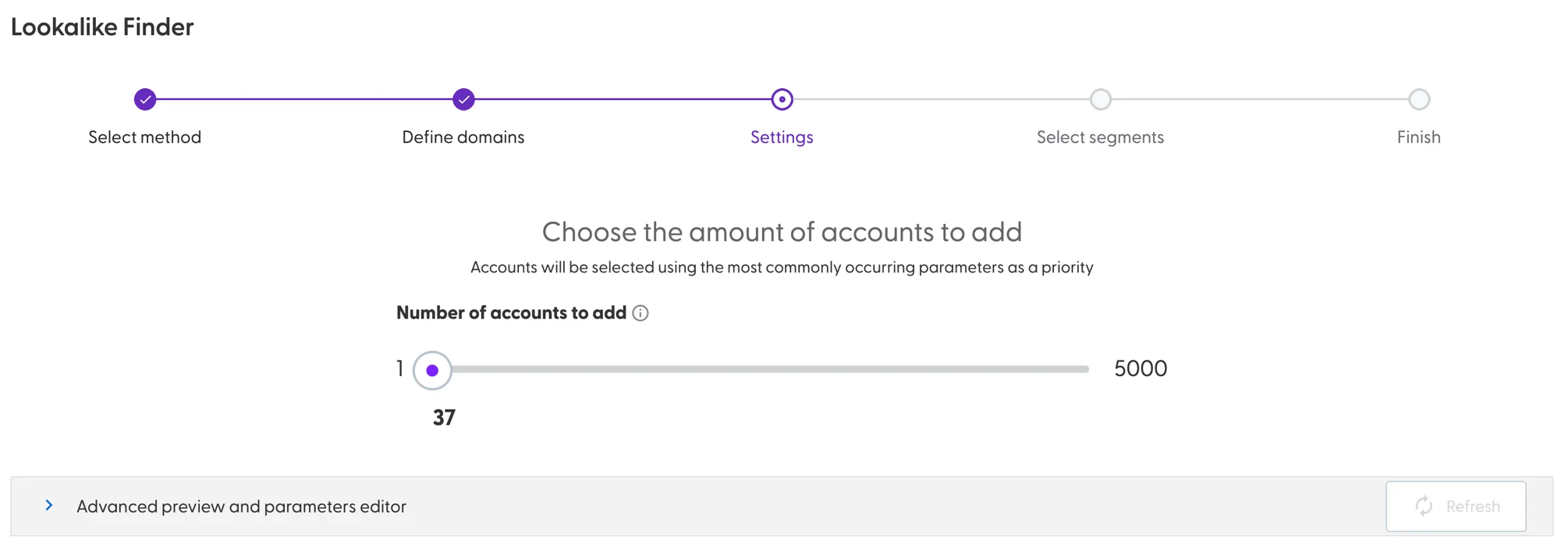
Number of accounts: N.Rich suggests a number based on how many domains you added. You can ask for more or fewer, but going above the suggestion gives accounts with lower similarity.
Advanced preview and parameters: optionally add firmographics and technographics and give them a specific or automatic weight.
Choose whether to add the lookalike accounts to a new segment or to one or more existing segments.
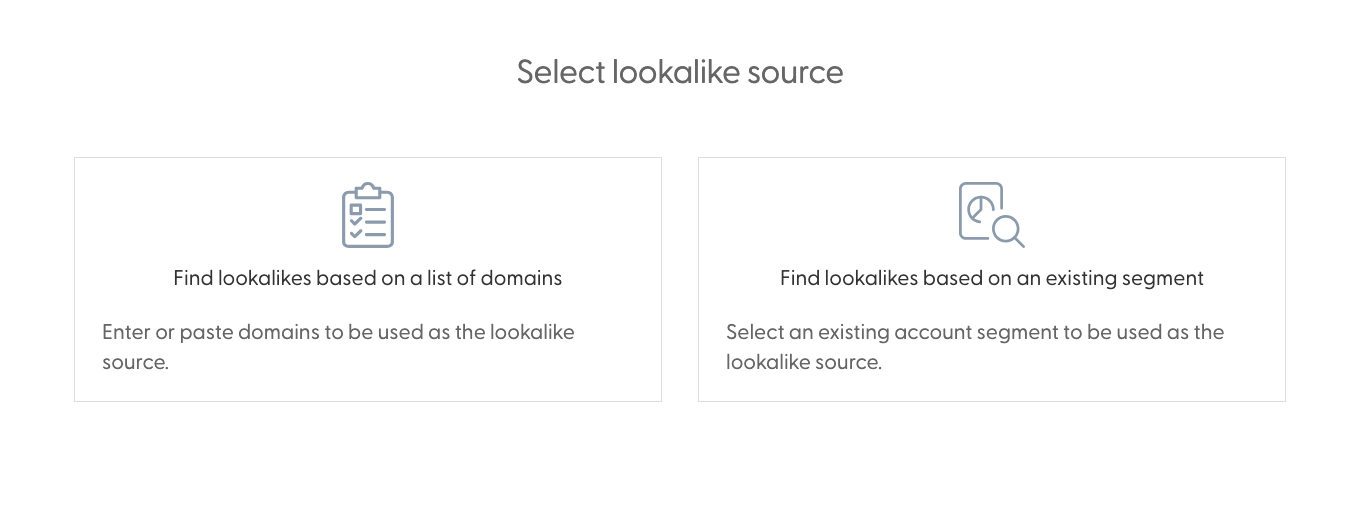
Confirm. N.Rich generates your lookalike segment and emails you when it is ready.
Option 2: Find lookalikes based on an existing segment
Select one existing segment. You can't select more than one.
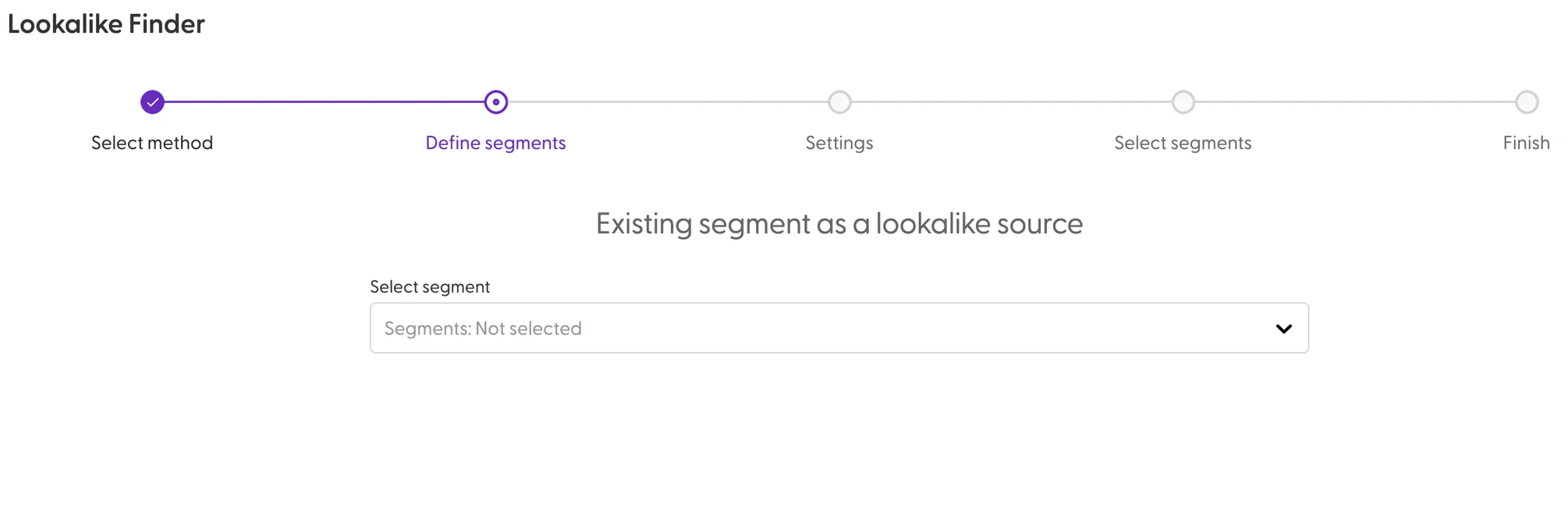
Set the details of the new segment:
Number of accounts: N.Rich suggests a number based on the size of the selected segment. You can ask for more or fewer, but going above the suggestion gives accounts with lower similarity.
Advanced preview and parameters: optionally add firmographics and technographics and give them a specific or automatic weight.
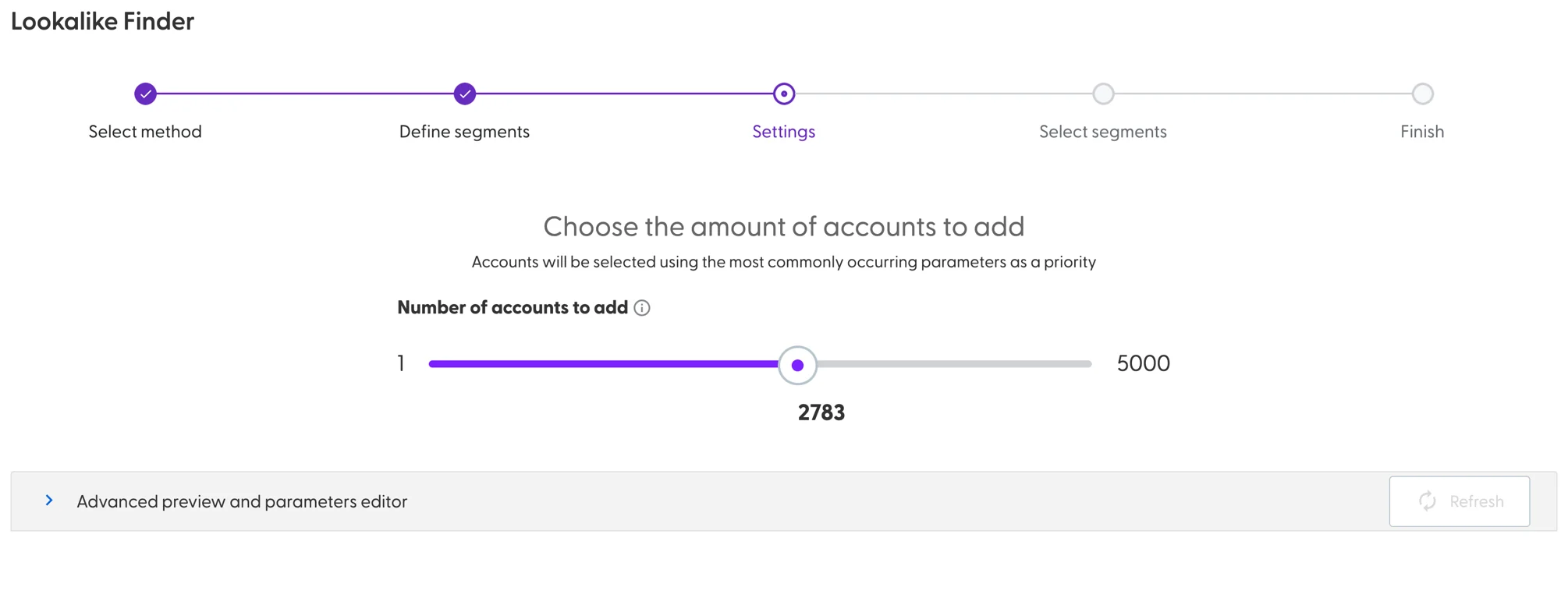
Choose whether to add the lookalike accounts to a new segment or to one or more existing segments.
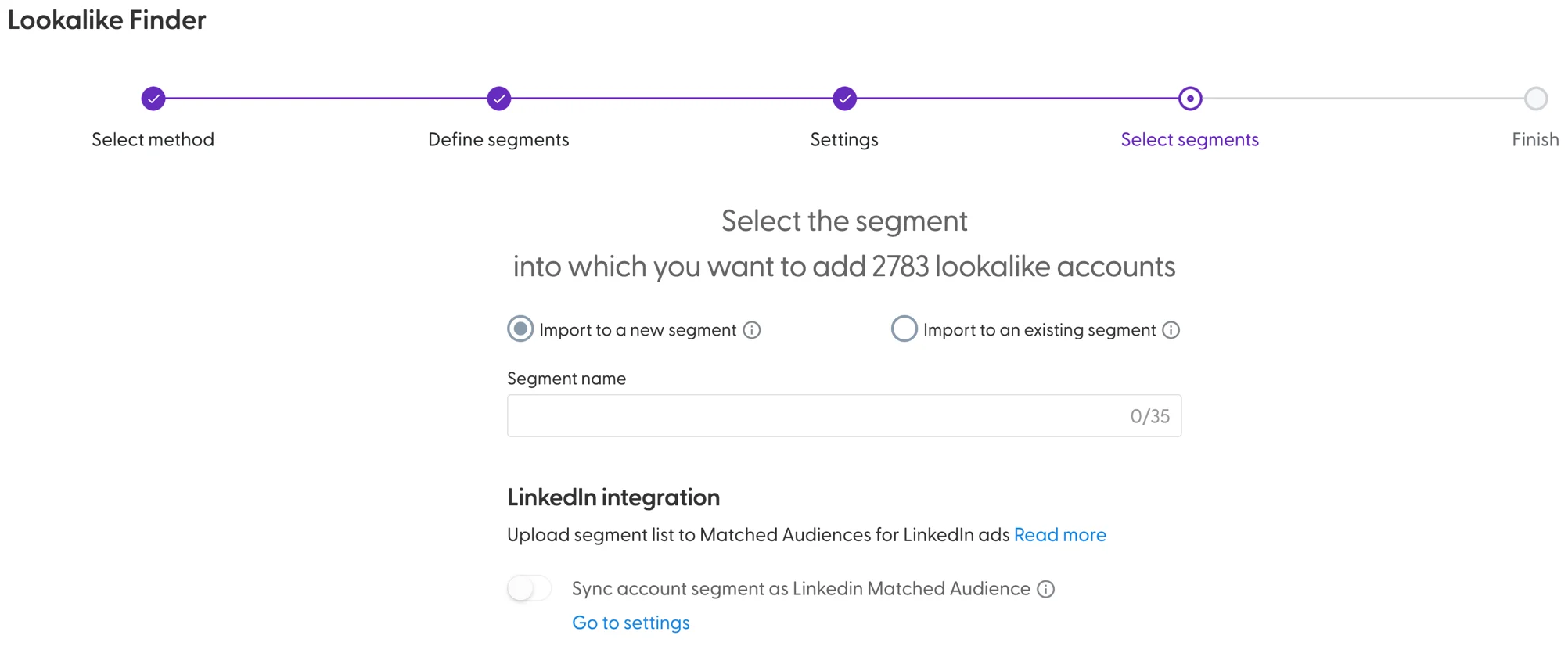
Confirm. N.Rich generates your lookalike segment and emails you when it is ready.
Sync with LinkedIn
To use the new segment in LinkedIn, turn on the LinkedIn sync for it on the Segments page. See N.Rich Segments & LinkedIn Matched Audiences.
What's next
Need help? Reach out to your Solutions Engineer via the chat in the bottom-left corner of the N.Rich platform, by email or Slack.