ICP Management
Last updated: April 2, 2026
Tap into the vast N.Rich database of accounts, filter based on 30+ datapoints and build segments based on your ideal customer profile
The ICP management feature offers you a new way of creating segments - leverage 15 AI enhanced filters in addition to 15 deterministic ones to discover new accounts fitting your ideal client profile. Once you are happy with your findings, push them into a new account segment that can be plugged into your campaigns, intent reports and workflows.
To access the feature, navigate to ICP > ICP Management
(or click here)
🇪🇺 https://app.nrich.ai/icp/management
🇺🇸 https://us.nrich.ai/icp/management
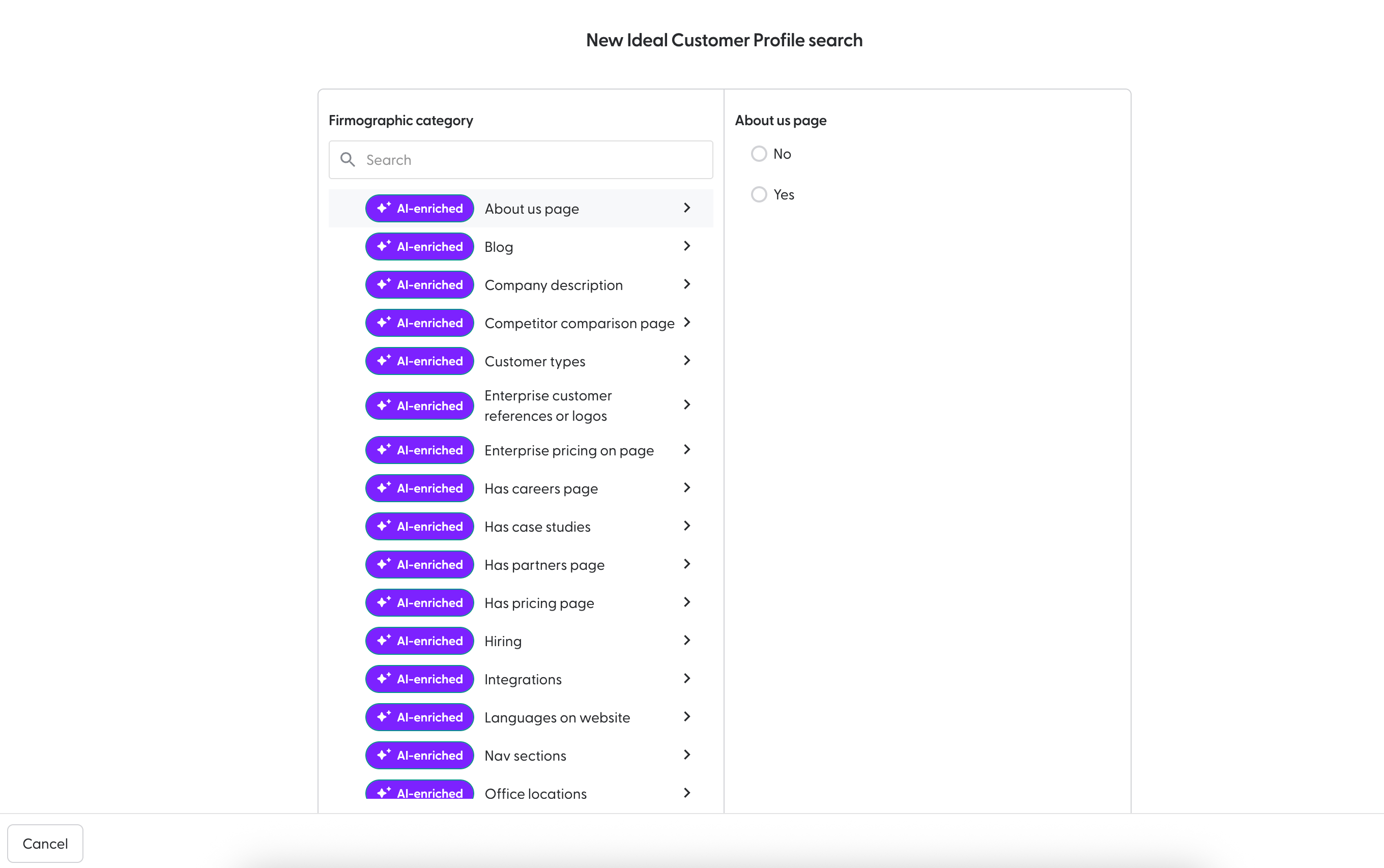
If you are visiting this page for the first time, you will see a list of available filters:
Here are the available filters:
Feature | Description | Values |
About us page | AI-detected presence of an “About Us” page on the company website. | Yes, No |
Blog | AI-detected presence of a blog, news, or content section on the website. | Yes, No |
Company description | AI-enriched company description generated via LLM-based website parsing. | Text |
Competitor comparison page | AI-detected presence of competitor comparison or alternative product pages. | Yes, No |
Customer types | AI-detected audience type, one or more of B2B, B2C, B2G, C2C, Other. | Multiple Select |
Enterprise customer references or logos | AI-detected enterprise customer references, testimonials, or logos shown on the website. | Multiple input |
Enterprise pricing on page | AI-detected enterprise-level pricing content or mentions. | Multiple input |
Has careers page | AI-detected presence of a careers or jobs page. | Yes, No |
Has case studies | AI-detected presence of case studies or customer stories. | Yes, No |
Has partners page | AI-detected presence of a partners or resellers section. | Yes, No |
Has pricing page | AI-detected presence of a pricing page on the website. | Yes, No |
Hiring | AI-detected hiring-related content or job postings. | Yes, No |
Integrations | Platforms or tools mentioned on the website (e.g. HubSpot, Salesforce, Zapier). | Multiple input |
Nav sections | AI-extracted website navigation sections and main menu items. | Multiple input |
Office locations | AI-detected number of office or location mentions. | Numeric range |
Pricing visible on page | Detects whether pricing is directly visible and not gated. | Yes, No |
Privacy policy present | Indicates whether a privacy policy page is present on the website. | Yes, No |
SSL certificate present | Indicates whether the website has a valid SSL certificate. | Yes, No |
SaaS indicator | AI-detected indication that the company operates as a SaaS provider. | Yes, No |
Sustainability on page | AI-detected mentions of sustainability or CSR initiatives. | Yes, No |
Target persona mentions | AI-extracted mentions of buyer personas such as Marketing, Sales, HR, IT. | Multiple input |
IT spend USD | Estimated IT spend in USD based on external data. | Numeric range |
Actively hiring | Indicates whether the company is currently hiring based on AI signals. | Yes, No |
Company name | Official company name from Crunchbase. | Text |
Domain | Primary company domain used for matching and deduplication. | Text |
Estimated revenue | Estimated annual company revenue, normalised numeric field. | Numeric range |
Headquarters location | Country-level headquarters location. | Text |
Headquarters region | Region or country of the headquarters. | Text |
Industries | Industries associated with the company. | Multiple Select |
Last funding date | Date of the most recent funding round. | Date range |
Last key employee change date | Most recent detected key employee change. | Date range |
Number of founders | Number of company founders. | Numeric range |
Number of funding rounds | Total number of funding rounds. | Numeric range |
SEMrush bounce rate | Bounce rate percentage from SEMrush analytics. | Numeric range |
SEMrush global rank | Global website ranking according to SEMrush. | Numeric range |
SEMrush visit duration (seconds) | Average visit duration from SEMrush analytics, measured in seconds. | Numeric range |
Total funding amount USD | Total disclosed funding amount in USD. | Numeric range |
Valuation at IPO USD | Company valuation at IPO in USD, if applicable. | Numeric range |
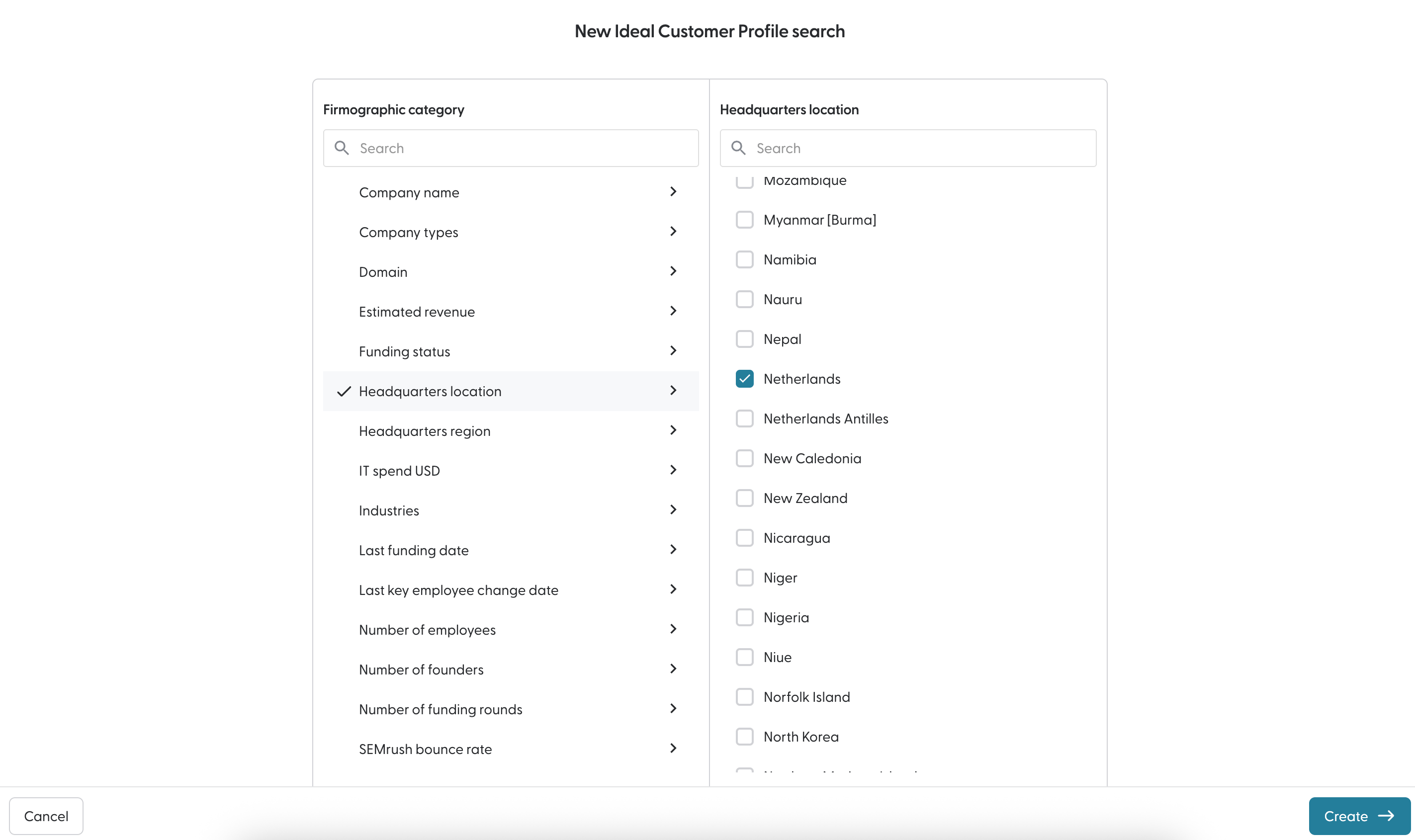
Upon populating at least one filter, a "Create" button will appear at the bottom of the page:
Clicking on it will lead you to the results page:
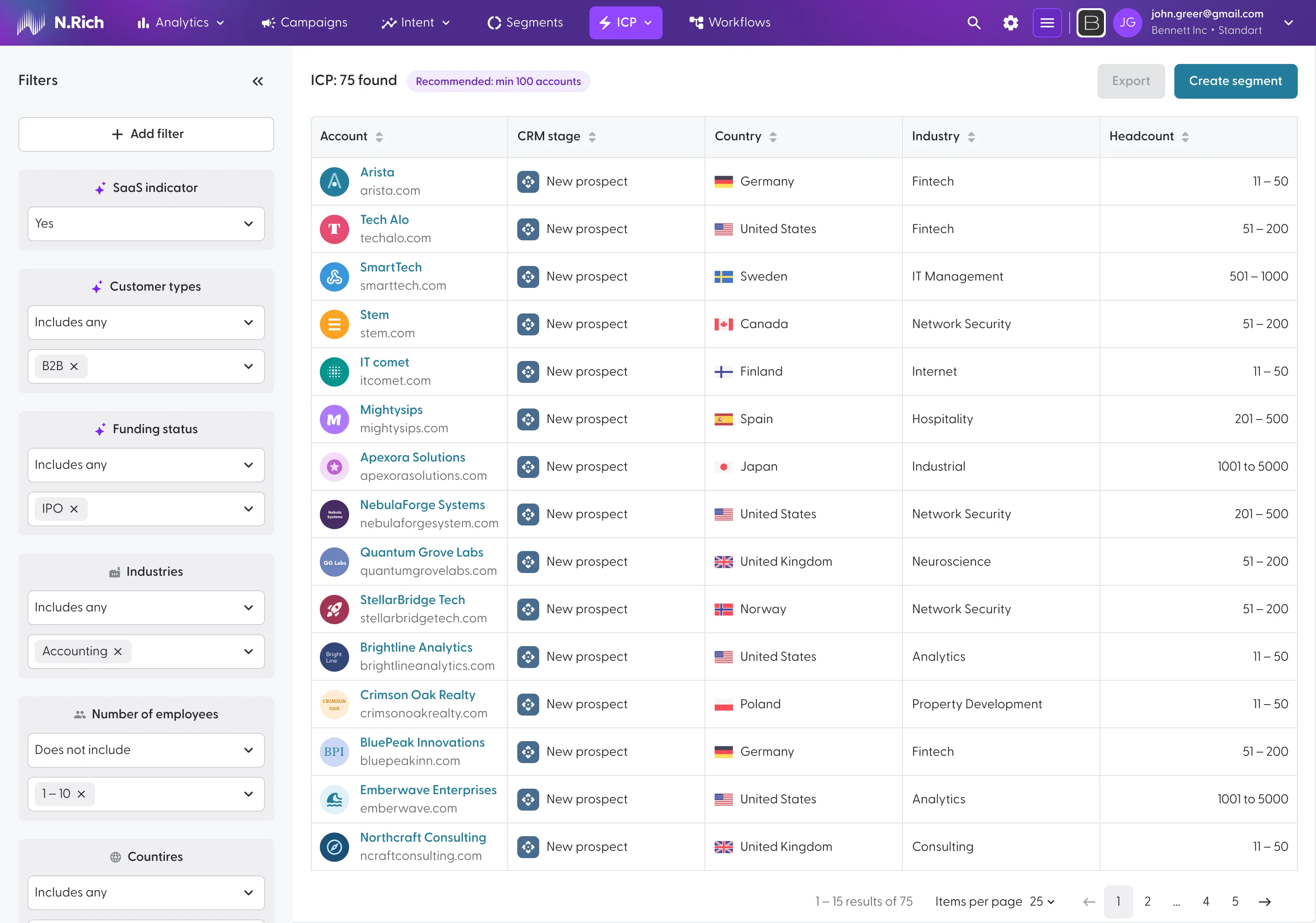
On the right-hand side you can further tweak the filters and add new ones via the +Add Filter button.
On the top-right, you will find options to export the list of accounts in an .xls format, OR turn your account selection into a segment. Depending on the number of accounts in your selection, it can take up to 20 minutes for your new segment to be populated.