How to combine two data sources in one workflow
Last updated: October 9, 2026
You can base one workflow on two data sources, for example website visits and ad engagement. The workflow only acts on accounts that meet both conditions, which makes your segments more precise.
How it works
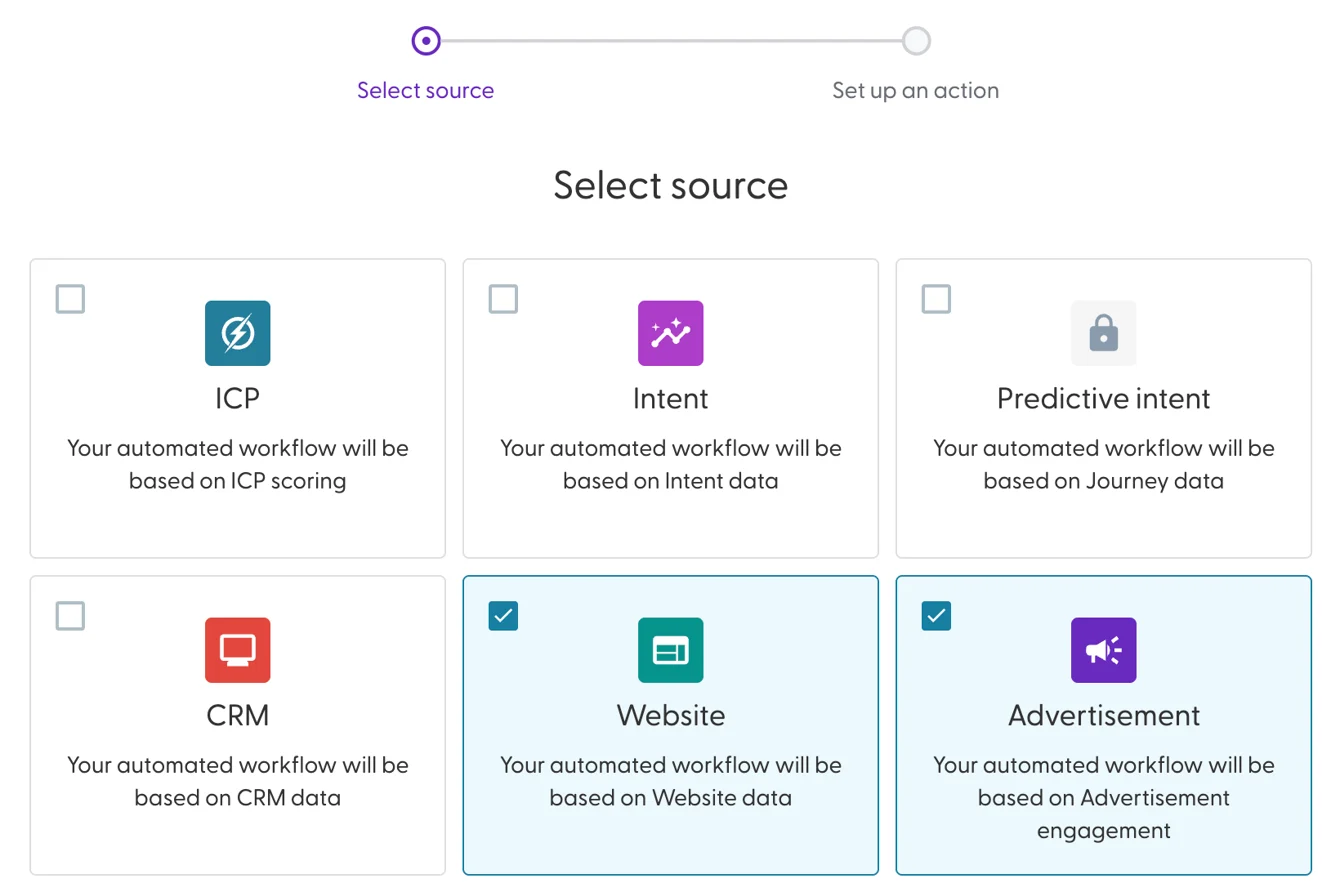
Pick any two of: Intent, ICP, CRM, Website and Advertisement. You can't pick more than two, and Predictive intent can't be combined.
An account must meet both conditions. If no account meets one of them, the workflow does nothing.
The action applies to the whole workflow: Add, Move or Remove. Sync is not available for workflows with two sources.
Combining sources helps you:
avoid false positives by requiring two signals before an account is added
qualify accounts more strongly, for example by combining website visits with ad engagement
connect marketing and sales signals, for example intent with CRM data
Create the workflow
Go to Workflows and click + Create workflow.
Tick the two data sources you want, for example Website and Advertisement, and click Next.
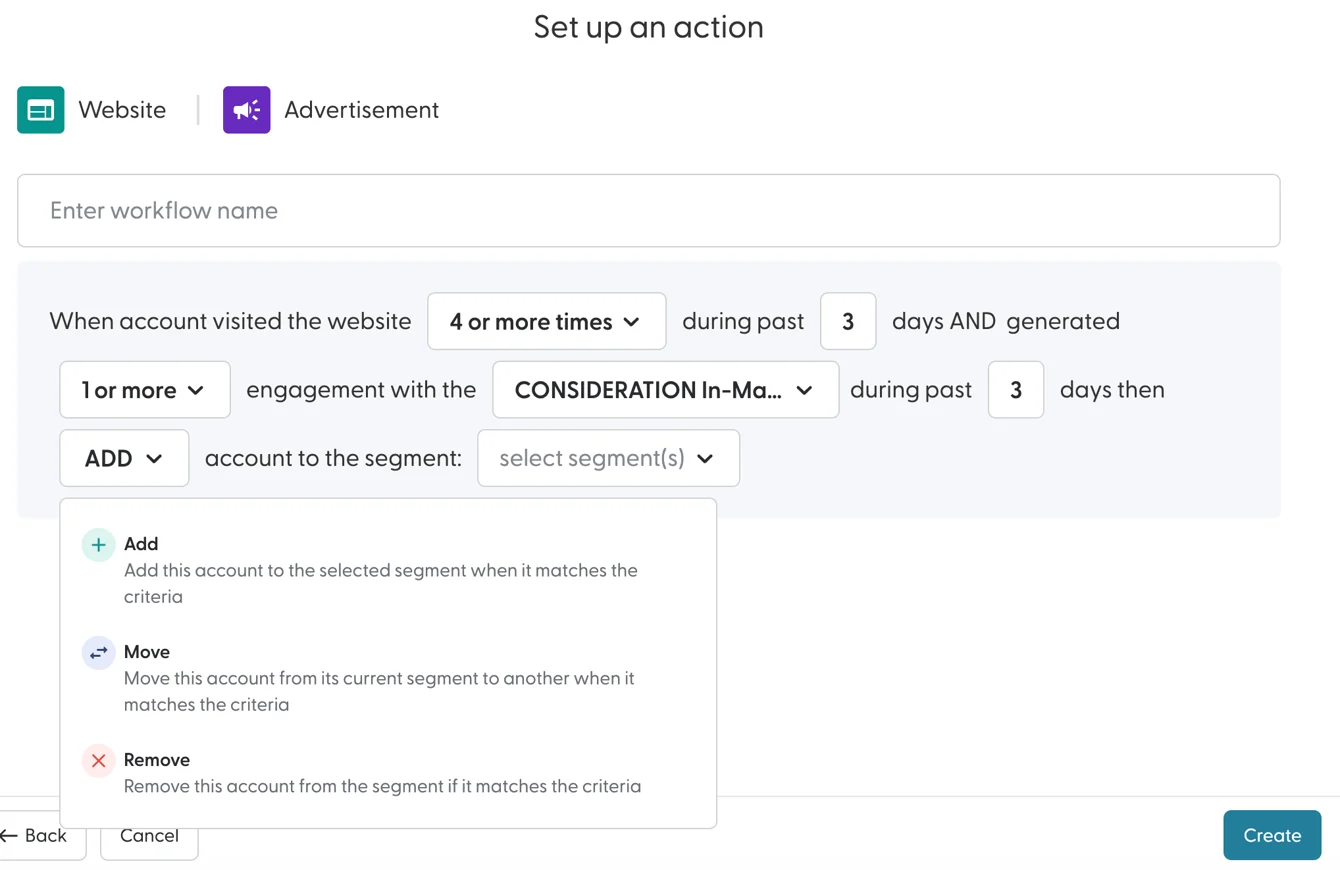
Enter a name that says what the workflow does.
Set the conditions for the first source. Example: the account visited the website 4 or more times during the past 3 days.
Set the conditions for the second source. Example: the account generated 1 or more engagements with a campaign during the past 3 days. Only live campaigns appear in the list.
Choose the action: Add, Move or Remove. See What are workflows and how do they work? for what each action does.
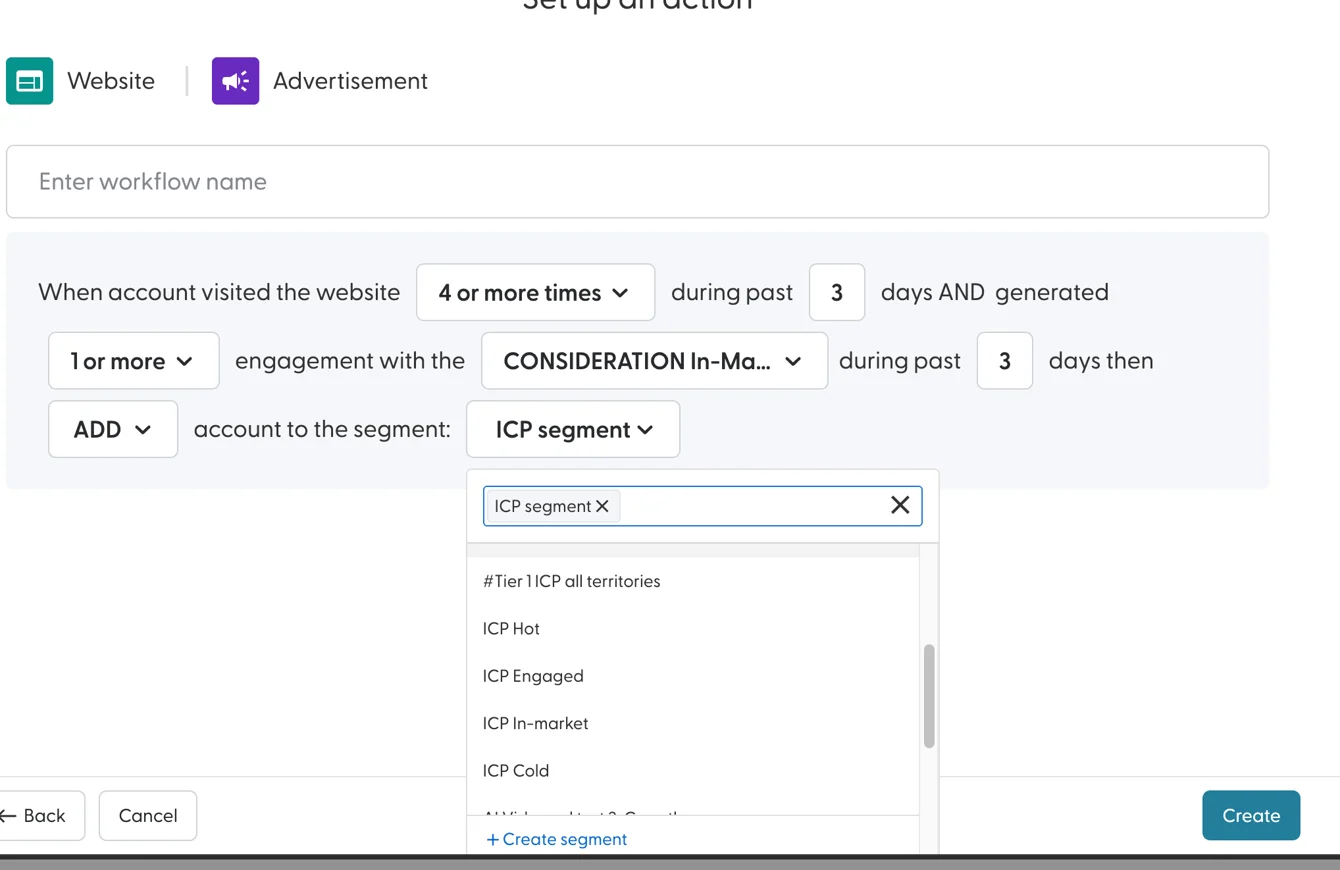
Select the segment(s) to update. You can also create a new segment here. For Move, select the segment(s) to move accounts from and the segment(s) to move them to.
Click Create.
The workflow is active straight away and runs at the next scheduled run.
What's next
Need help? Reach out to your Solutions Engineer via the chat in the bottom-left corner of the N.Rich platform, by email or Slack.