How to set up weekly intent email alerts
Last updated: October 8, 2026
Weekly email alerts send you the top accounts from an intent report every Monday. Set them up to spot new high-intent accounts without opening the report.
What the alerts contain
There are two types of alert:
New accounts: up to 5 accounts that are new to the report this week, highest score first
Top accounts: up to 5 of the highest-scoring accounts in the report this week
Alerts are sent every Monday, after the weekly intent update. If fewer accounts qualify, the email lists fewer. If no accounts qualify that week, you still get the email, without accounts.
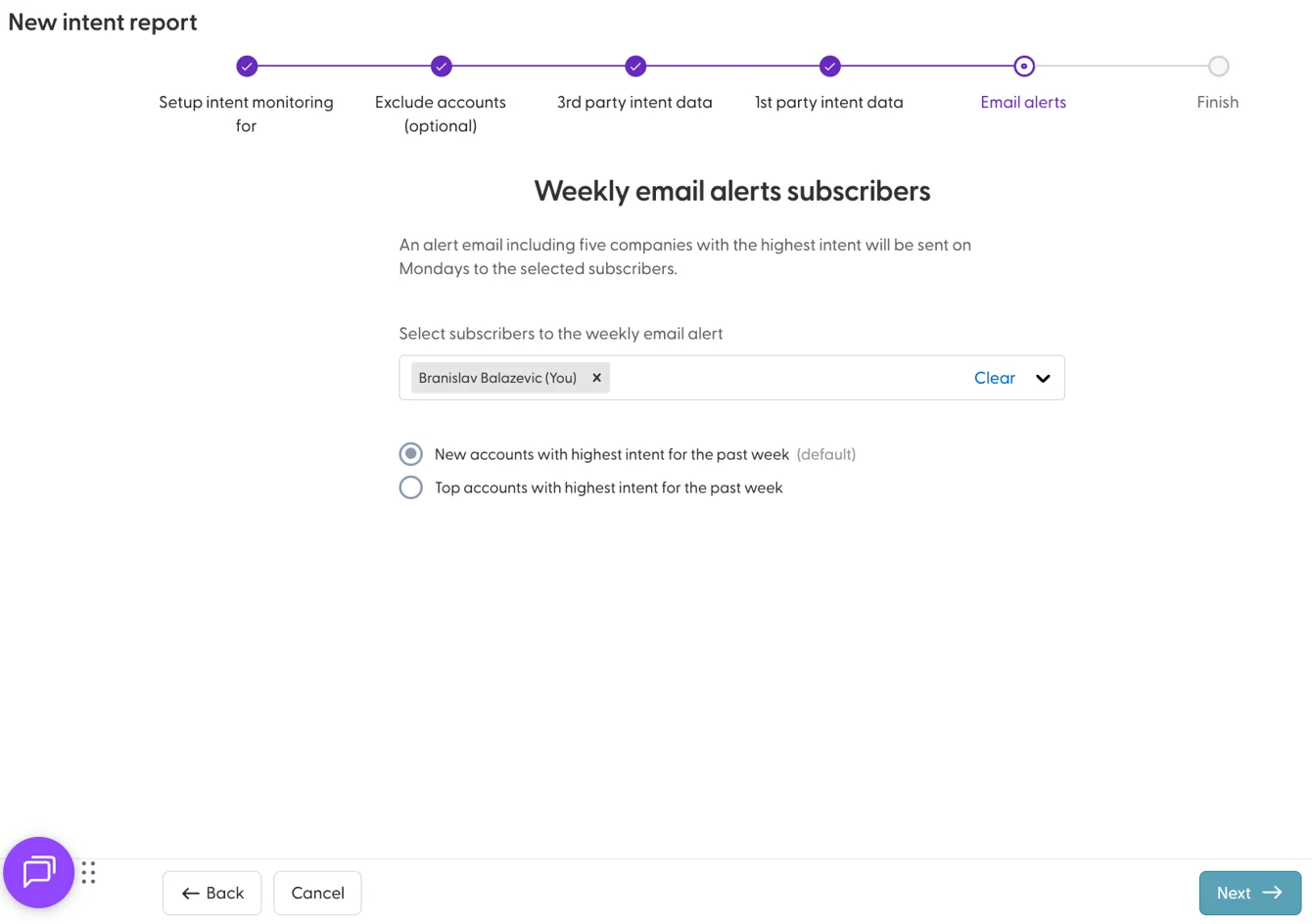
Set up alerts
Open the email alerts step when you create an intent report, or open the settings of an existing report.
Choose the alert type: new accounts, top accounts, or both.
Add the recipients and save.
Who can receive alerts
Recipients must be users in your N.Rich account. To send alerts to a colleague who is not a user yet, invite them to N.Rich first.
What's next
Need help? Reach out to your Solutions Engineer via the chat in the bottom-left corner of the N.Rich platform, by email or Slack.