CRM Integration - Automatic Sync of CRM Data
Last updated: September 24, 2026
This feature applies to both Salesforce and Hubspot. No changes will be made to your CRM data - changes will only be made to your accounts in N.Rich
How to automatically associate your CRM accounts with your N.Rich accounts
The Automatic Sync of CRM Data feature in N.Rich is an essential feature designed to create associations between Salesforce/HubSpot accounts and N.Rich accounts. When enabled, this feature will check if N.Rich accounts exist in your CRM and if so, it will create an association between the accounts and sync account data between them for each matched account. This helps standardise account information between your CRM and N.Rich.
How to enable the feature:
Under Settings > CRM, toggle the "Automatically sync CRM Data"
This sync runs daily.
For exact cadences by data type, see Salesforce Sync Cadences and HubSpot Sync Cadences.
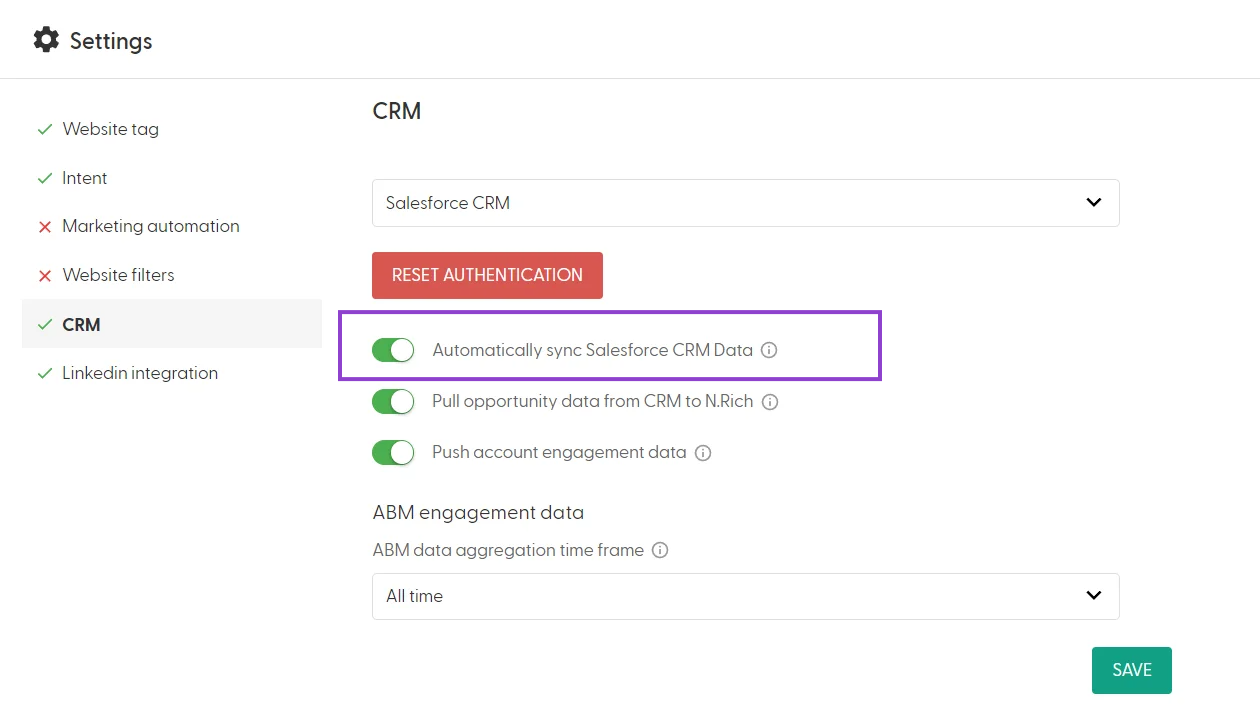
Properties being synced
Account ID: Unique identifier for the account in your CRM
Account Name: Name of the account
Country: Geographic location of the account
What happens when an account in N.Rich is synced with its CRM counterpart?
Account association data (CRM name, id and link) are displayed in N.Rich and visible in the Analytics dashboard, Account analytics and Account data exports. Additionally, the owner of the CRM account owner becomes visible on the Account Analytics. Changes made to your CRM data will automatically sync to your accounts in N.Rich.
The "automatically sync CRM data" toggle is a prerequisite for
Enabling CRM Stages
Pulling Opportunity data from your CRM
Pushing of Account engagement data to your CRM
Enabling the Account Segment Push feature (HubSpot only)
What happens when companies are merged (HubSpot only)
When you merge two companies in HubSpot, the surviving company continues syncing to N.Rich as normal. Merging companies in HubSpot does not merge accounts in N.Rich: accounts in N.Rich are based on domains, so if the merged companies had different domains, both continue to appear as separate accounts, each keeping its own historical data. The merged-away company simply stops syncing, since its HubSpot record no longer exists.