
N.Rich credits - Ad credits and AI credits
The credits area shows your Advertising and AI credits in two tabs, including how many AI credits are available to your organisation and how many have been spent.
If you are an admin of your account, you can access the credits area from the primary dropdown:
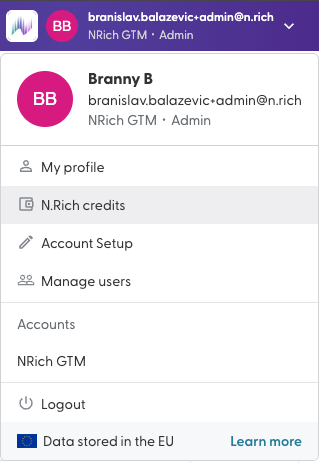
It will hold the details on Advertising and AI credits in the form of two tabs:
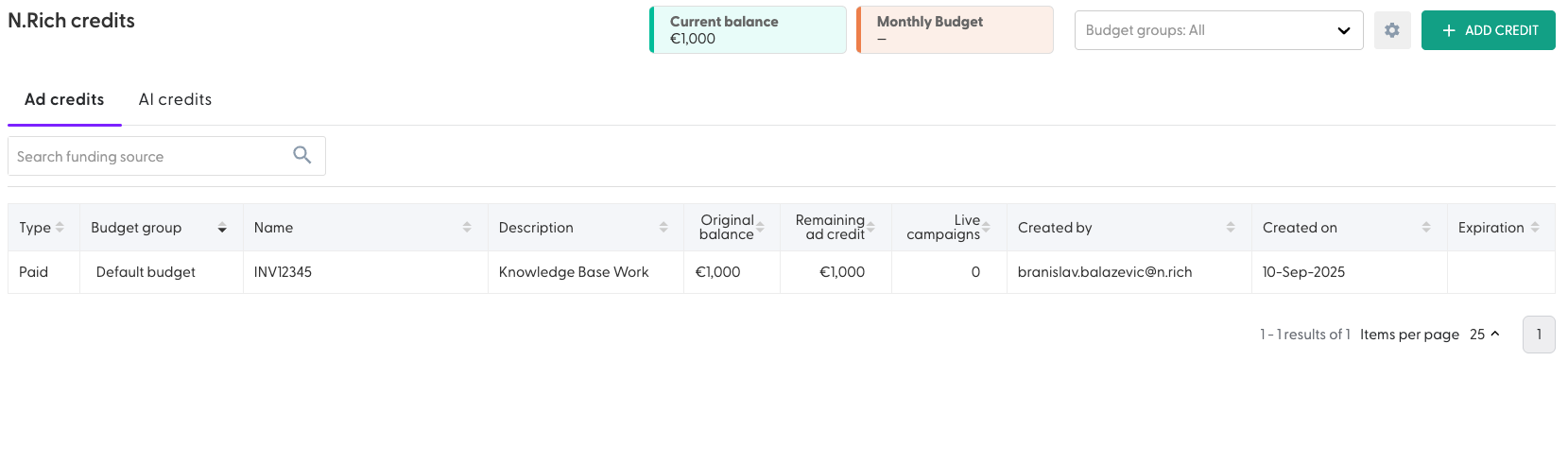
The advertising credits are explained in depth here: https://knowledge.nrich.io/articles/4543621083-advertising-budget-management?lang=en
The AI credits tab reveals how many AI credits are available to your organisation as well as how many have been spent:
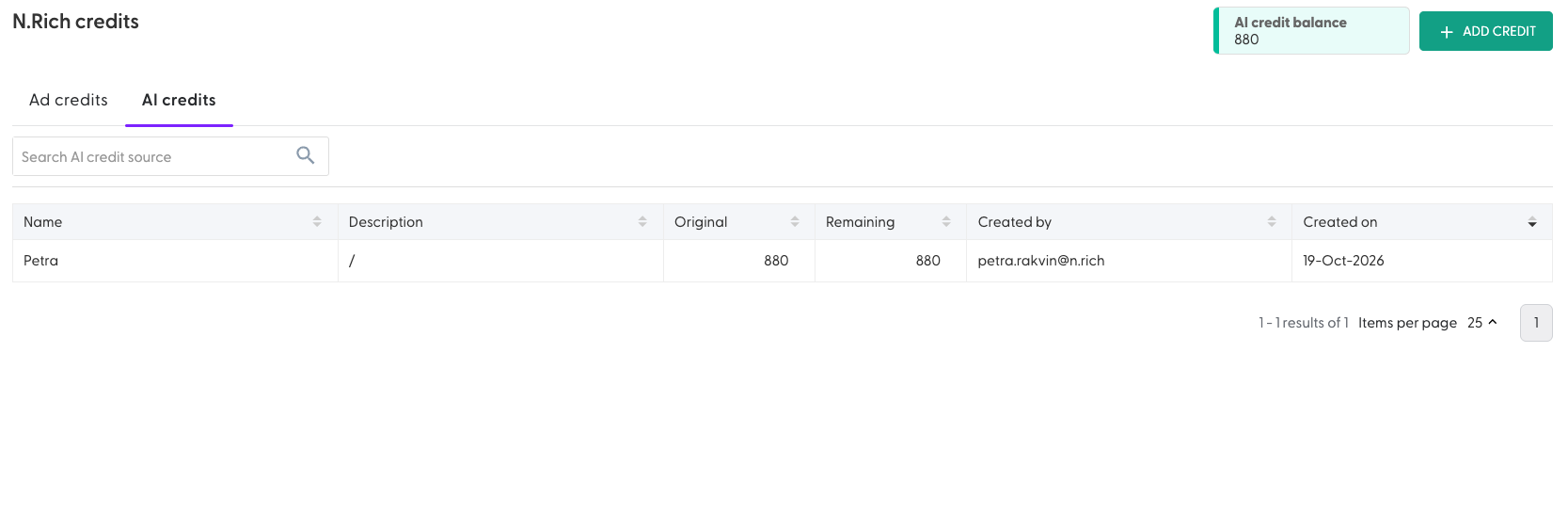
In case you need to add more credits, contact your account manager or solution engineer.
What's next
How do campaign budgets and ad credits work?: how your campaigns spend your ad credit.
N.Rich AI: Free trial and limits: what uses AI credits in N.Rich AI.
Need help? Reach out to your Solutions Engineer via the chat in the bottom-left corner of the N.Rich platform, by email or Slack.