N.Rich MCP Guide to connect with n8n
Last updated: September 30, 2026
From 1 October 2026, the majority of N.Rich customer gets full access to MCP as a free trial. The trial runs until 30 November 2026.
This guide describes how to connect the N.Rich MCP server to an n8n workflow. Once connected, your workflows can read your N.Rich data - ad campaigns, budgets, creatives, target-account engagement, intent signals, website visits, and pipeline influence - on a schedule or on demand, without anyone in front of the screen.
What you need
Your N.Rich account.
An n8n account.
MCP URL, Client ID and Auth server for your region (see below).
For the AI agent workflow only: an API key for an AI model (for example, Anthropic). You pay for the model usage directly to its provider.
MCP Credentials by Region
Region | MCP URL | Client ID | Auth server |
|---|---|---|---|
EU |
|
|
|
US |
|
|
|
Connection steps
1. Create a credential
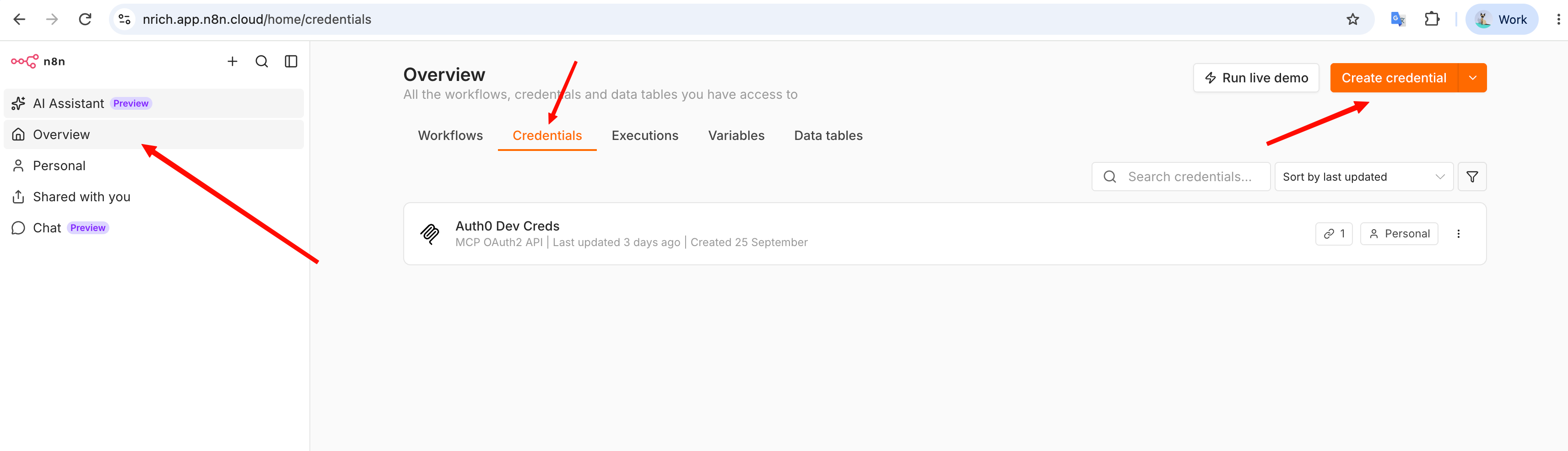
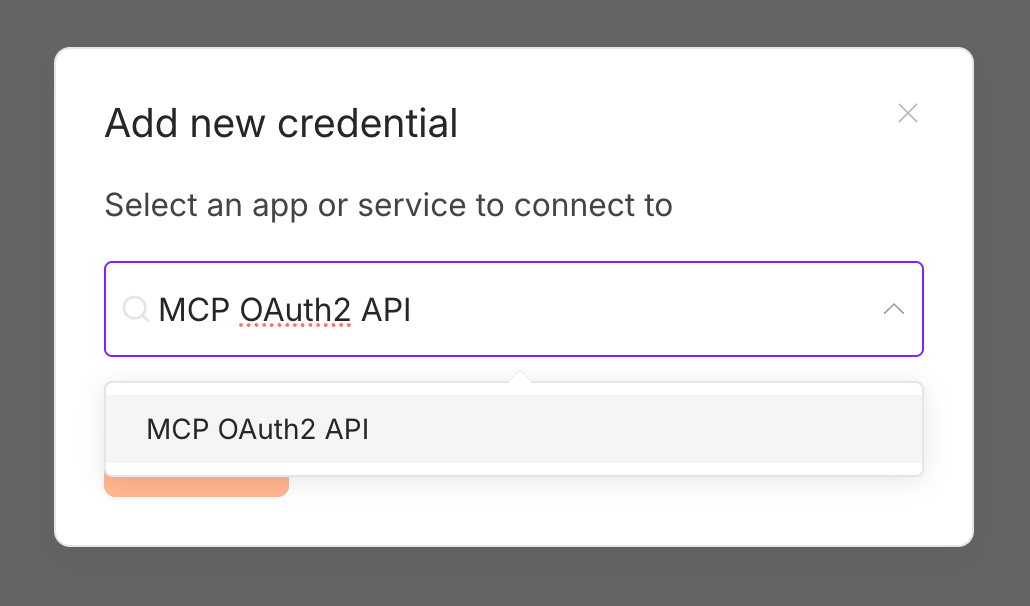
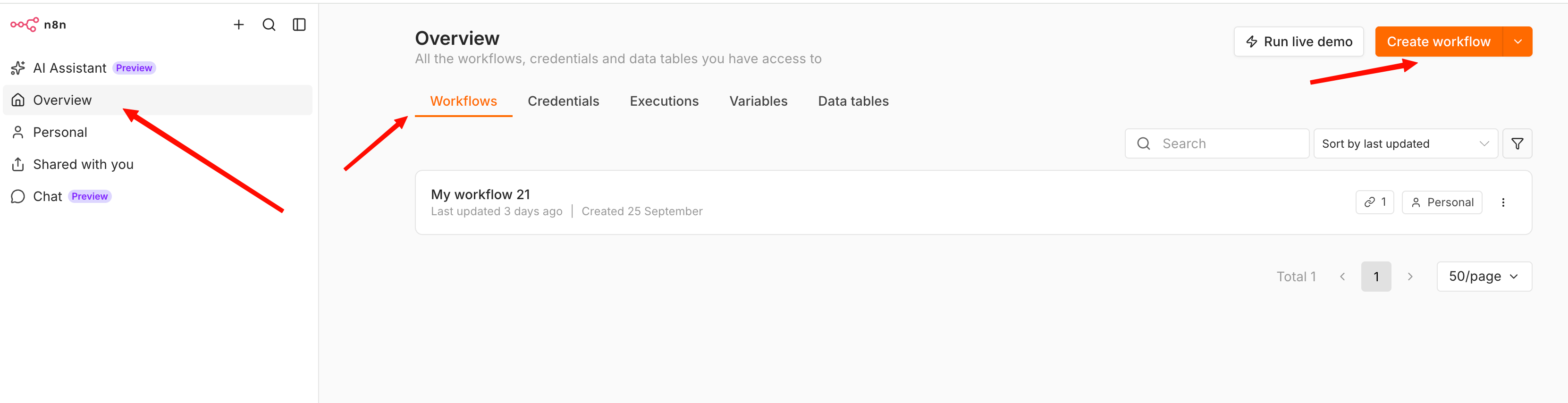
In n8n, go to Overview → Credentials → Create credential, search for MCP OAuth2 API and select it.
2. Fill in the credential
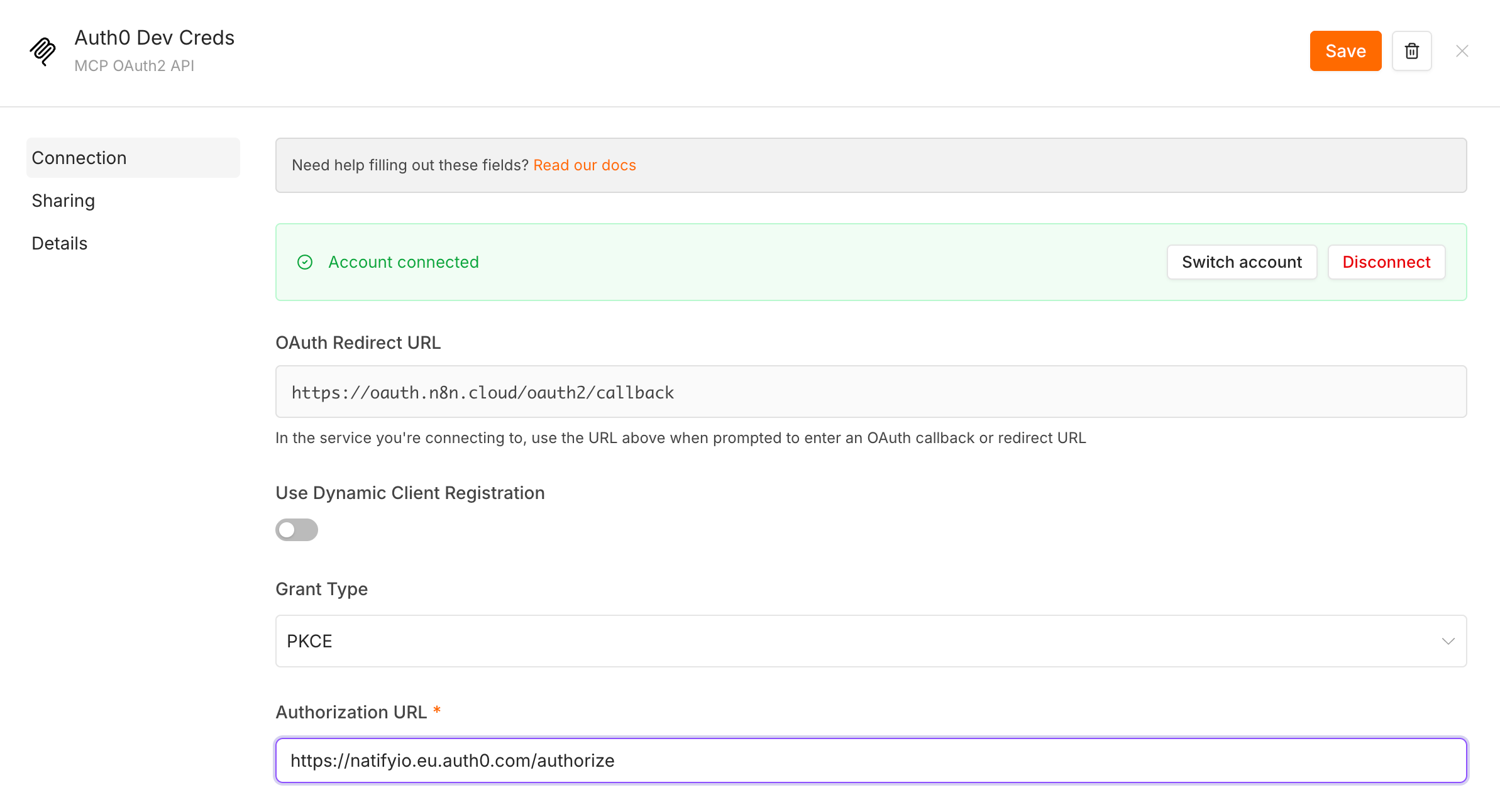
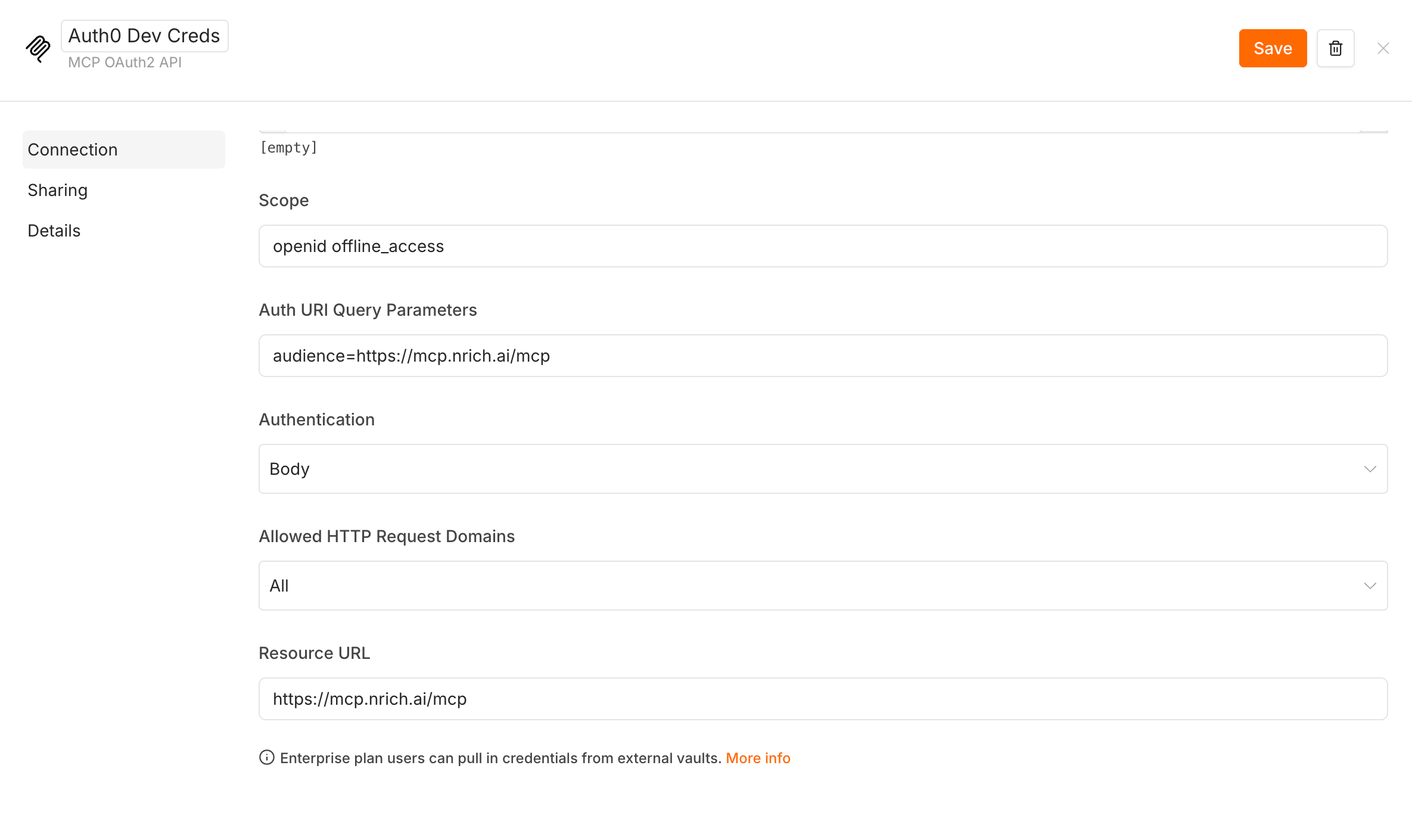
Use Dynamic Client Registration: off
Grant Type: PKCE
Authorization URL: Auth server +
/authorize, for examplehttps://natifyio.eu.auth0.com/authorizeAccess Token URL: Auth server +
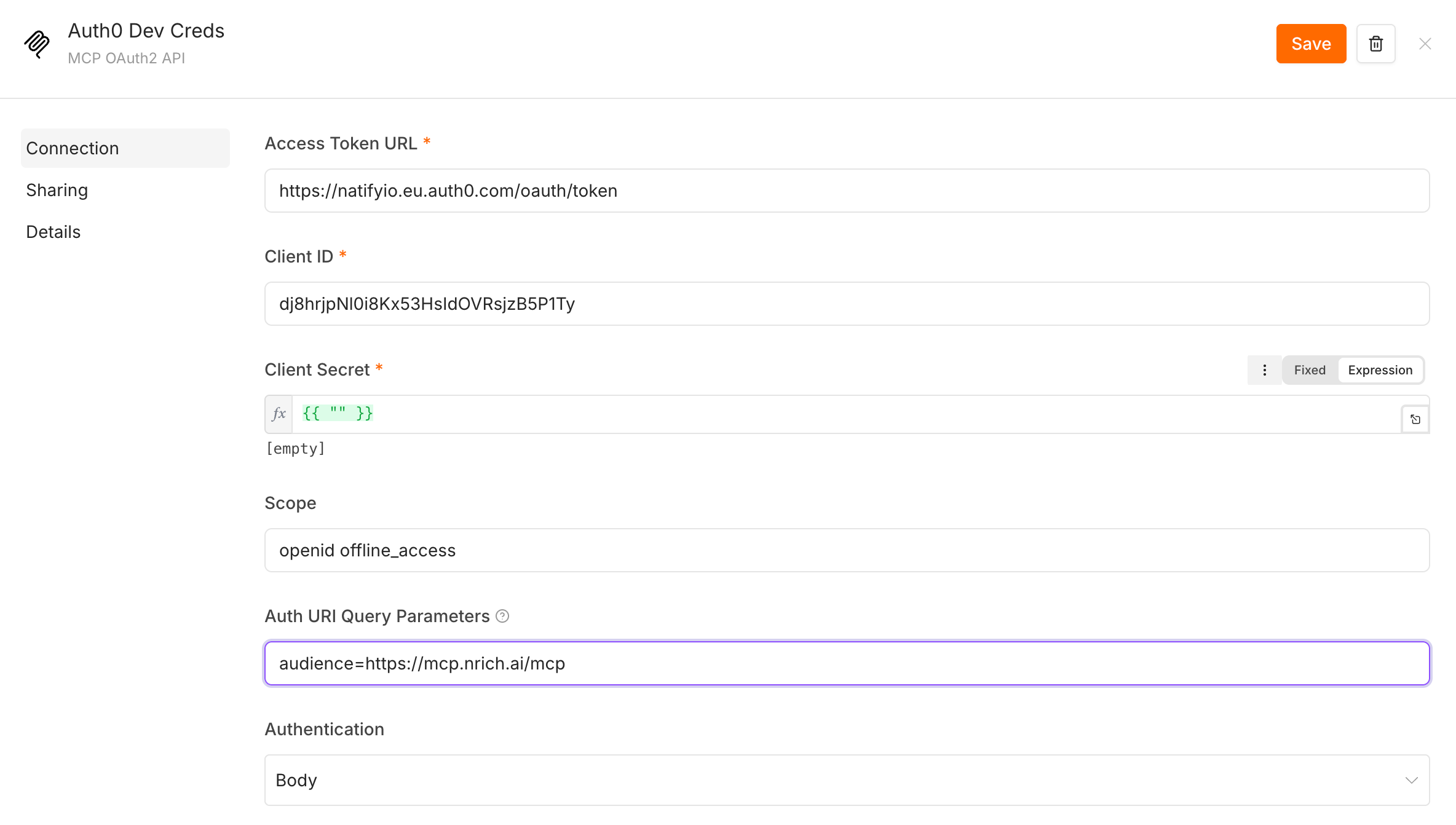
/oauth/token, for examplehttps://natifyio.eu.auth0.com/oauth/tokenClient ID: provided Client ID based on the server location
Client Secret: click the field, switch it to Expression and enter
{{ "" }}. N.Rich does not use a client secret, but n8n does not save the credential with an empty field.Scope:
openid offline_access. Withoutoffline_accessthe connection stops working after 30 minutes.Auth URI Query Parameters:
audience=+ provided MCP URL, for exampleaudience=https://mcp.nrich.ai/mcpAuthentication: Body
Resource URL: provided MCP URL
Click Save.
3. Sign in to N.Rich
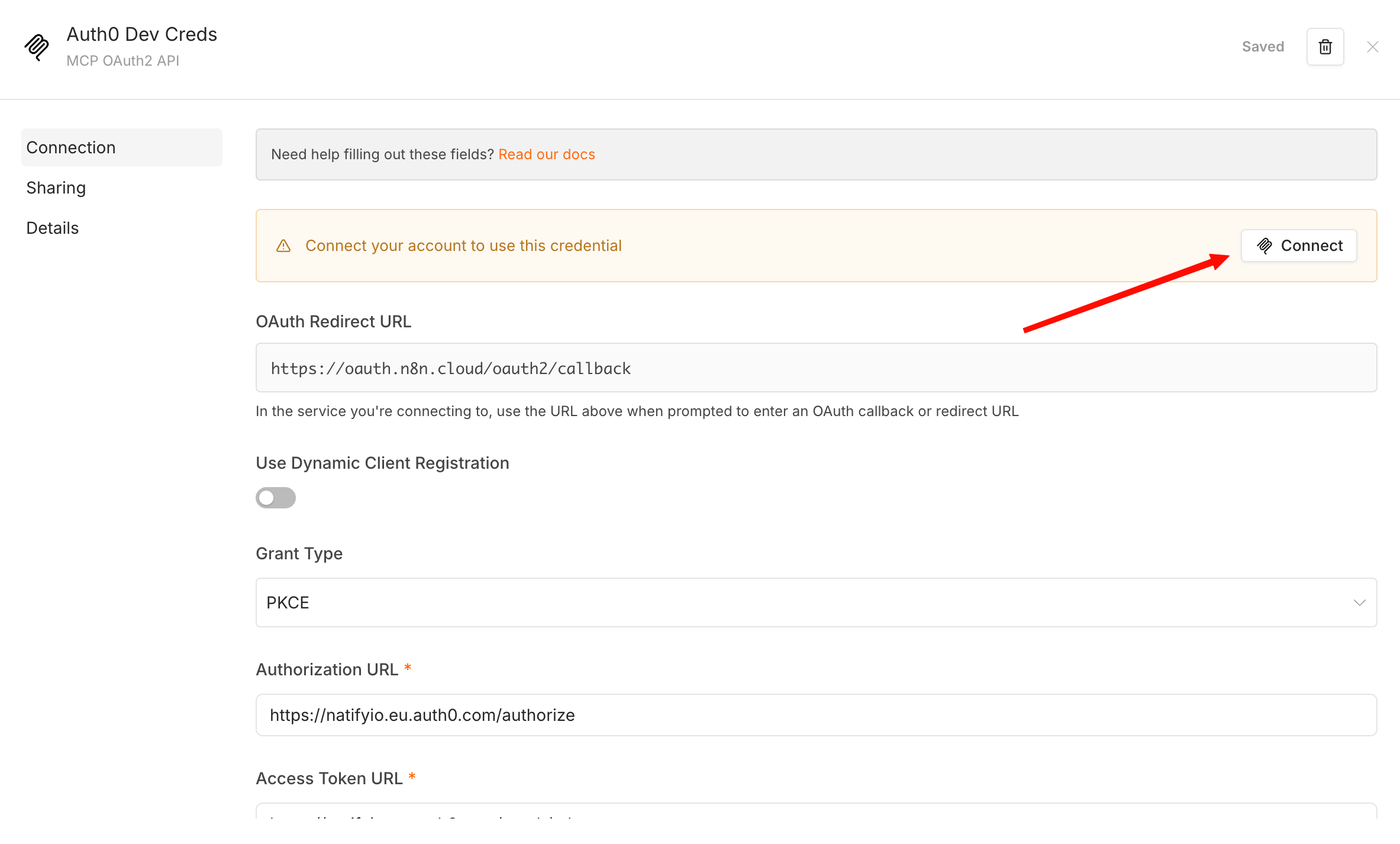
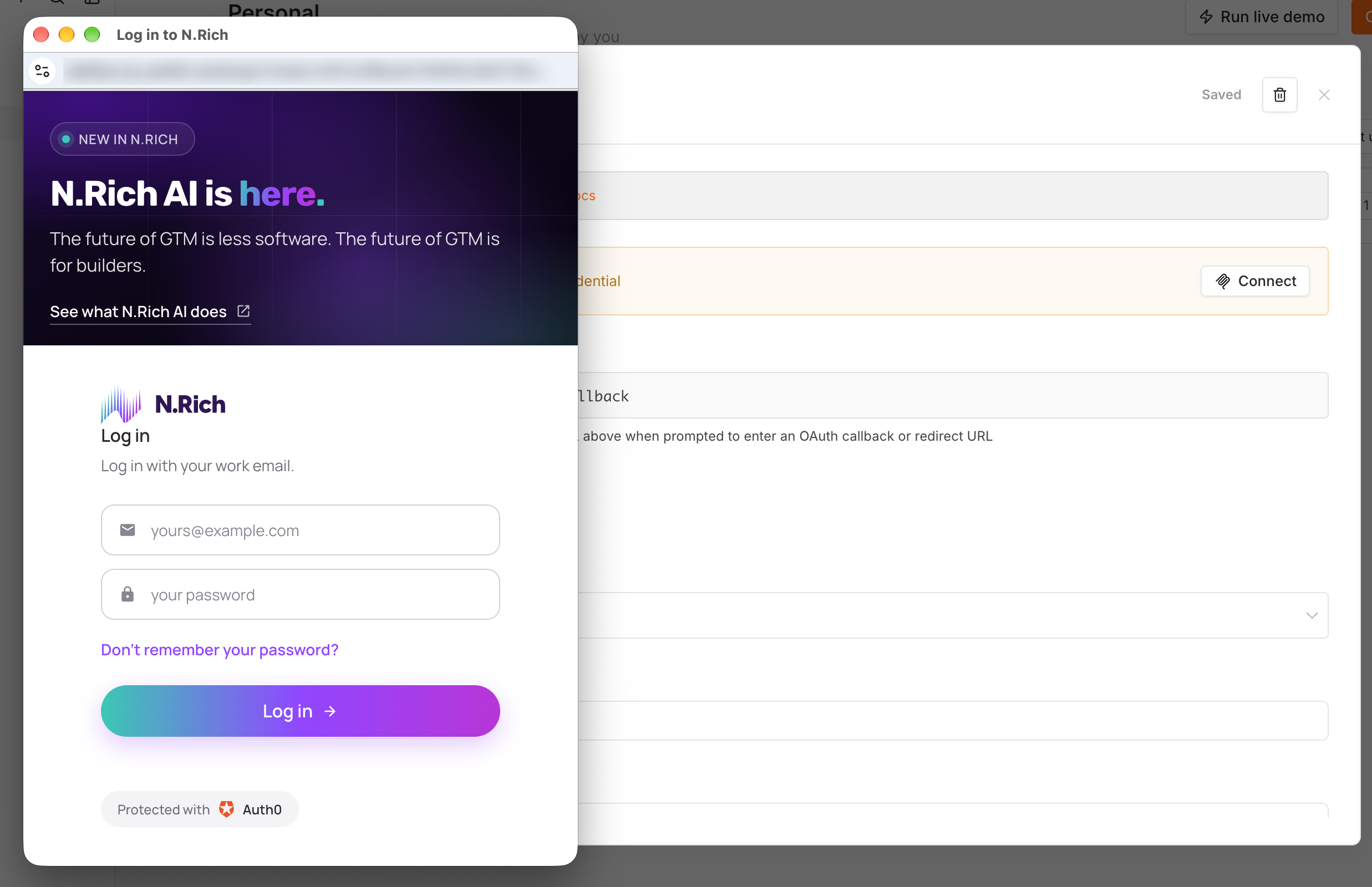
Click Connect my account. n8n opens the N.Rich login page. Enter your login and password and allow access if asked.
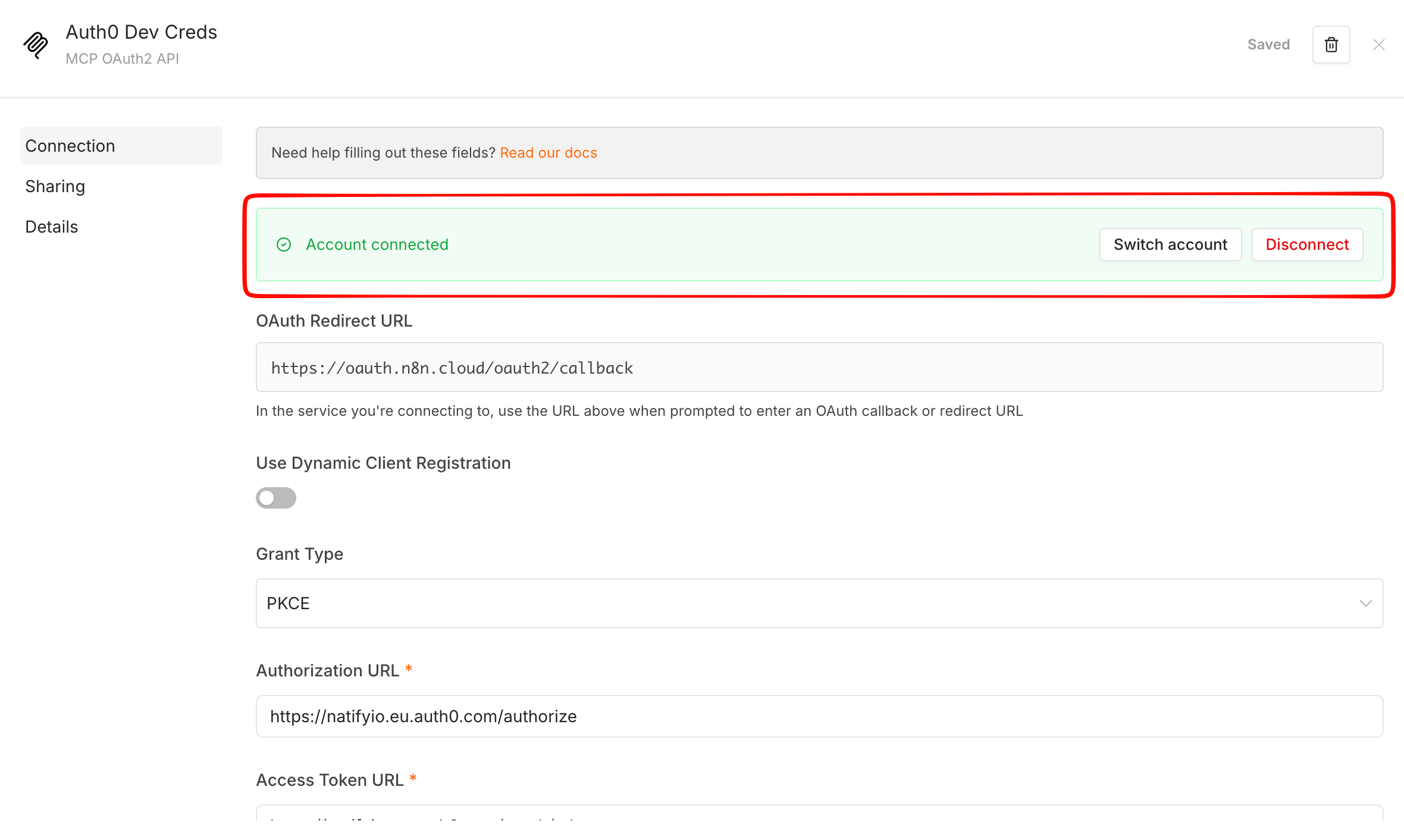
You are redirected back to n8n and the credential shows Account connected.
4. Build a workflow
Choose one of the two options.
Option A. Run one fixed request. For a scheduled job that always asks the same thing - for example, pull last week's website visitors every Monday. No AI model needed.
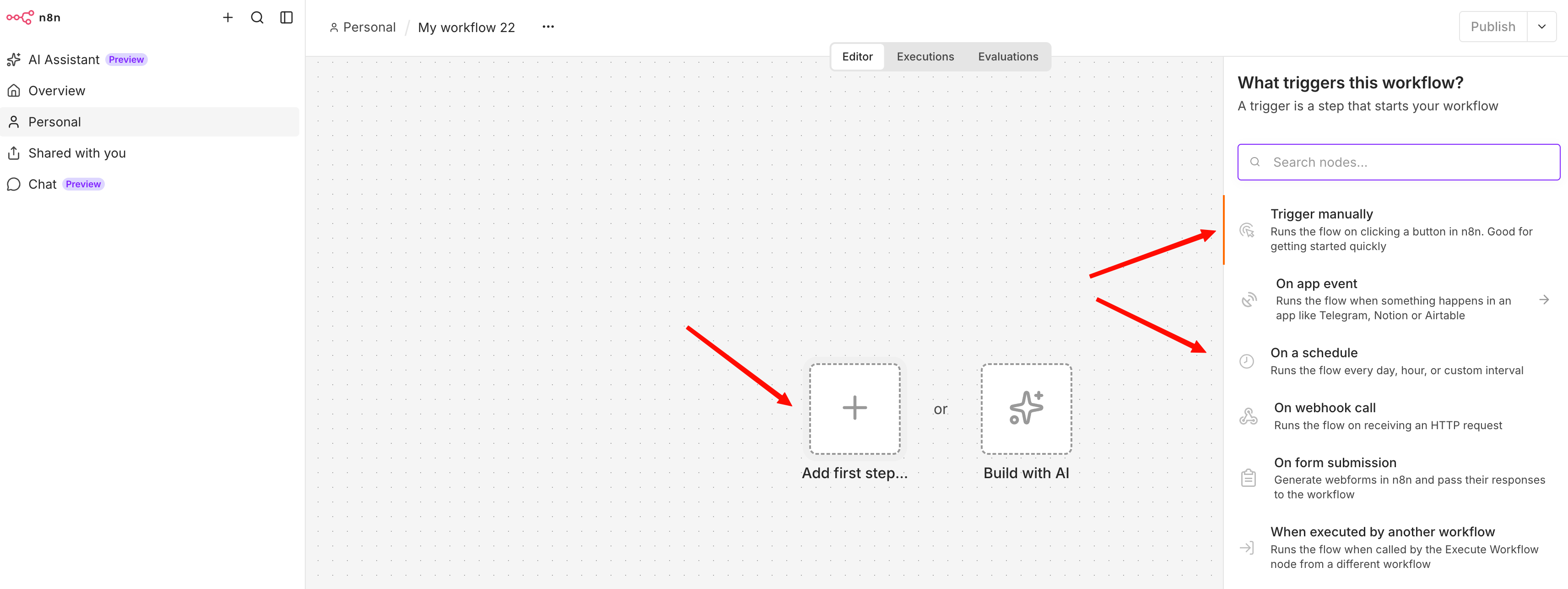
Create a workflow and add a Schedule Trigger (or Trigger manually while testing).
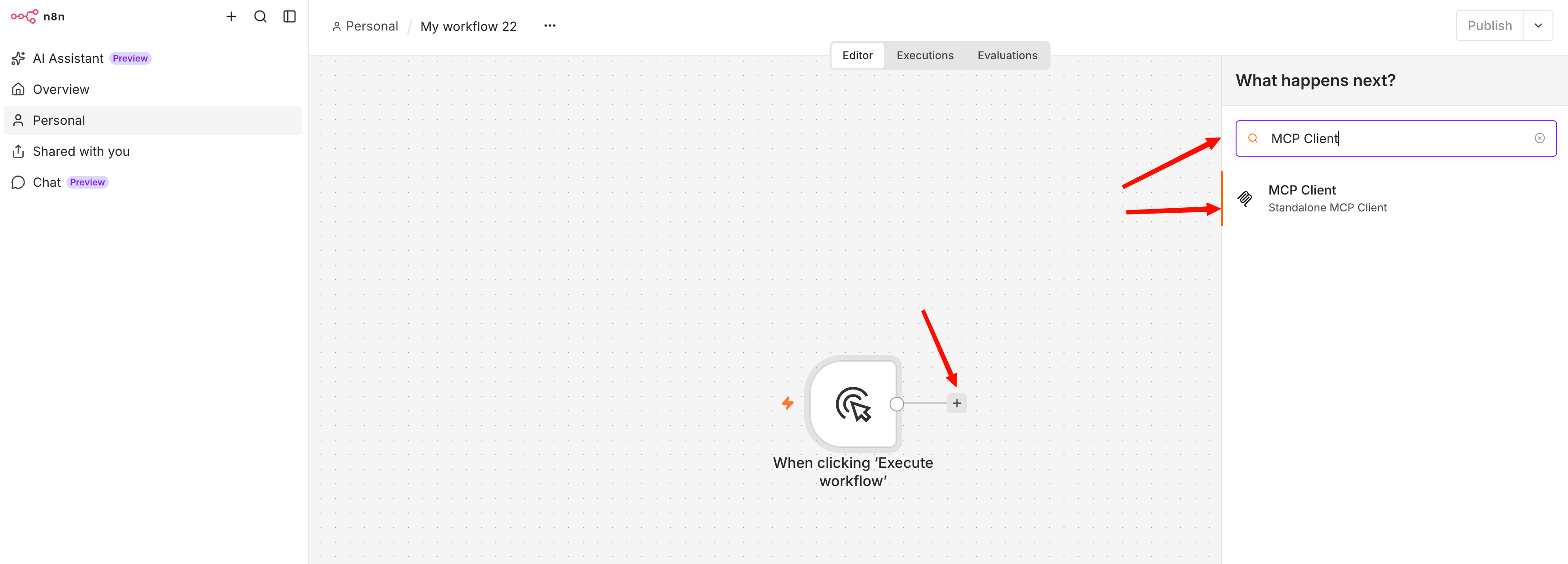
Add an MCP Client node:
Server Transport: HTTP Streamable
MCP Endpoint URL: provided MCP URL
Authentication: MCP OAuth2, select the credential from step 2
Tool: the tool to call, for example
query
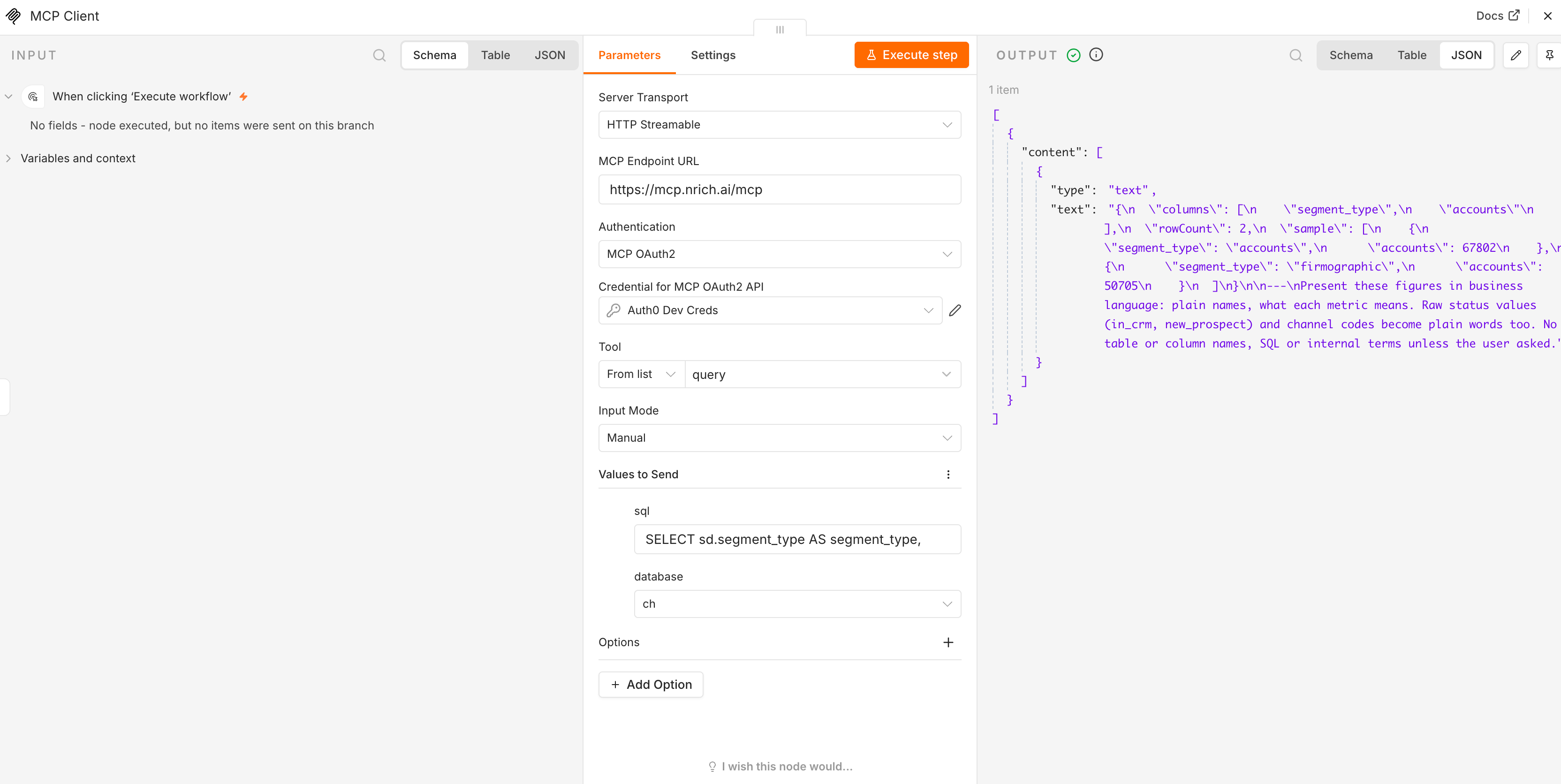
Click Execute step.
Tool results format: the N.Rich MCP query tool returns results in a "data + prompt" format. You may need to add an extra Code step (or similar) to your workflow to parse the result and extract just the data.
Option B. Let an AI agent decide. For questions in plain words. The agent picks the N.Rich tools and calls them as many times as it needs, the same way Claude does.
Good to know
The connection uses your N.Rich user. If that user is removed or loses access, the workflow stops within 30 minutes. Reconnect the credential with another user.
The workflow reads the account currently selected for your user in the N.Rich platform. If you switch to another account there, the workflow follows within 30 minutes.
Relevant articles:
When the trial ends
On 30 November 2026, accounts that have upgraded keep their access. Accounts that haven't upgraded lose access to MCP.
Need more? Contact your Account Manager to talk about upgrading.
Need help at any point? Reach out to our Solutions Engineering team via email or via in-app chat in the bottom-left corner of the N.Rich platform. We're happy to walk you through it!